Purchase Order Template
Standardize your procurement process so every order is accurate and audit-ready.
About the Purchase Order Template
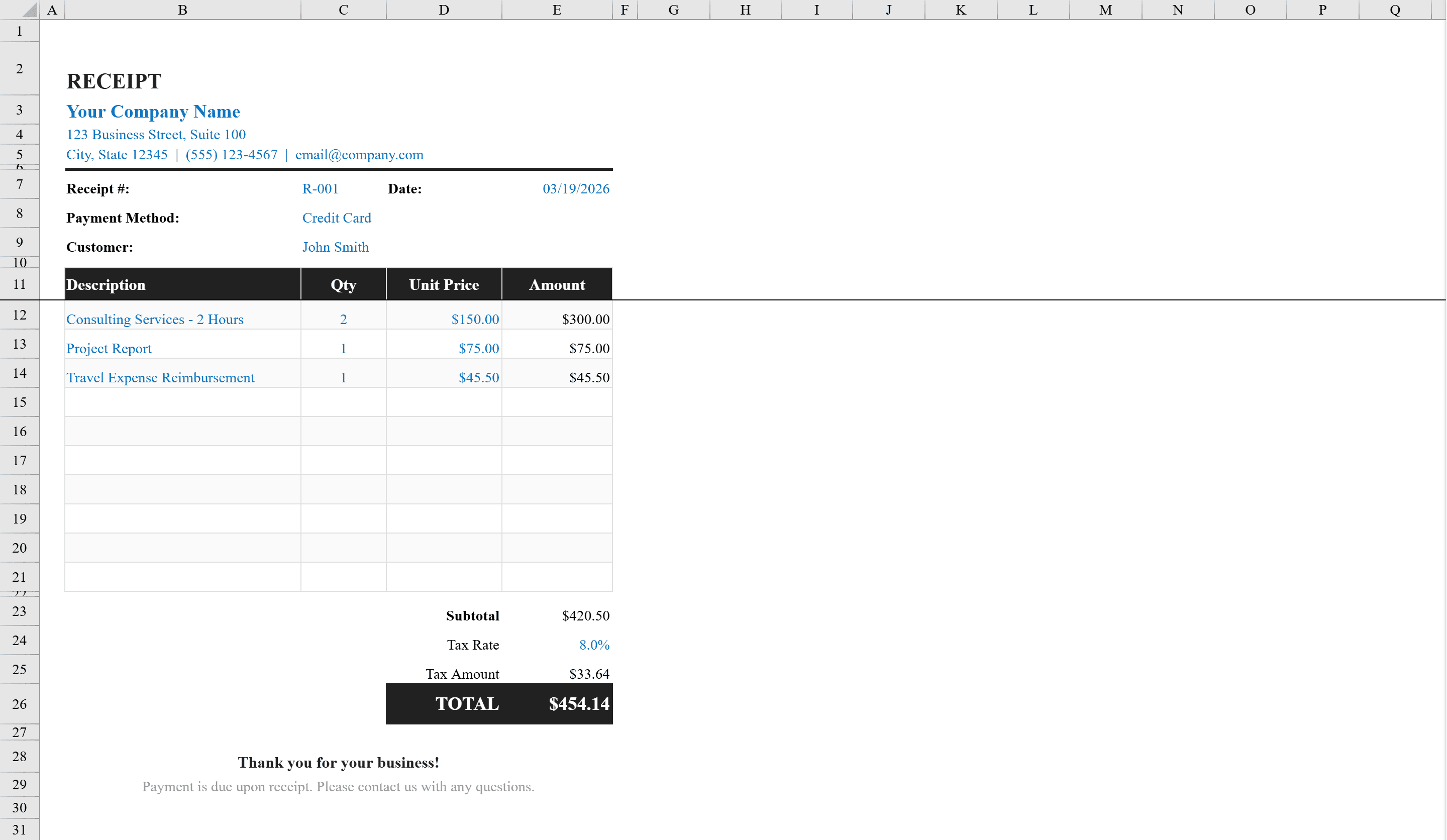
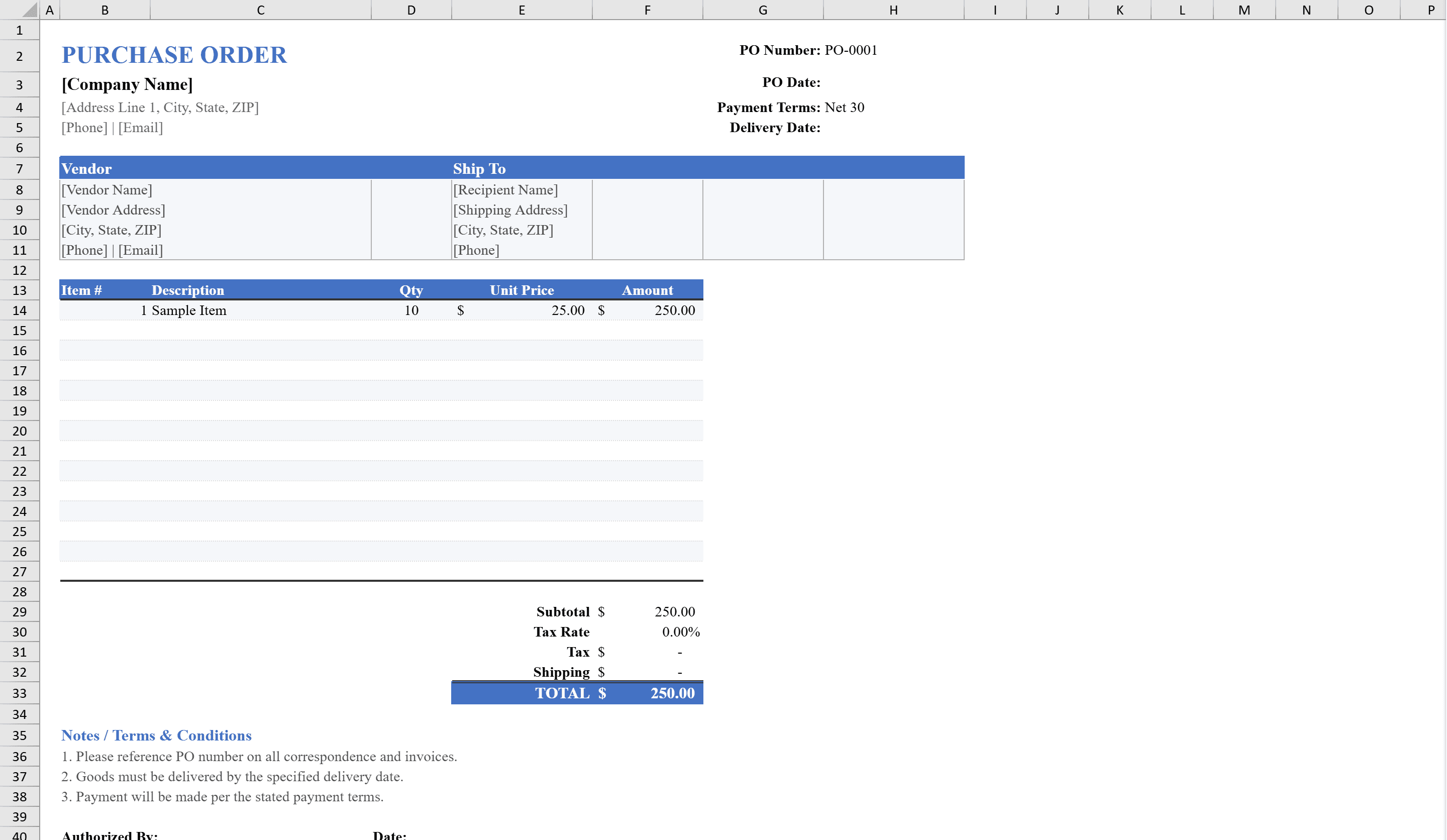
This professional purchase order template provides businesses with a standardized document for ordering goods and services from suppliers. It features organized sections for company details, vendor information, shipping address, and order terms, along with a detailed line-item table supporting quantities, unit prices, and automatic amount calculations. Built-in formulas compute subtotals, tax, shipping charges, and the total order amount. Dropdown menus for payment terms and shipping methods ensure consistency, while data validation prevents entry errors. Conditional formatting highlights the total due, and the print-ready layout produces a polished PO document every time. After goods are received, generate a matching Receipt to close the loop.
Purchase Order Template Features
- Organized sections for company, vendor, shipping, and order terms
- Line-item table with quantity, unit price, and automatic amount calculations
- Formulas for subtotal, tax, shipping charges, and total order amount
- Dropdown menus for payment terms and shipping methods
- Print-ready layout producing a polished PO document
How to Use This Purchase Order Template in Excel
- 1
Enter company and vendor info
Fill in your company details, vendor name and address, and the shipping destination.
- 2
Set order terms
Select payment terms and shipping method from the dropdown menus and enter the PO number and date.
- 3
Add line items
Enter each item with description, quantity, and unit price — amounts and totals calculate automatically.
- 4
Review and send
Check the subtotal, tax, shipping, and total amount, then print or export the purchase order as PDF.
Purchase Order Template FAQ
- Can I add more line items beyond the default rows?
- Yes, insert additional rows in the line-item table and the subtotal formula automatically expands to include them.
- What payment terms are available?
- The dropdown includes standard terms like Net 30, Net 60, Due on Receipt, and more. You can customize the list to match your business's payment policies.
- Does it calculate tax and shipping?
- Yes, enter your tax rate and shipping charges and the template computes the total order amount including both, on top of the line-item subtotal.