Project Budget
Track project costs across eight categories with monthly breakdowns so you can spot overruns before they derail your budget.
About the Project Budget
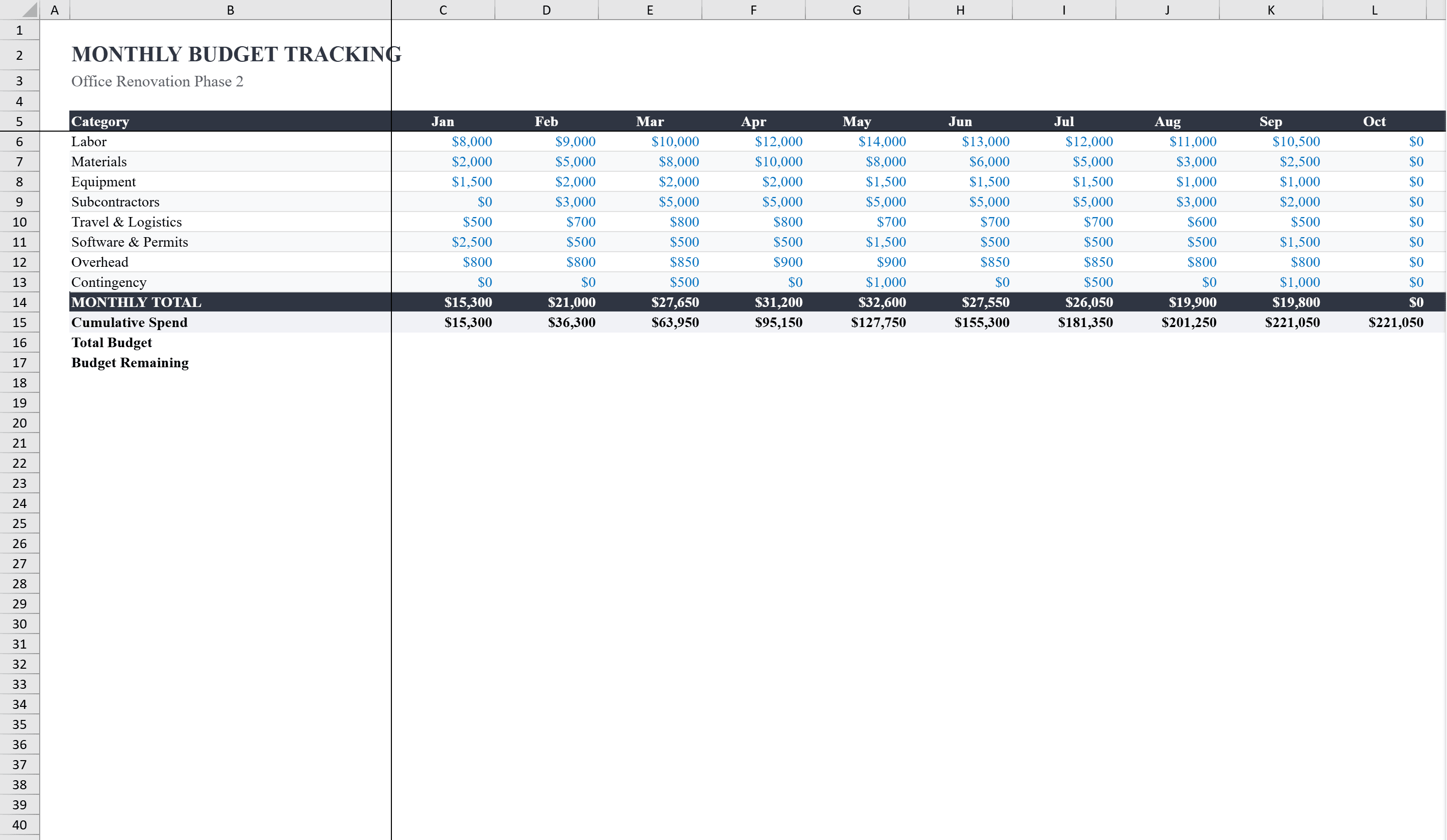
This Excel project budget template gives project managers a comprehensive two-sheet system for tracking budgets across eight cost categories: labor, materials, equipment, subcontractors, travel, software, overhead, and contingency. The main Project Budget sheet calculates variances, percentage over/under budget, and percentage of total for every line item, with conditional formatting that flags overruns in red and savings in green. A companion Monthly Tracking sheet links directly to the budget and displays month-by-month spending with cumulative totals and remaining budget calculations. A built-in bar chart compares budgeted versus actual amounts by category, and a status dropdown tracks overall project progress. For advanced schedule-and-cost integration, combine this with an earned value management template.
Project Budget Features
- Eight cost categories: labor, materials, equipment, subcontractors, travel, software, overhead, contingency
- Variance, percentage over/under, and percentage of total for every line item
- Conditional formatting flags overruns (red) and savings (green)
- Monthly Tracking sheet with cumulative totals and remaining budget
- Bar chart comparing budgeted vs. actual amounts by category
How to Use This Project Budget in Excel
- 1
Define budget categories
Enter budgeted amounts for each of the eight cost categories: labor, materials, equipment, subcontractors, travel, software, overhead, and contingency.
- 2
Log actual expenses
Record actual costs as they are incurred. Variance columns and conditional formatting update automatically to show overruns and savings.
- 3
Track monthly spending
Use the Monthly Tracking sheet to enter month-by-month costs. Cumulative totals and remaining budget update in real time.
- 4
Review the bar chart
Compare budgeted vs. actual spending by category in the built-in bar chart to identify areas that need attention.
Project Budget FAQ
- Can I add custom cost categories?
- Yes. Add new rows for additional categories. All variance formulas, percentage calculations, and the bar chart will incorporate new categories automatically.
- How does the Monthly Tracking sheet work?
- It links directly to the main budget sheet and lets you enter spending by month. Cumulative totals and remaining budget are calculated automatically for each category.
- Is this template suitable for multi-year projects?
- The template is designed for single-year tracking with 12 monthly columns. For multi-year projects, duplicate the Monthly Tracking sheet for each year or extend the columns.