Event Budget
Manage every dollar of your event spend across ten categories so you can deliver a memorable experience without financial surprises.
About the Event Budget
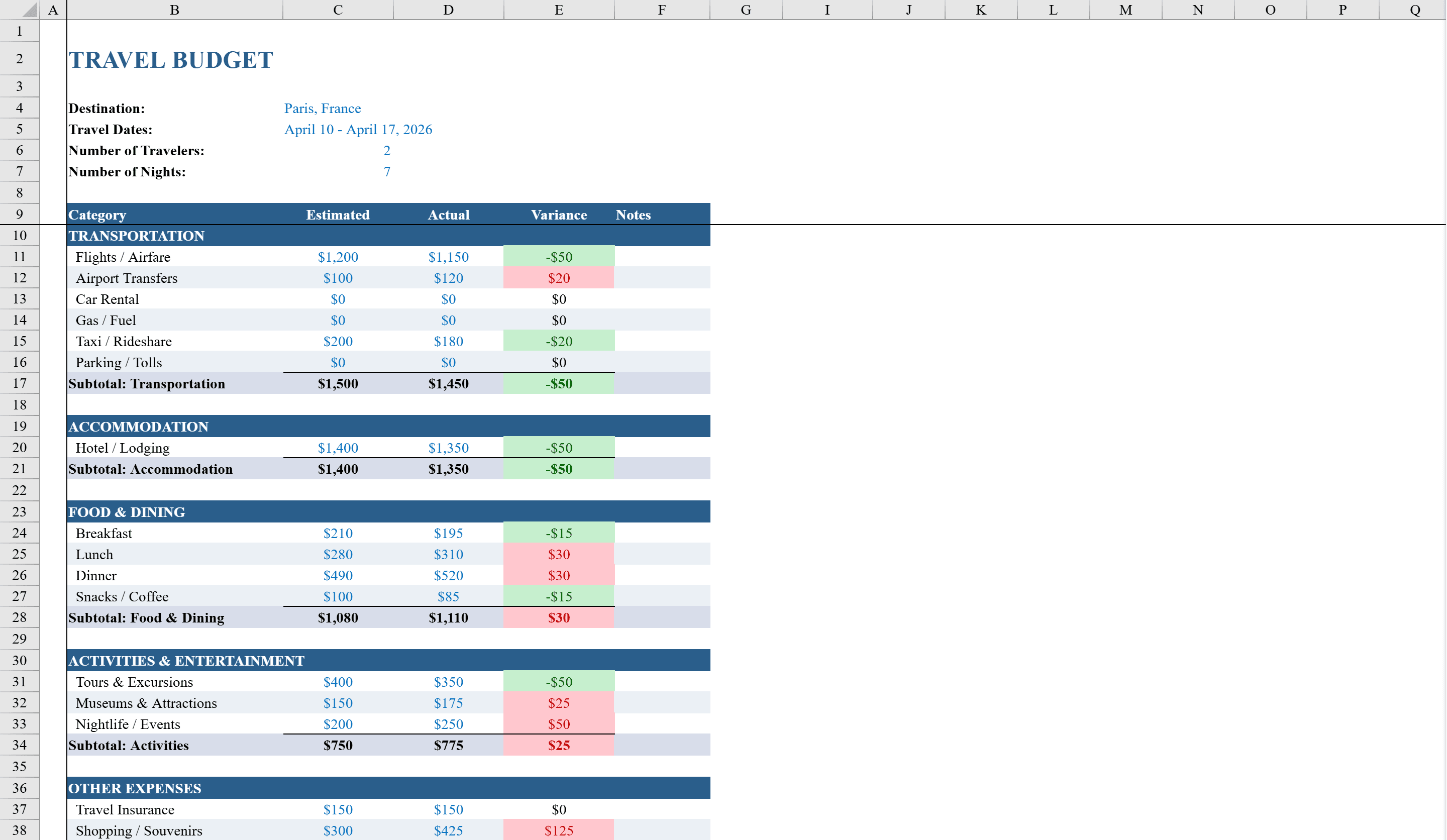
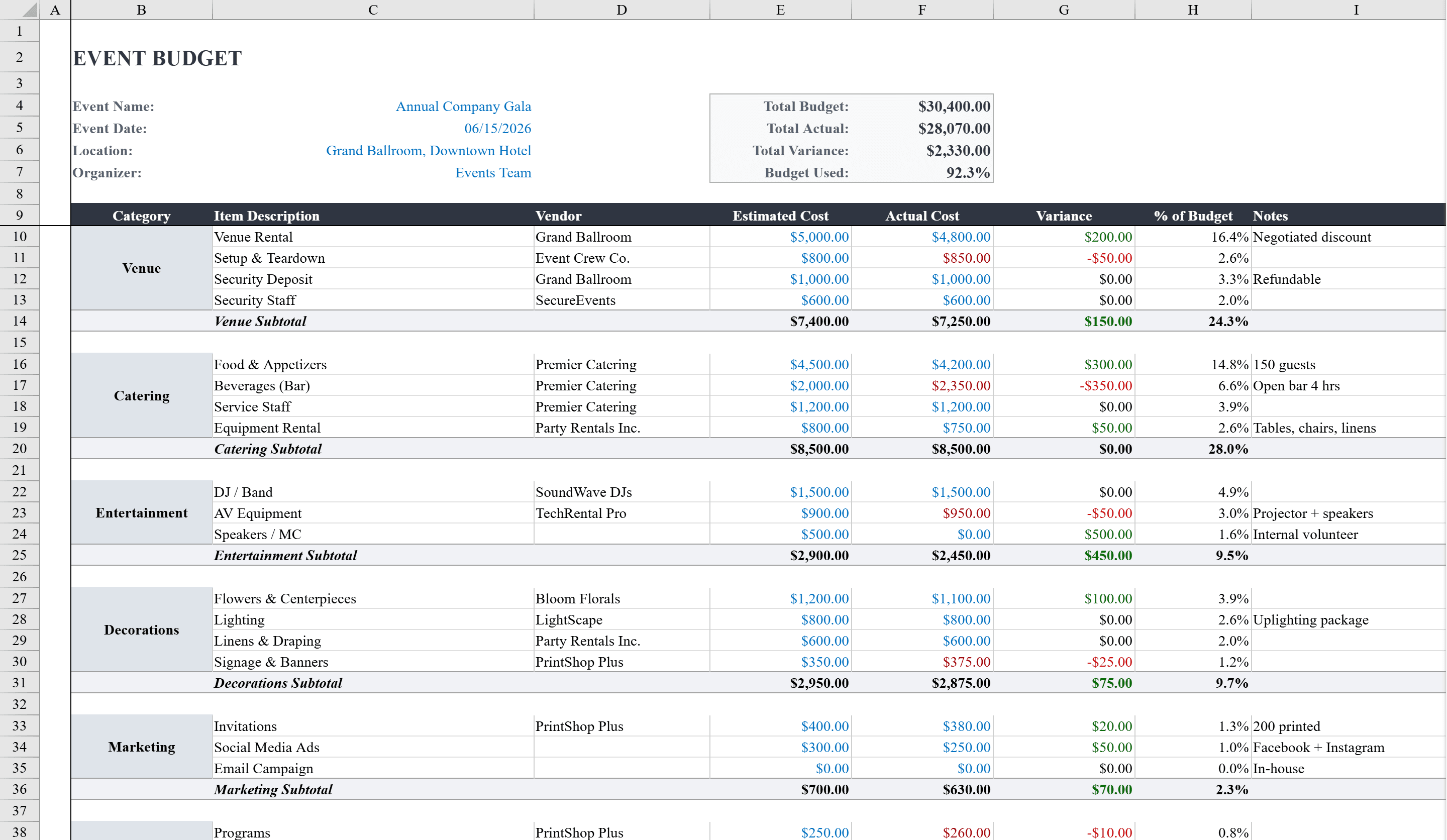
This Excel event budget template helps event planners and coordinators manage every dollar of their event spend. It organizes costs across ten categories including venue, catering, entertainment, decorations, marketing, and more, with columns for estimated and actual amounts that automatically calculate variances and percentage of total budget. Conditional formatting highlights overspending in red and under-budget items in green. A summary box displays total budget, actual spend, variance, and percentage spent at a glance, while a built-in pie chart visualizes budget allocation by category. Dropdown menus for category assignment and task status keep data entry consistent and organized. If your event includes travel, add a travel budget to track trip-specific costs separately.
Event Budget Features
- Ten expense categories including venue, catering, entertainment, and marketing
- Estimated vs. actual columns with automatic variance calculations
- Conditional formatting highlights overspending (red) and under-budget (green)
- Summary box with total budget, actual spend, variance, and percentage spent
- Built-in pie chart visualizing budget allocation by category
How to Use This Event Budget in Excel
- 1
Set your total budget
Enter the overall event budget at the top of the sheet. This figure is used to calculate percentage-of-total for each category.
- 2
Estimate category costs
Fill in estimated amounts for each of the ten categories: venue, catering, entertainment, decorations, marketing, and more.
- 3
Track actual spending
Log actual costs as they are incurred. Variance and percentage columns update automatically, with color-coded alerts for overruns.
- 4
Review the summary and chart
Check the summary box for overall budget health and use the pie chart to visualize how spending is distributed across categories.
Event Budget FAQ
- What types of events is this budget template for?
- It works for any event — corporate conferences, weddings, fundraisers, parties, or community events. The ten categories cover the most common event expense types and can be customized.
- Can I add more expense categories?
- Yes. Add new rows and assign categories using the dropdown menu. All summary calculations and the pie chart will include your new categories automatically.
- How does the template flag overspending?
- Conditional formatting highlights any line item where actual spending exceeds the estimate in red. Under-budget items appear in green, giving you an instant visual status of every cost.