Profit and Loss Template
Track every dollar of revenue and expense month by month to pinpoint profit trends.
About the Profit and Loss Template
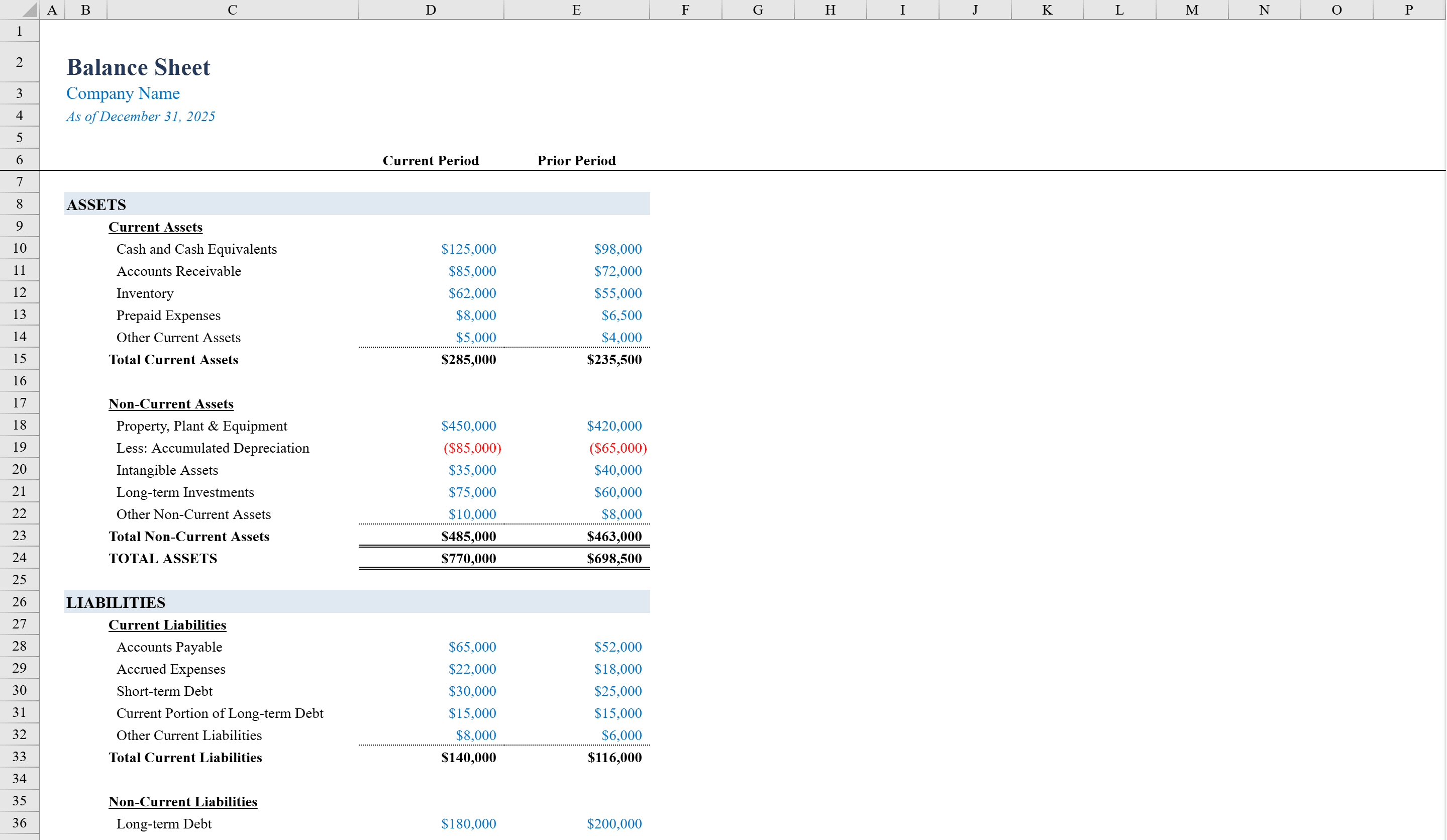
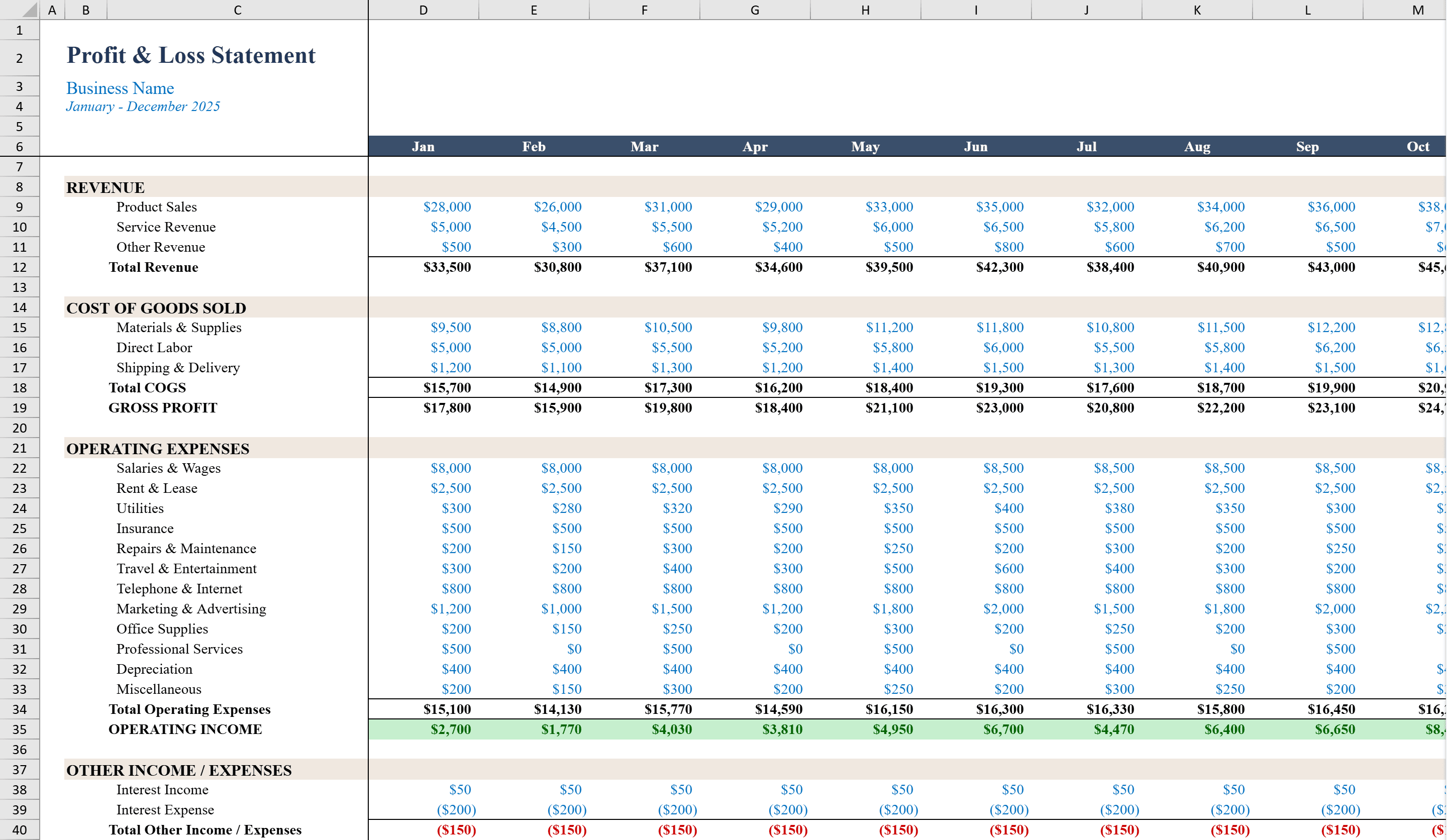
This Profit and Loss Statement Template is a detailed, month-by-month financial reporting workbook built for small business owners and finance teams who want granular visibility into their annual performance. It features two sheets: a Profit & Loss sheet tracking Revenue, COGS, Gross Profit, Operating Expenses, and Net Income across all twelve months with auto-calculated YTD totals, and a Dashboard sheet for visual analysis. Every line item -- from materials and labor to rent and marketing -- flows into formula-driven subtotals and margin calculations. Conditional formatting highlights negative values, making it easy to identify months that need attention. Need a complementary snapshot of assets and liabilities? Add the Balance Sheet Template.
Profit and Loss Template Features
- Month-by-month tracking of Revenue, COGS, Operating Expenses, and Net Income
- Auto-calculated YTD totals across all twelve months
- Dashboard sheet with visual analysis charts
- Line-item detail from materials and labor to rent and marketing
- Conditional formatting highlights negative values for quick review
How to Use This Profit and Loss Template in Excel
- 1
Enter monthly revenue
Input revenue figures for each of the twelve months in the Revenue section of the P&L sheet.
- 2
Fill in cost details
Enter COGS and operating expense line items such as materials, labor, rent, and marketing for each month.
- 3
Review YTD performance
Check the auto-calculated YTD totals column to see cumulative performance across all twelve months.
- 4
Analyze on the dashboard
Switch to the Dashboard sheet for visual charts that highlight trends and months requiring attention.
Profit and Loss Template FAQ
- How is this different from the income statement template?
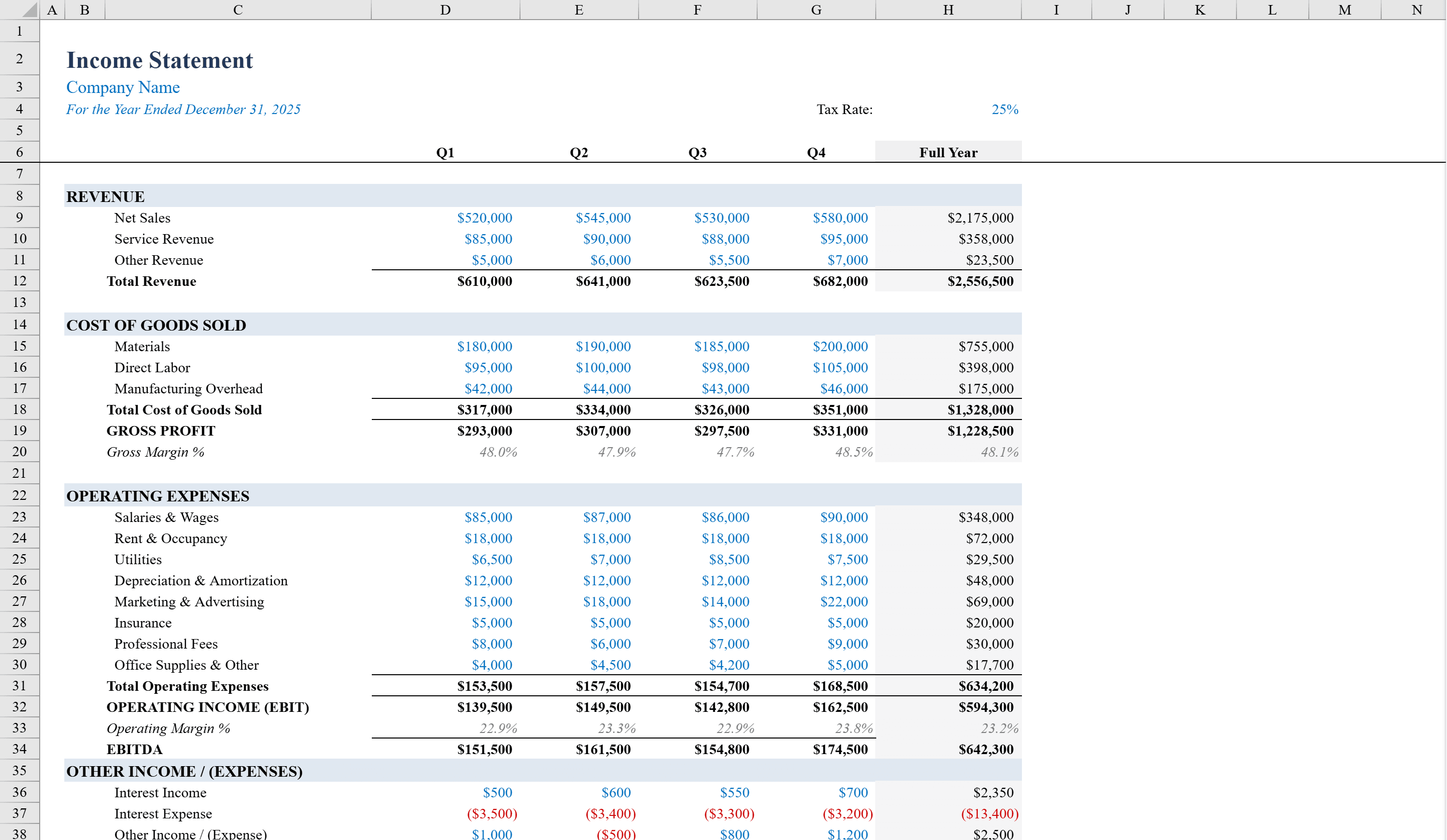
- This template provides month-by-month granularity across all 12 months with a visual Dashboard, whereas the income statement template focuses on quarterly reporting with margin and EBITDA calculations.
- What expense line items are included?
- The template includes detailed line items such as materials, labor, rent, marketing, utilities, and more. All flow into formula-driven subtotals for COGS and Operating Expenses.
- Can I customize the Dashboard charts?
- Yes, the Dashboard uses standard Excel charts that you can modify, resize, or replace to match your preferred visual analysis style.