Balance Sheet Template
Verify your books balance in seconds with automatic asset-equals-liability checks.
About the Balance Sheet Template
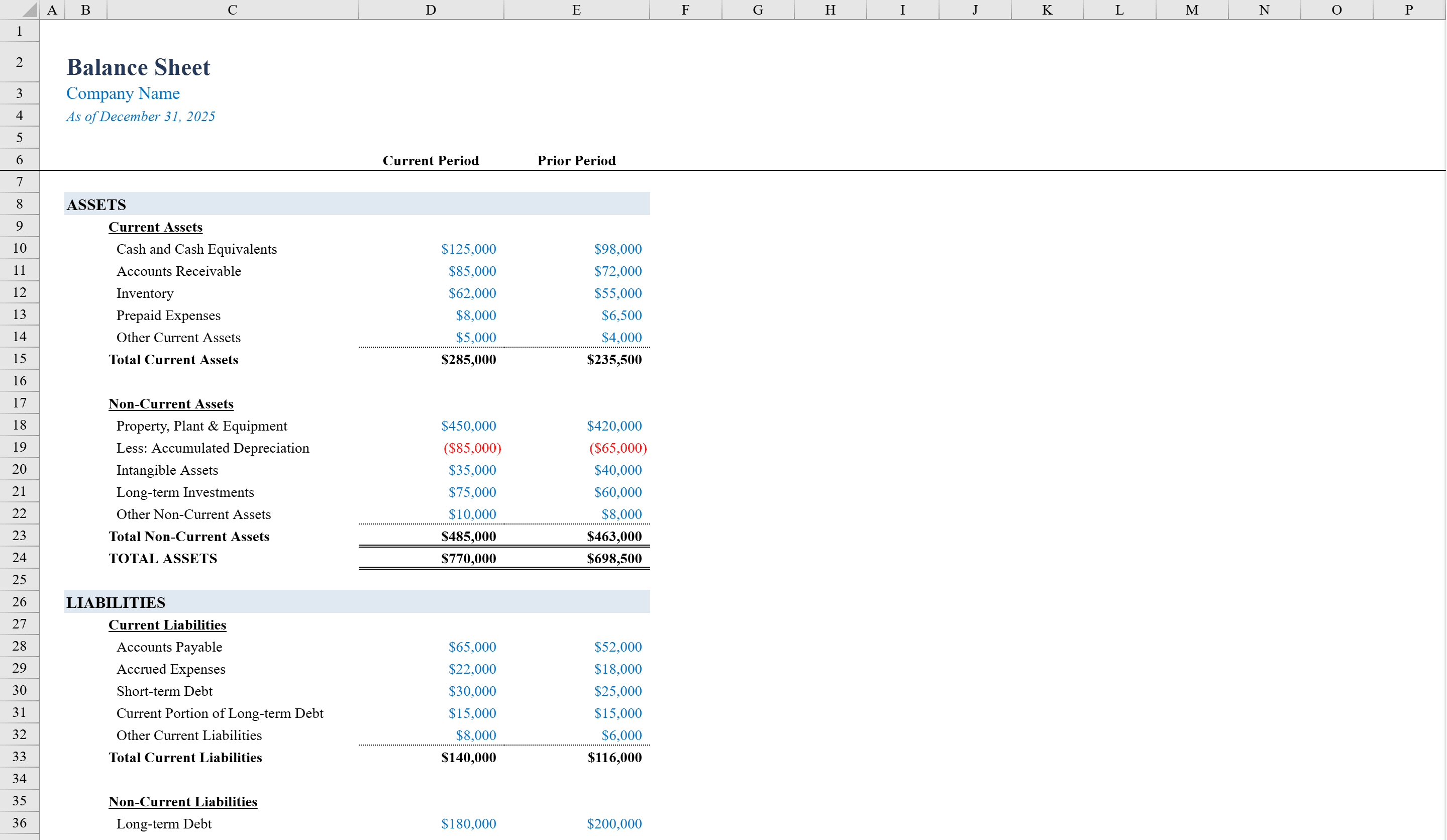
This Balance Sheet Template is a polished, print-ready Excel workbook built for business owners, accountants, and financial analysts who need to prepare standardized financial statements. It presents Assets, Liabilities, and Equity in a clear, sectioned layout with current and prior period columns for easy comparison. All subtotals and grand totals are formula-driven, automatically summing line items like cash, receivables, inventory, debt, and retained earnings. A built-in balance check row verifies that total assets equal total liabilities and equity, with conditional formatting that turns green when balanced and red when off. Pair it with the Income Statement Template for a complete financial picture.
Balance Sheet Template Features
- Assets, Liabilities, and Equity sections with formula-driven totals
- Current and prior period columns for easy comparison
- Line items for cash, receivables, inventory, debt, and retained earnings
- Built-in balance check row verifying Assets = Liabilities + Equity
- Conditional formatting turns green when balanced and red when off
How to Use This Balance Sheet Template in Excel
- 1
Enter current period figures
Fill in current period values for all asset line items including cash, receivables, and inventory.
- 2
Complete liabilities and equity
Enter current period amounts for debts, payables, and equity components like retained earnings.
- 3
Add prior period data
Enter prior period figures in the comparison column to analyze changes over time.
- 4
Verify the balance check
Check the balance verification row — green means Assets = Liabilities + Equity, red indicates an error to investigate.
Balance Sheet Template FAQ
- How does the balance check work?
- A formula compares Total Assets to Total Liabilities plus Equity. Conditional formatting displays green when they match and red when there's a discrepancy, making errors immediately visible.
- Can I add more line items?
- Yes, insert new rows within any section and the subtotal and grand total formulas will automatically include them in the calculations.
- Does it support multi-period comparison?
- The template includes current and prior period columns. You can duplicate columns to compare additional periods or quarters.