Income Statement Template
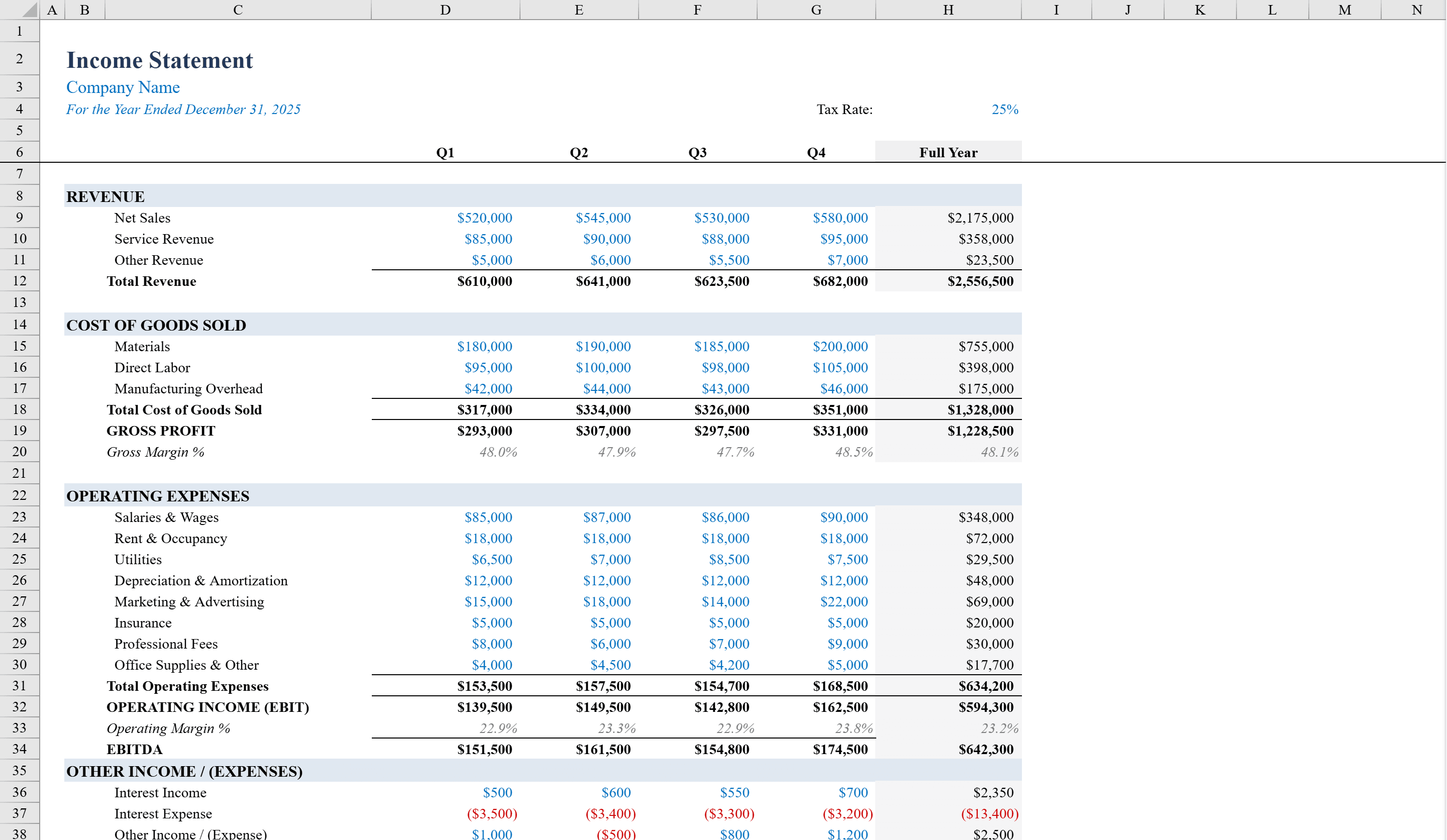
See your quarterly revenue, margins, and net income on a single page.
About the Income Statement Template
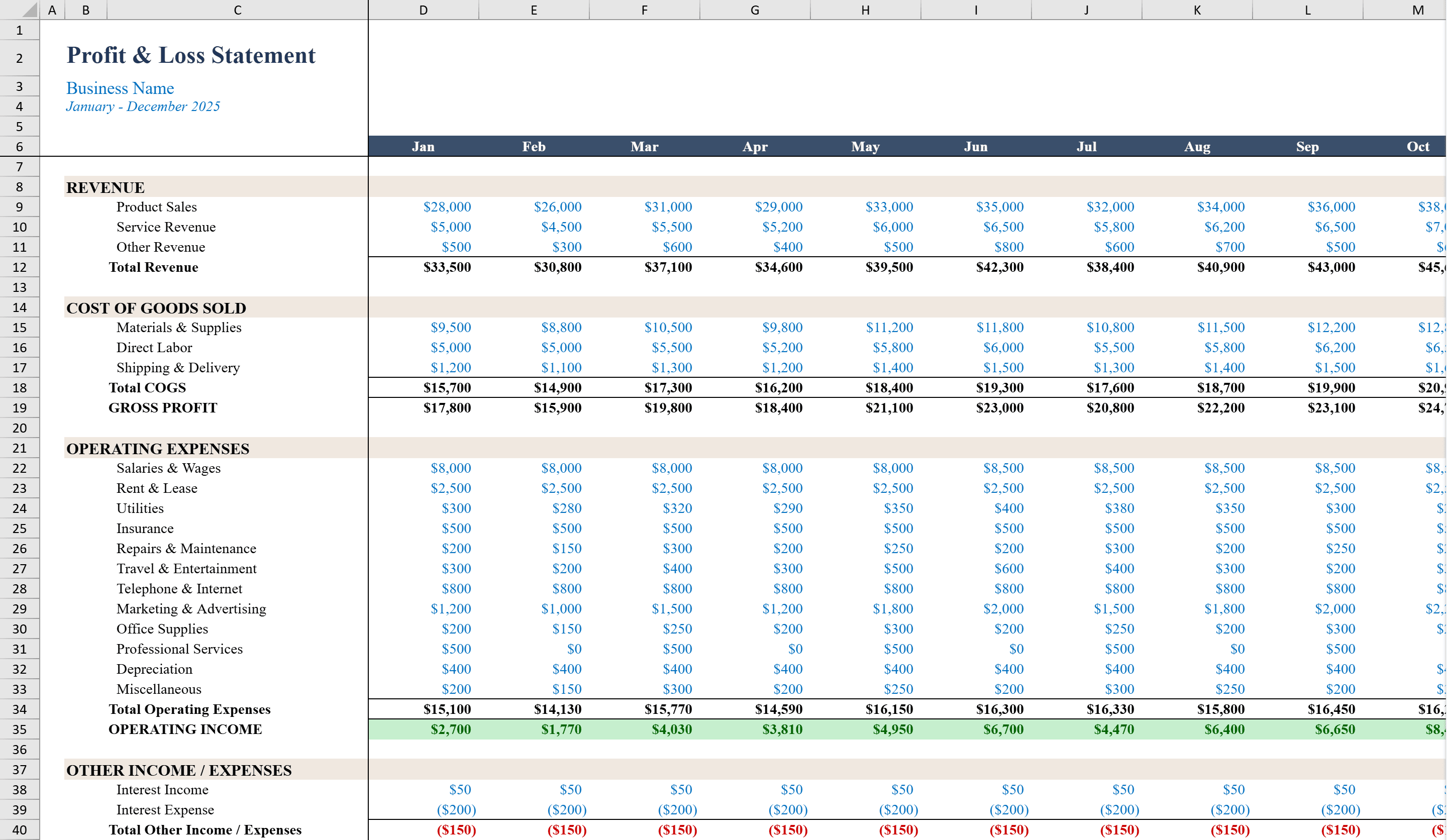
This Income Statement Template is a professionally formatted Excel workbook designed for business owners and financial analysts who need to prepare quarterly and annual earnings reports. It organizes financial data into clearly labeled sections -- Revenue, Cost of Goods Sold, Gross Profit, Operating Expenses, Operating Income, Other Income/Expenses, and Net Income -- across four quarters with automatic Full Year totals. Built-in formulas calculate gross margin, operating margin, EBITDA, and tax provisions. A configurable tax rate input drives the income tax calculation, and conditional formatting flags negative figures in red so you can quickly spot periods of concern. For month-by-month granularity with a visual dashboard, try the Profit and Loss Template.
Income Statement Template Features
- Sections for Revenue, COGS, Gross Profit, Operating Expenses, and Net Income
- Four quarterly columns with automatic Full Year totals
- Built-in gross margin, operating margin, and EBITDA calculations
- Configurable tax rate input driving income tax provisions
- Conditional formatting flags negative figures in red
How to Use This Income Statement Template in Excel
- 1
Enter quarterly revenue
Input revenue figures for each of the four quarters in the Revenue section.
- 2
Fill in costs and expenses
Enter Cost of Goods Sold and all Operating Expense line items for each quarter.
- 3
Set the tax rate
Enter your applicable tax rate and the template automatically calculates income tax provisions and net income.
- 4
Review margins and totals
Check the auto-calculated gross margin, operating margin, EBITDA, and Full Year totals for a complete financial picture.
Income Statement Template FAQ
- What financial metrics are calculated automatically?
- The template computes gross margin, operating margin, EBITDA, tax provisions, and net income. Full Year totals aggregate all four quarters automatically.
- Can I adjust the tax rate?
- Yes, enter your tax rate in the configurable input cell and the income tax calculation for each quarter and the full year updates automatically.
- How are negative periods highlighted?
- Conditional formatting turns negative values red across all sections, making it easy to identify quarters where costs exceeded revenue or margins turned negative.