Budget Template
Know exactly where your money goes each month and spot overspending before it snowballs.
About the Budget Template
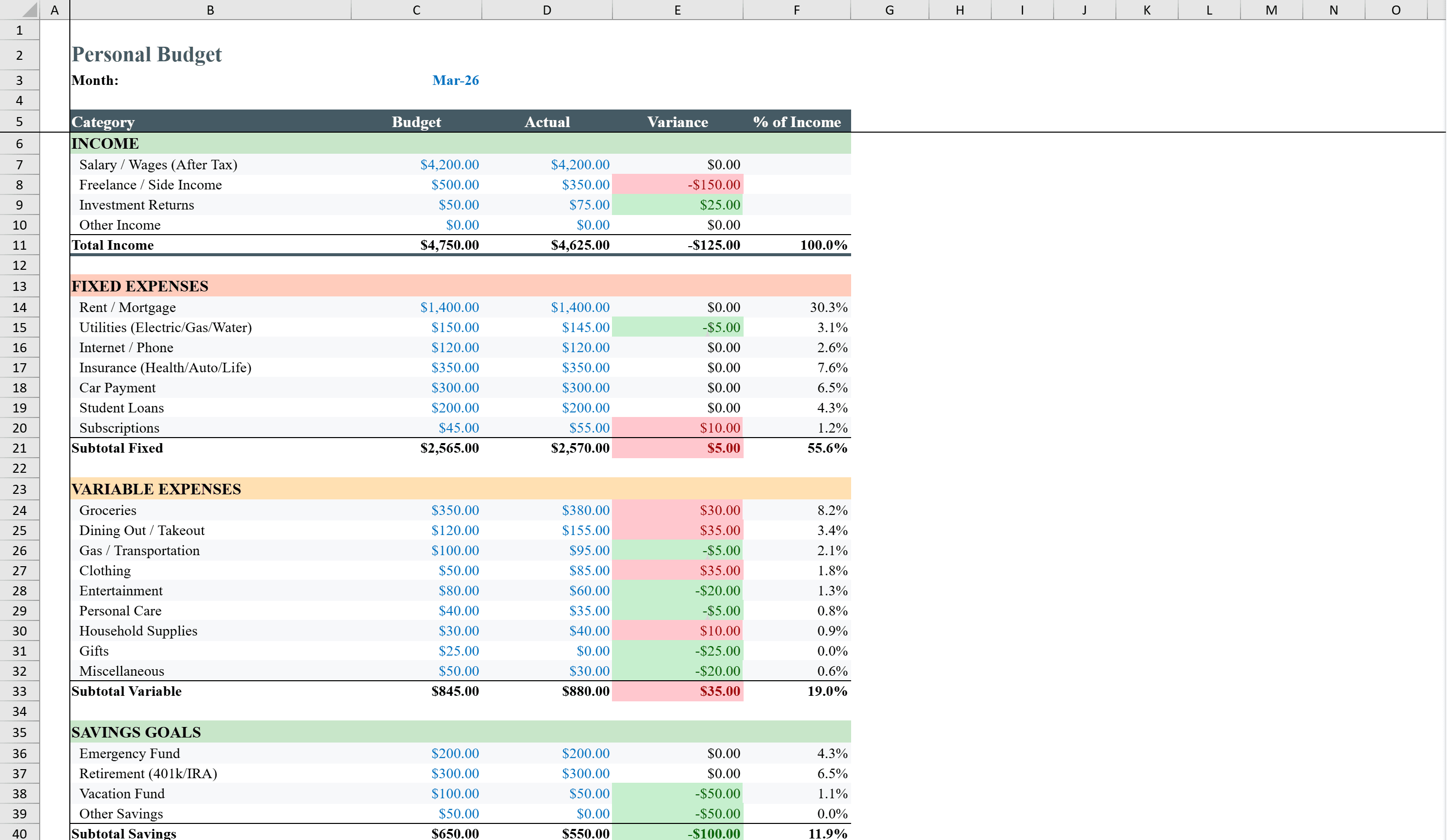
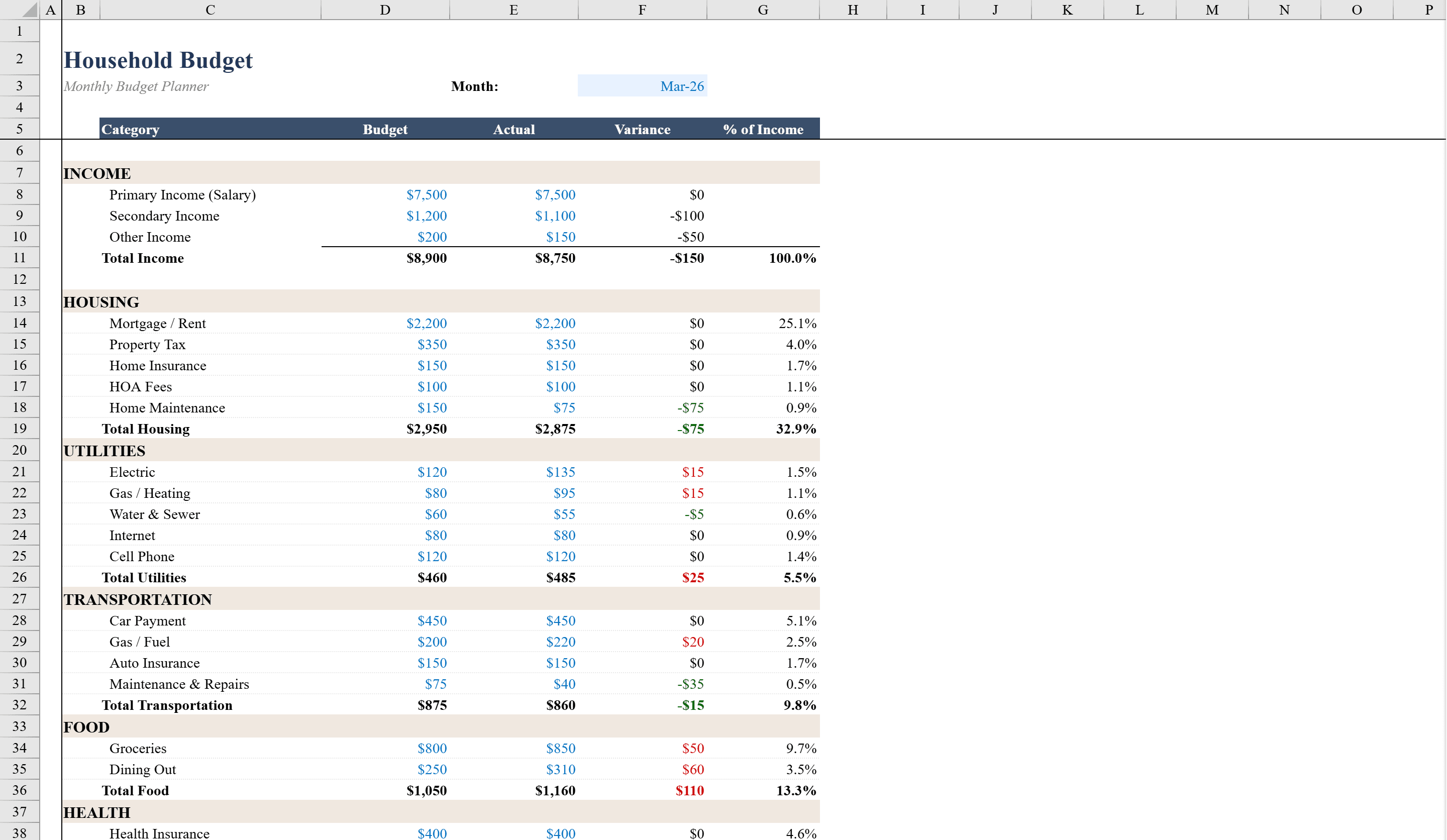
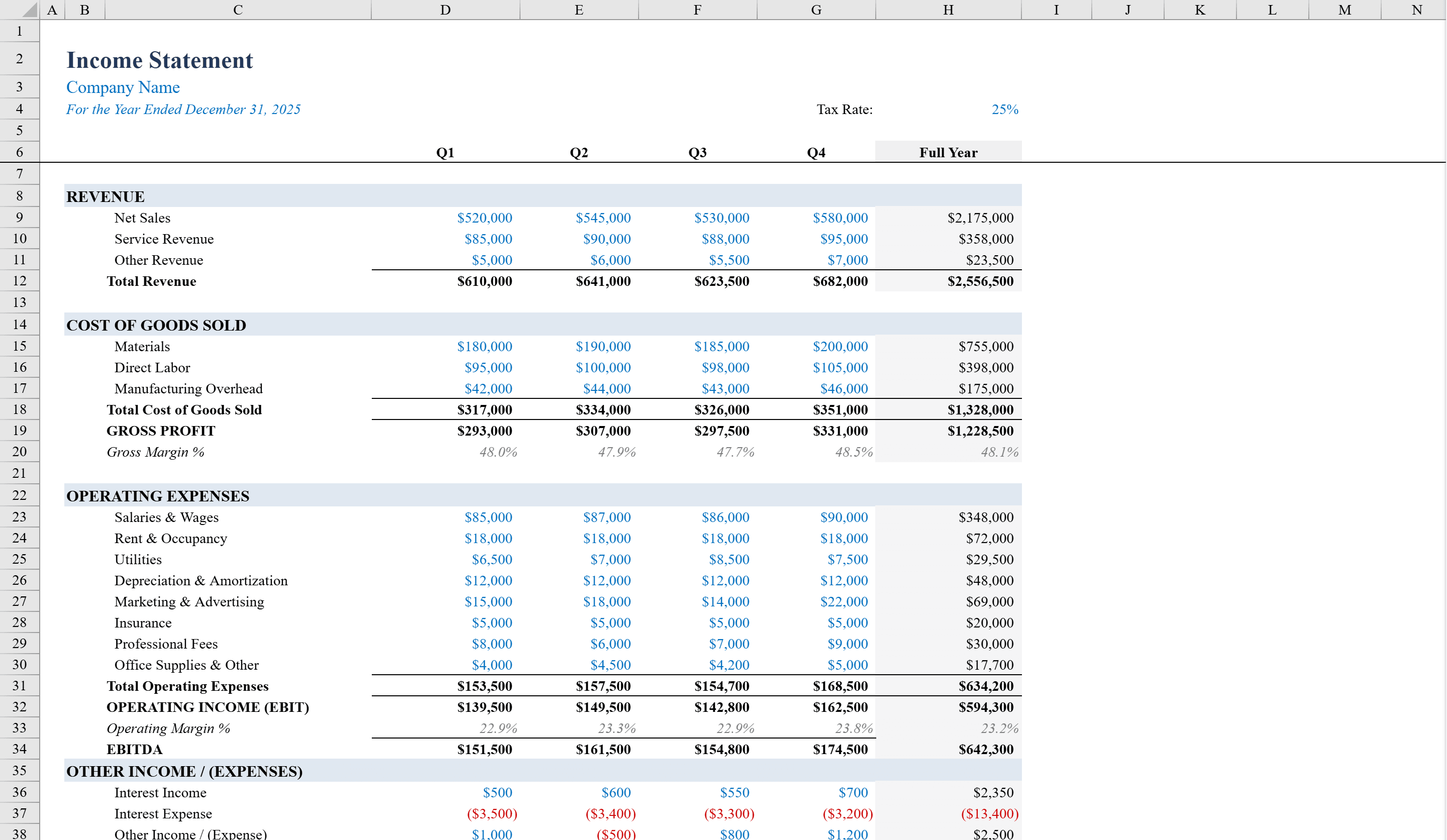
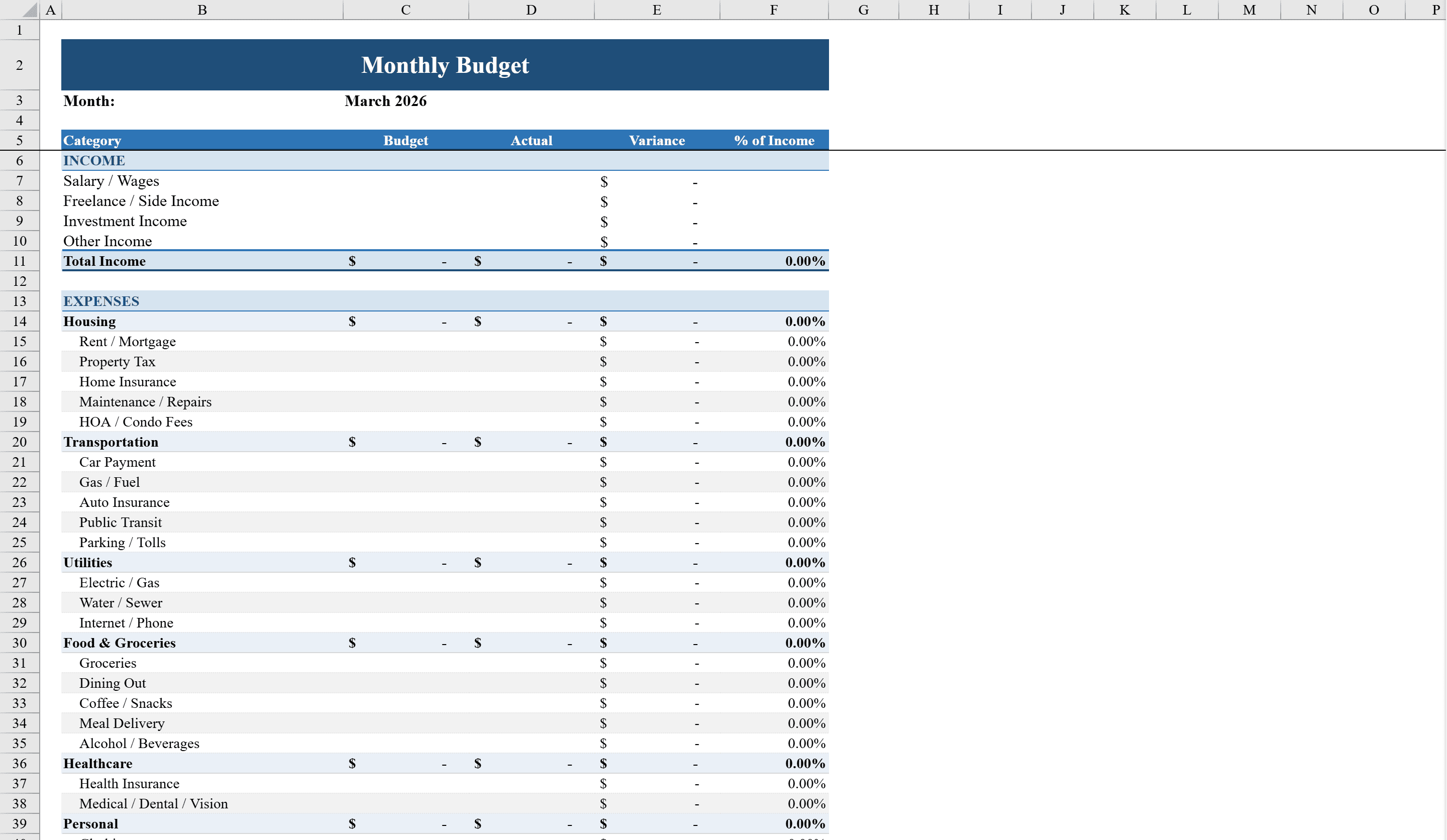
This comprehensive budget template is designed for individuals and households who want to compare planned spending against actual results. Organized across a Dashboard and a detailed Monthly Budget sheet, it covers eight expense categories including housing, transportation, food, utilities, insurance, entertainment, savings, and personal spending. Formulas automatically calculate variances and percentage-of-income breakdowns for every line item. The Dashboard features bar and pie charts that visualize budget-versus-actual performance and expense distribution at a glance, while conditional formatting instantly flags overspending in red and under-budget items in green. For a personal-finance focus with annual trend charts, check out the Personal Budget Template.
Budget Template Features
- Dashboard with bar and pie charts for budget-vs-actual performance
- Eight pre-built expense categories including housing, food, and savings
- Automatic variance and percentage-of-income calculations
- Conditional formatting flags overspending in red and under-budget in green
- Detailed Monthly Budget sheet with line-item breakdowns
How to Use This Budget Template in Excel
- 1
Set your income
Enter your total monthly income at the top of the Monthly Budget sheet to establish your baseline.
- 2
Fill in budgeted amounts
Enter planned spending for each line item across all eight expense categories.
- 3
Track actual spending
As the month progresses, enter your actual spending and watch variances calculate automatically.
- 4
Review dashboard
Switch to the Dashboard sheet to visualize your budget performance with bar and pie charts.
Budget Template FAQ
- How many expense categories does this budget template include?
- The template includes eight pre-built categories: housing, transportation, food, utilities, insurance, entertainment, savings, and personal spending. Each category contains multiple line items for detailed tracking.
- Can I customize the expense categories?
- Yes, you can rename categories and add or remove line items to match your personal spending patterns. The formulas automatically adjust to include any changes you make.
- How does the variance tracking work?
- For every line item, the template calculates the difference between your budgeted and actual amounts. Positive variances (under budget) appear in green, while negative variances (over budget) are highlighted in red.