Pareto Chart Template
Pinpoint the vital few causes behind most of your problems so your team focuses improvement efforts where they count.
About the Pareto Chart Template
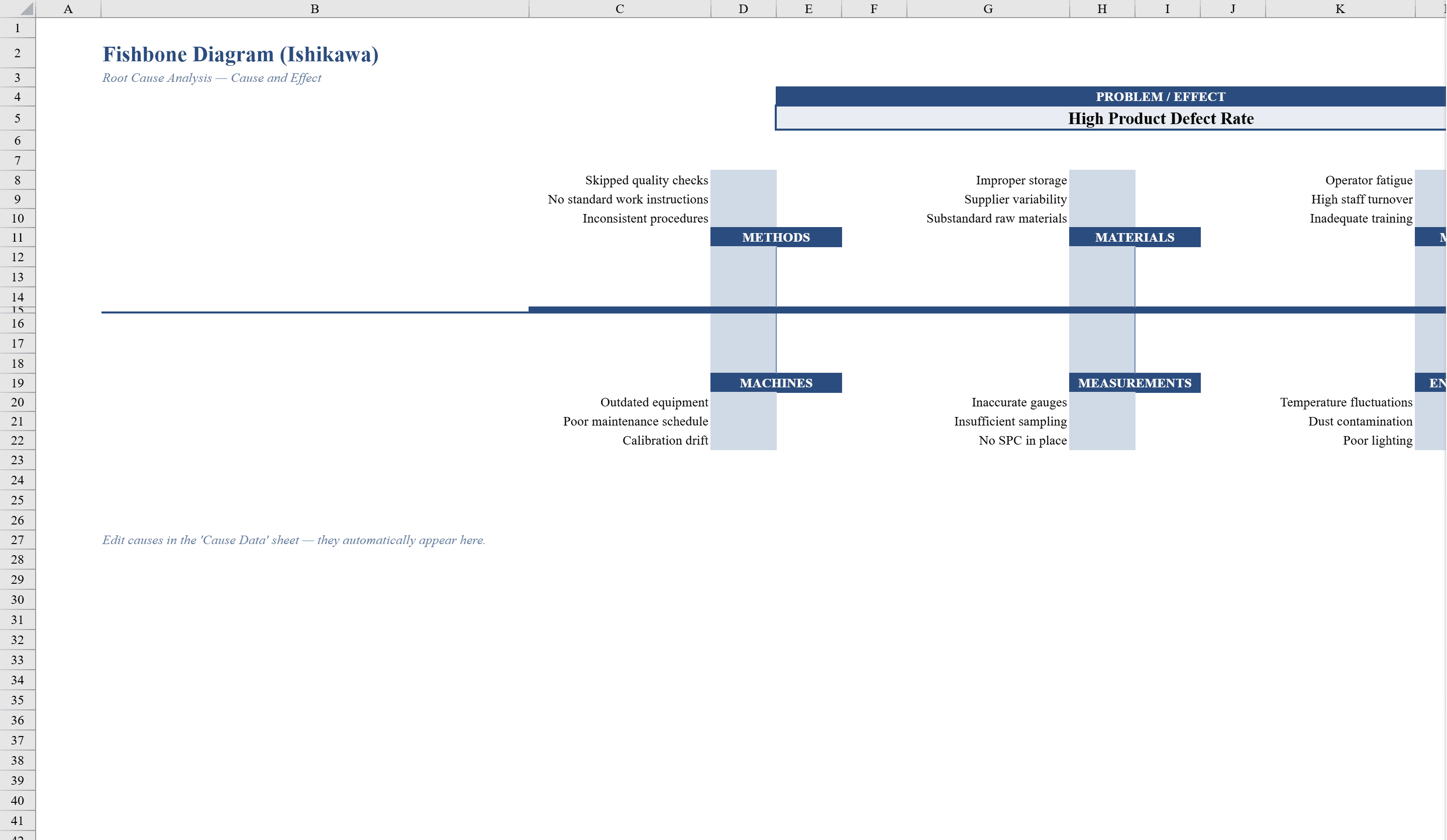
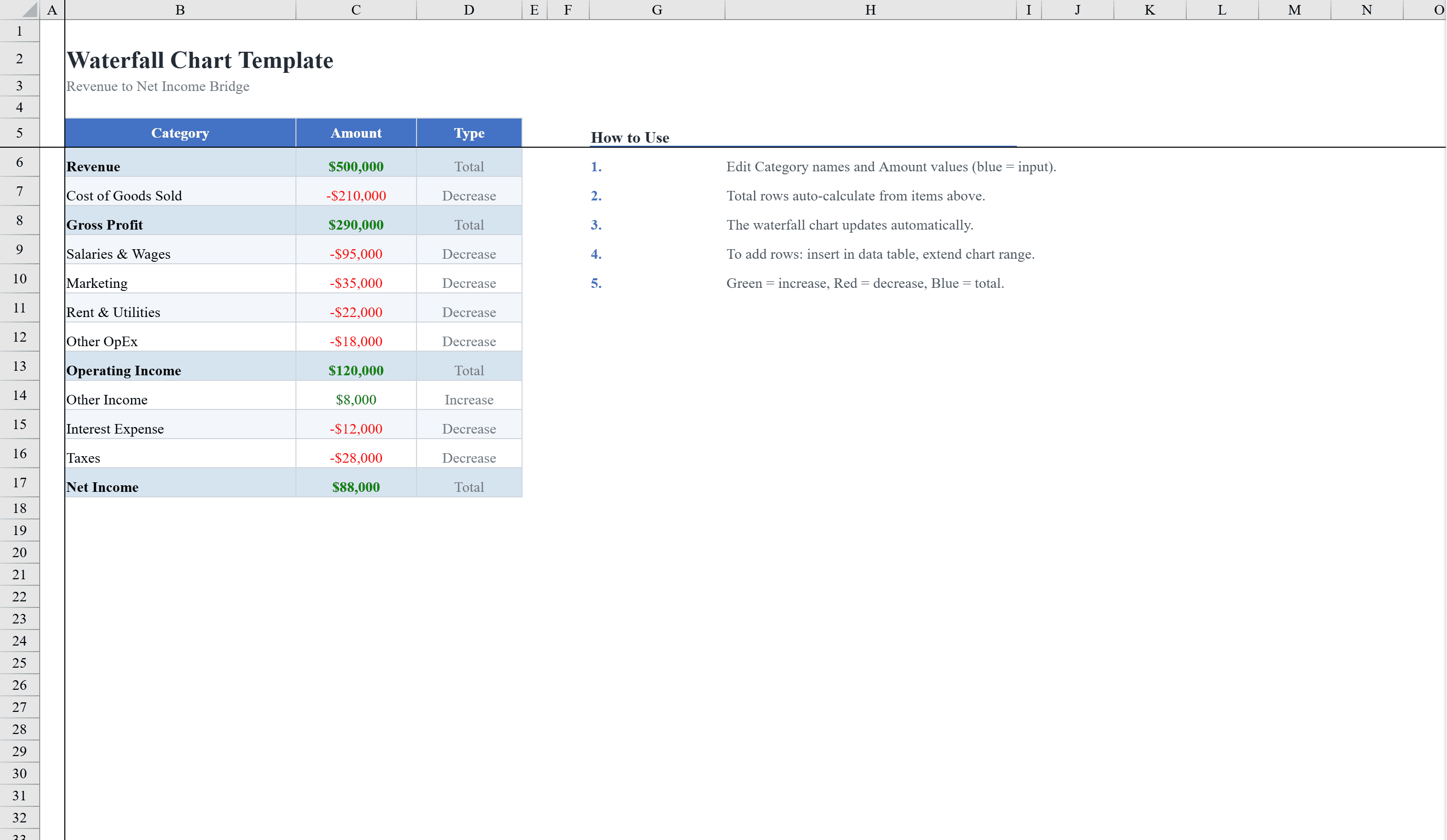
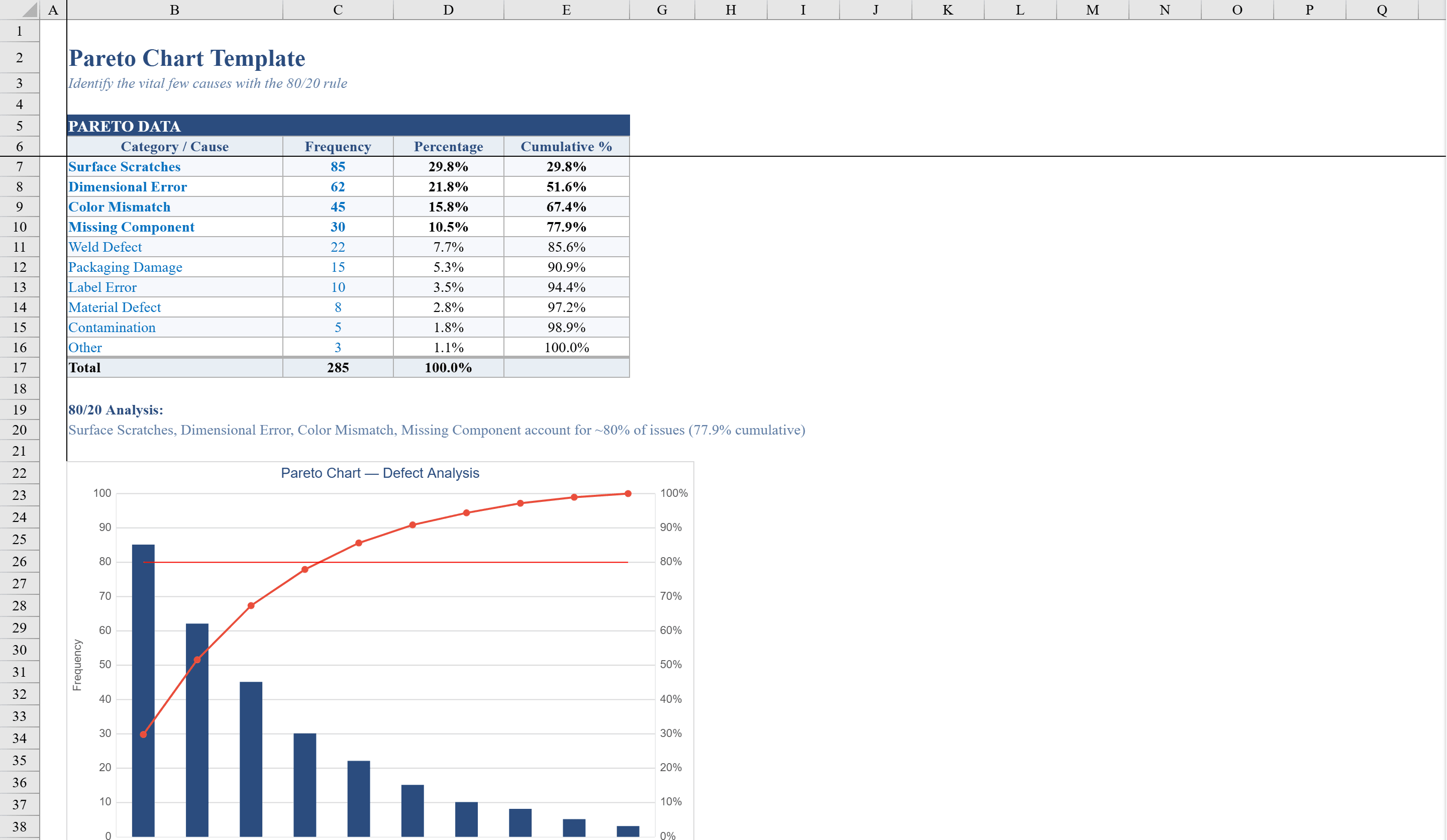
This Pareto chart template is a ready-to-use Excel tool for quality and process improvement teams applying the 80/20 rule. Enter up to 10 defect categories with their frequencies and the spreadsheet automatically calculates each item's percentage contribution and cumulative percentage. Conditional formatting highlights the vital few causes that account for 80% of issues, and a built-in formula generates a plain-language summary of the analysis. The professionally formatted combo chart pairs frequency bars with a cumulative percentage line, making it simple to identify and prioritize the most impactful areas for improvement. Once you identify key causes, drill deeper with a Fishbone Diagram or visualize financial impact using a Waterfall Chart.
Pareto Chart Template Features
- Support for up to 10 defect categories with frequencies
- Auto-calculated percentage contribution and cumulative percentage
- Conditional formatting highlighting vital few causes at 80% threshold
- Combo chart with frequency bars and cumulative percentage line
- Plain-language summary formula for analysis findings
How to Use This Pareto Chart Template in Excel
- 1
Enter defect data
List up to 10 defect categories and their frequencies in the input area.
- 2
Review calculations
The template auto-calculates percentage contribution and cumulative percentage for each category.
- 3
Identify vital few
Conditional formatting highlights the causes accounting for 80% of issues.
- 4
Analyze the chart
Use the combo chart with frequency bars and cumulative line to prioritize improvement efforts.
Pareto Chart Template FAQ
- What is a Pareto chart used for?
- A Pareto chart applies the 80/20 rule to identify the vital few causes that account for the majority of problems, helping teams prioritize improvement efforts for maximum impact.
- How many categories can I track?
- This template supports up to 10 defect or issue categories, which is typically sufficient for most root cause analyses.
- Does the chart update automatically?
- Yes, the combo chart with frequency bars and cumulative percentage line updates instantly as you enter or modify category data.