Invoice Tracking Template
Stay on top of every outstanding invoice with automatic aging, payment status tracking, and at-a-glance dashboard metrics.
About the Invoice Tracking Template
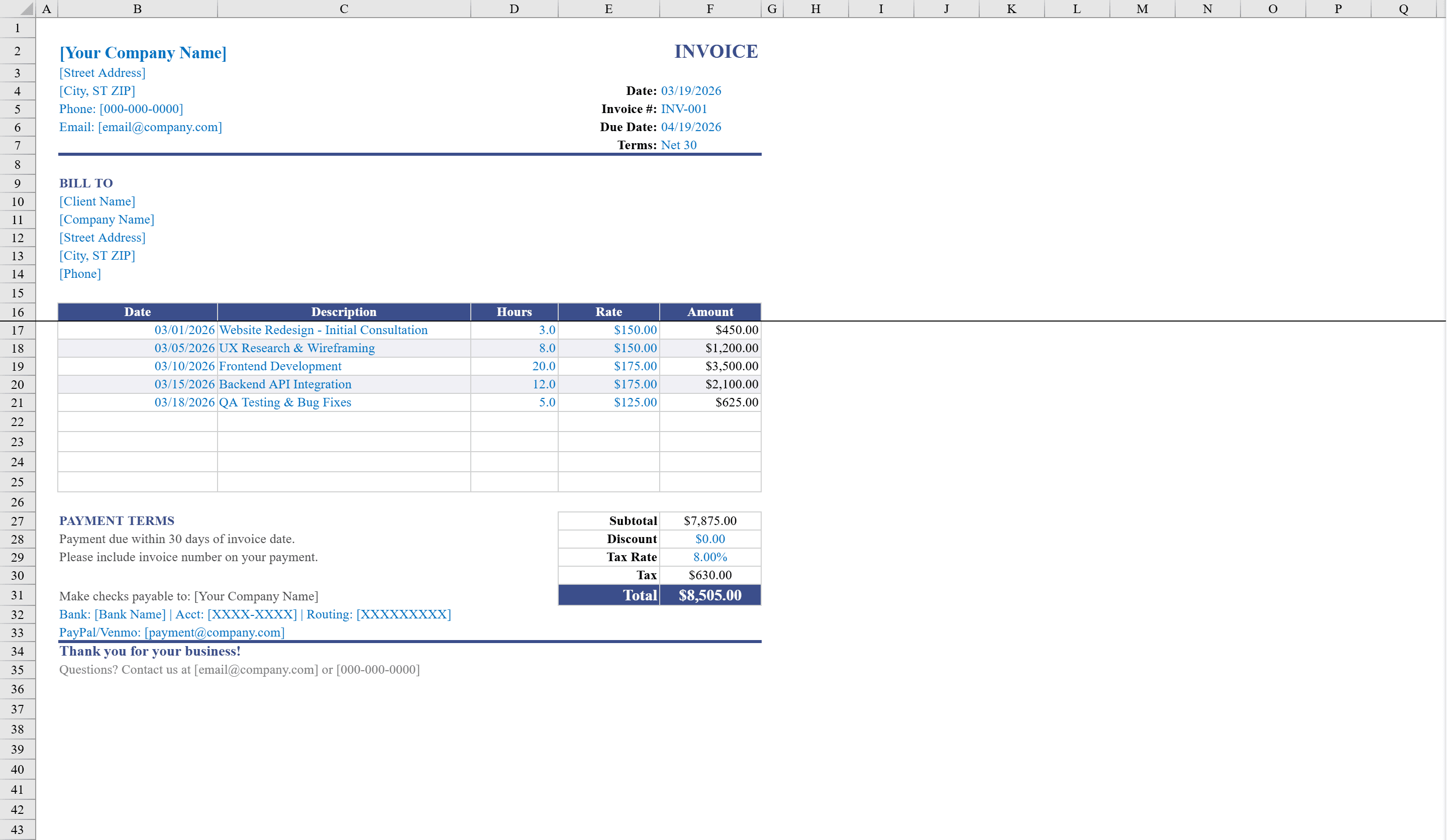
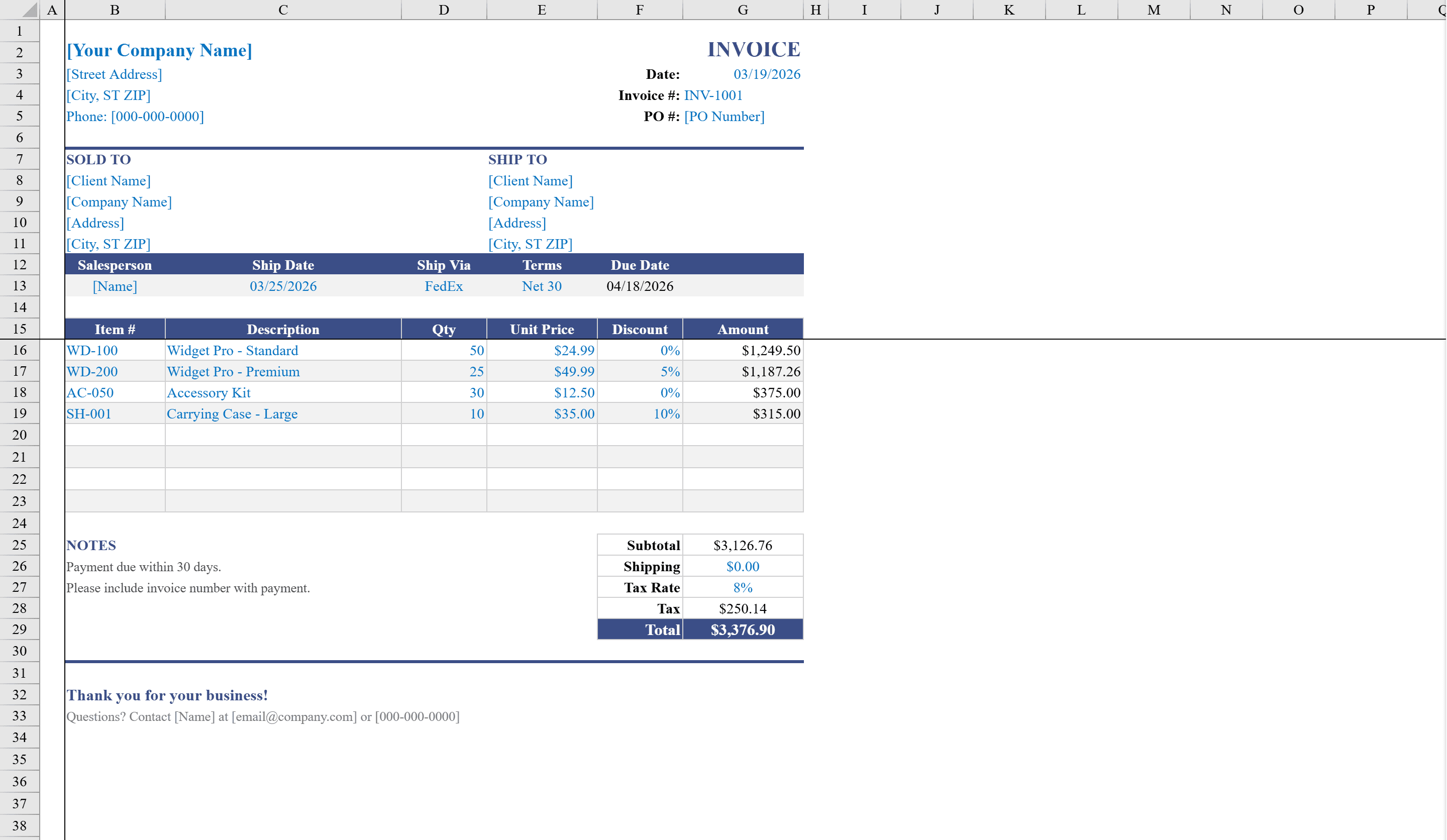
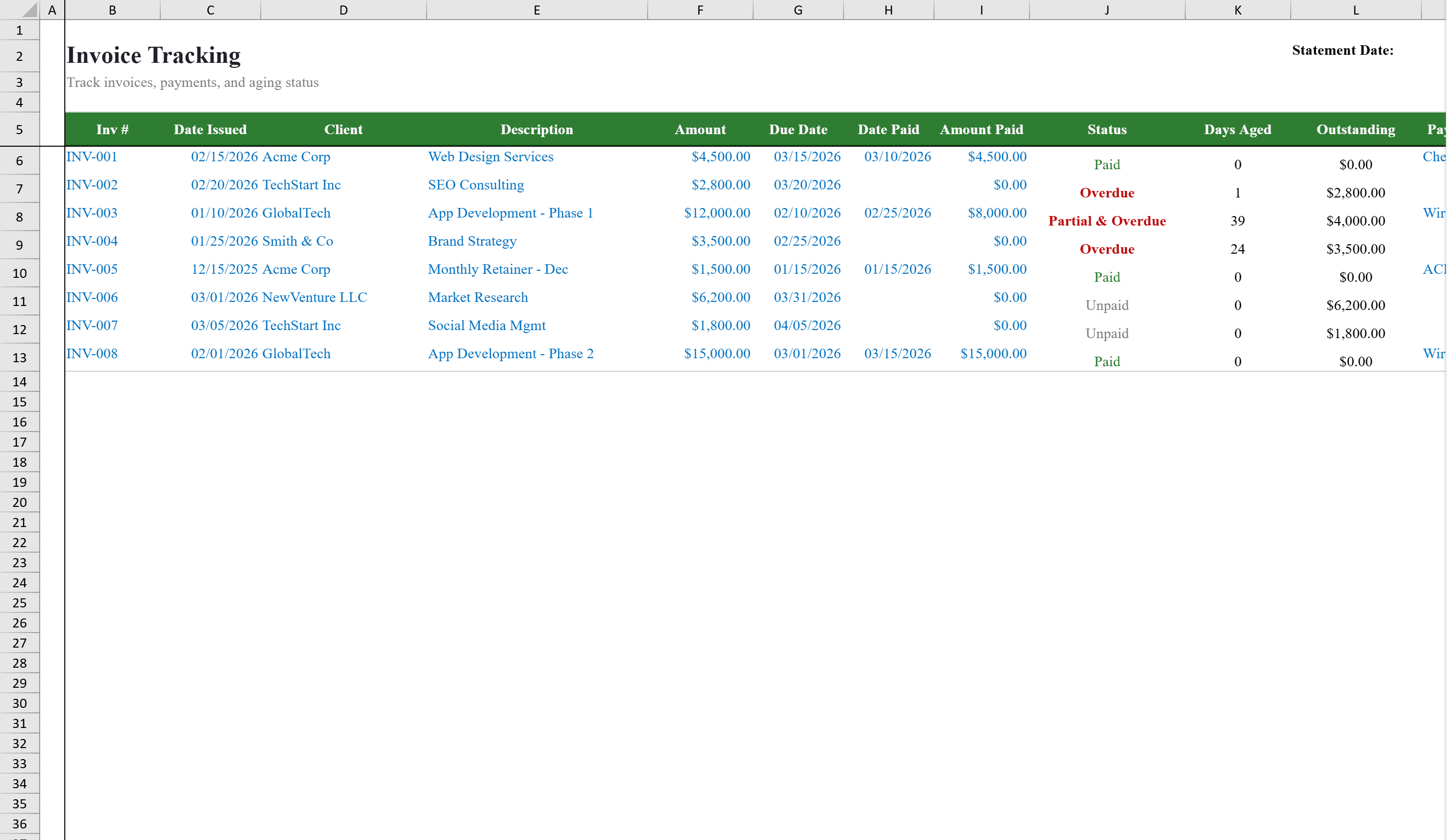
This invoice tracking template gives freelancers, small businesses, and accounts receivable teams a complete system for managing outstanding invoices. The Invoice Log sheet tracks each invoice from issuance through payment with fields for client, amount, due date, payment status, days aged, and outstanding balance. Formulas automatically calculate aging and remaining balances, while conditional formatting flags overdue items. Generate new invoices with the Service Invoice Template or Sales Invoice Template, then log them here. A companion Dashboard sheet provides at-a-glance summary metrics. Dropdown lists enforce consistent data entry for status and payment method fields, making it easy to filter, sort, and stay on top of cash flow.
Invoice Tracking Template Features
- Invoice Log tracking from issuance through payment
- Auto-calculated aging and outstanding balance formulas
- Conditional formatting flagging overdue invoices
- Dashboard sheet with at-a-glance summary metrics
- Dropdown lists for status and payment method
How to Use This Invoice Tracking Template in Excel
- 1
Log invoices
Enter each invoice with client name, amount, due date, and payment status on the Invoice Log sheet.
- 2
Monitor aging
Review auto-calculated days aged and outstanding balance for each invoice.
- 3
Flag overdue items
Conditional formatting automatically highlights overdue invoices for immediate attention.
- 4
Review dashboard
Check the Dashboard sheet for summary metrics giving an at-a-glance view of your receivables.
Invoice Tracking Template FAQ
- Does the template calculate invoice aging automatically?
- Yes, formulas automatically calculate days aged and outstanding balances, with conditional formatting flagging overdue invoices.
- What fields are tracked for each invoice?
- The Invoice Log tracks client, amount, due date, payment status, days aged, and outstanding balance with dropdown lists for consistent data entry.
- Is there a summary dashboard?
- Yes, a companion Dashboard sheet provides at-a-glance summary metrics for your entire accounts receivable portfolio.