Expense Tracker Template
See exactly where your money goes each month with automatic budget-versus-actual comparisons and visual spending breakdowns.
About the Expense Tracker Template
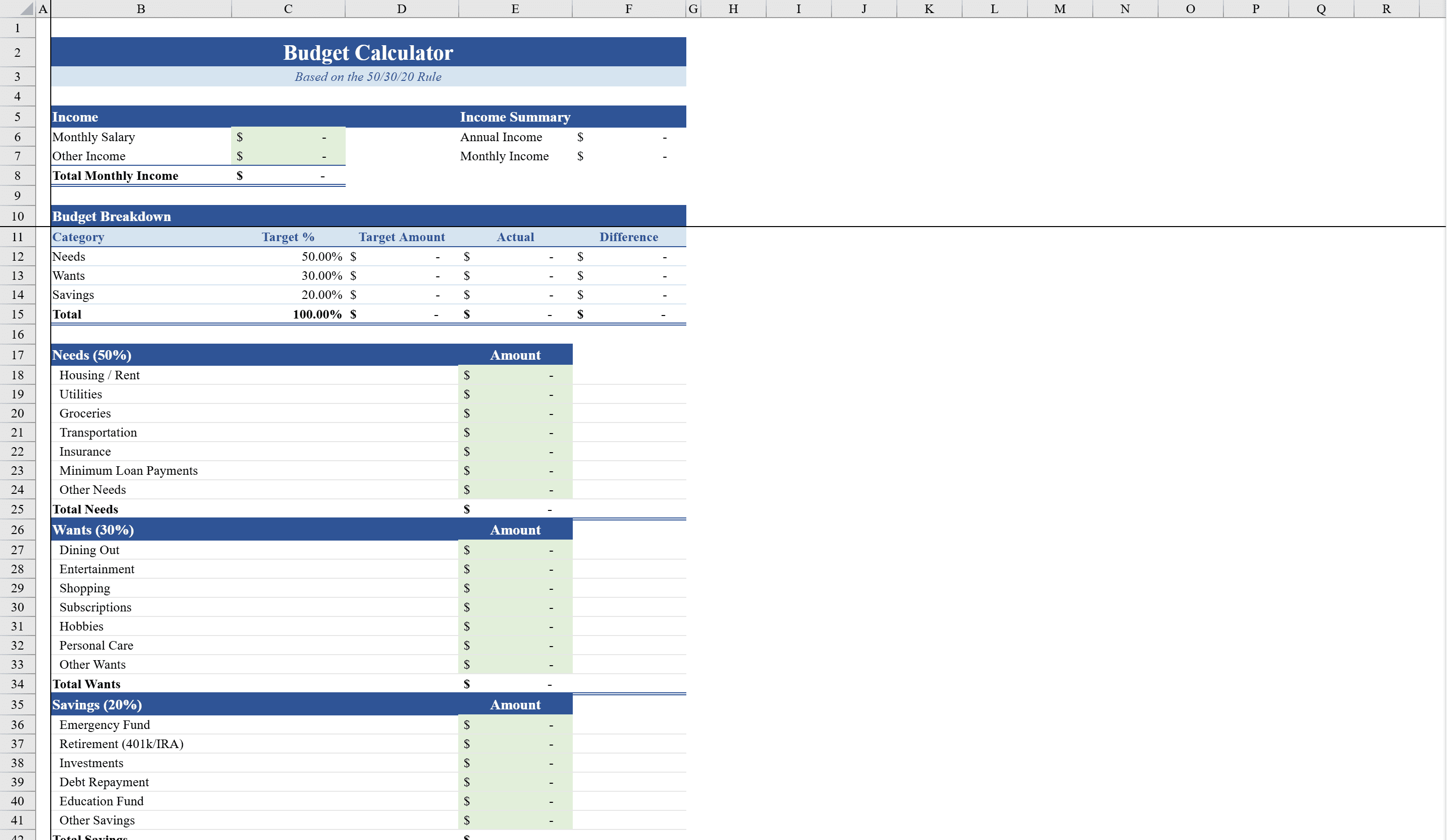
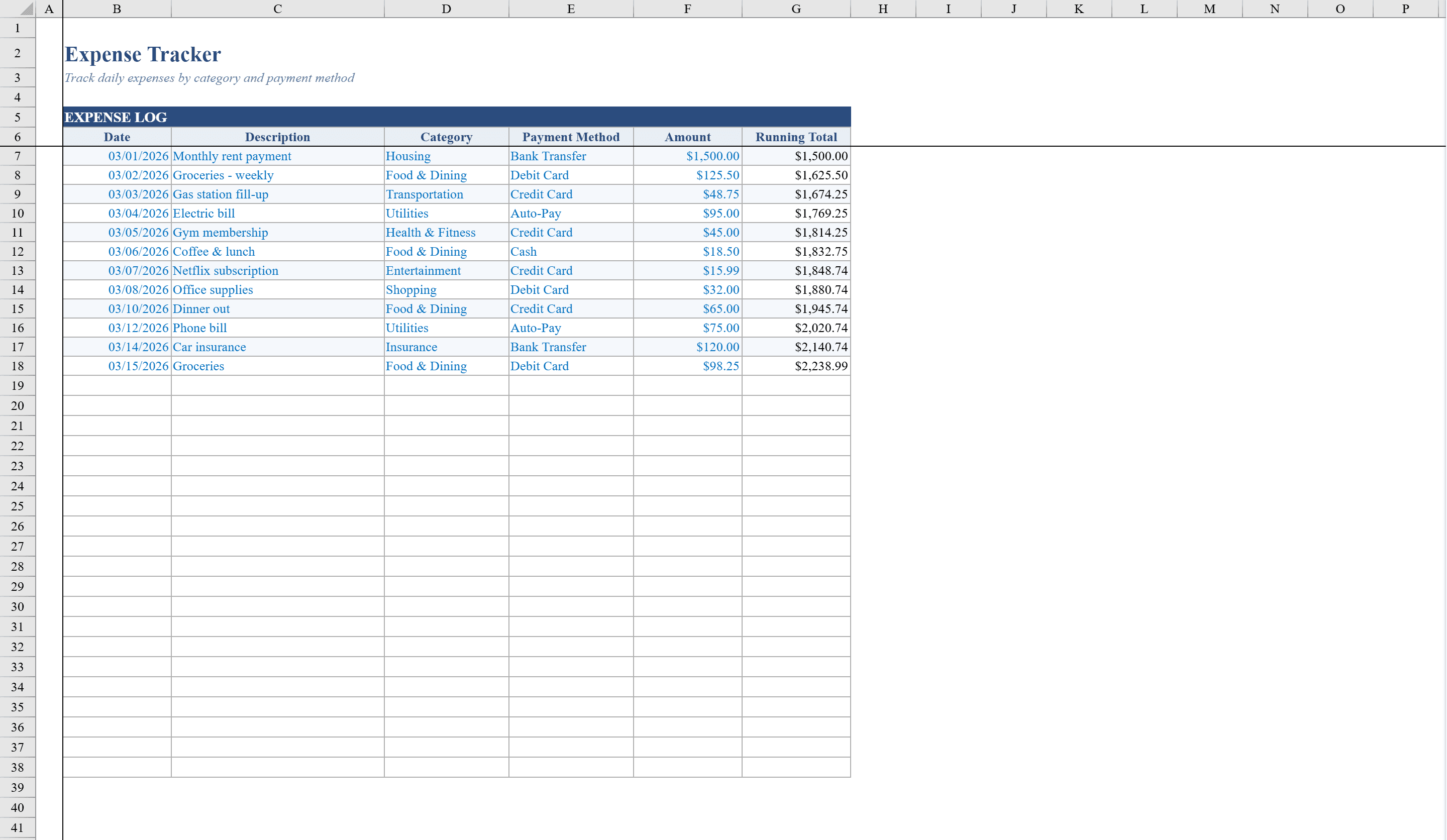
This expense tracker template is a two-sheet Excel workbook designed for individuals and small teams who want to monitor spending against a budget. The Expense Log sheet lets you record transactions with date, description, category, payment method, amount, and a running total that updates automatically. Choose from 12 predefined expense categories and 7 payment methods via dropdown lists. The Summary sheet compares budgeted versus actual spending across all categories, with conditional formatting that highlights over-budget items in red and under-budget items in green. A bar chart visualizes budget versus actual side by side, giving you a clear picture of your financial health. Set your spending targets first with the Budget Calculator, then use this tracker to hold yourself accountable.
Expense Tracker Template Features
- Expense Log with date, description, category, payment method, and running total
- 12 predefined expense categories and 7 payment methods via dropdowns
- Summary sheet comparing budgeted vs. actual spending
- Conditional formatting flagging over-budget in red, under-budget in green
- Bar chart visualizing budget versus actual side by side
How to Use This Expense Tracker Template in Excel
- 1
Record transactions
Enter each expense with date, description, category, payment method, and amount on the Expense Log sheet.
- 2
Set budget targets
Define your budgeted amounts for each of the 12 expense categories on the Summary sheet.
- 3
Monitor spending
Review the running total and conditional formatting to spot over-budget categories instantly.
- 4
Analyze trends
Use the bar chart to compare budget versus actual spending across all categories at a glance.
Expense Tracker Template FAQ
- How many expense categories are included?
- The template includes 12 predefined expense categories and 7 payment methods, all selectable via dropdown lists for consistent data entry.
- Does the running total update automatically?
- Yes, the Expense Log sheet calculates a running total that updates automatically as you add new transactions.
- How can I see if I am over budget?
- The Summary sheet uses conditional formatting to highlight over-budget items in red and under-budget items in green, with a bar chart for visual comparison.