Excel Dashboard Template
Give executives and stakeholders a polished, data-driven performance overview they can act on immediately.
About the Excel Dashboard Template
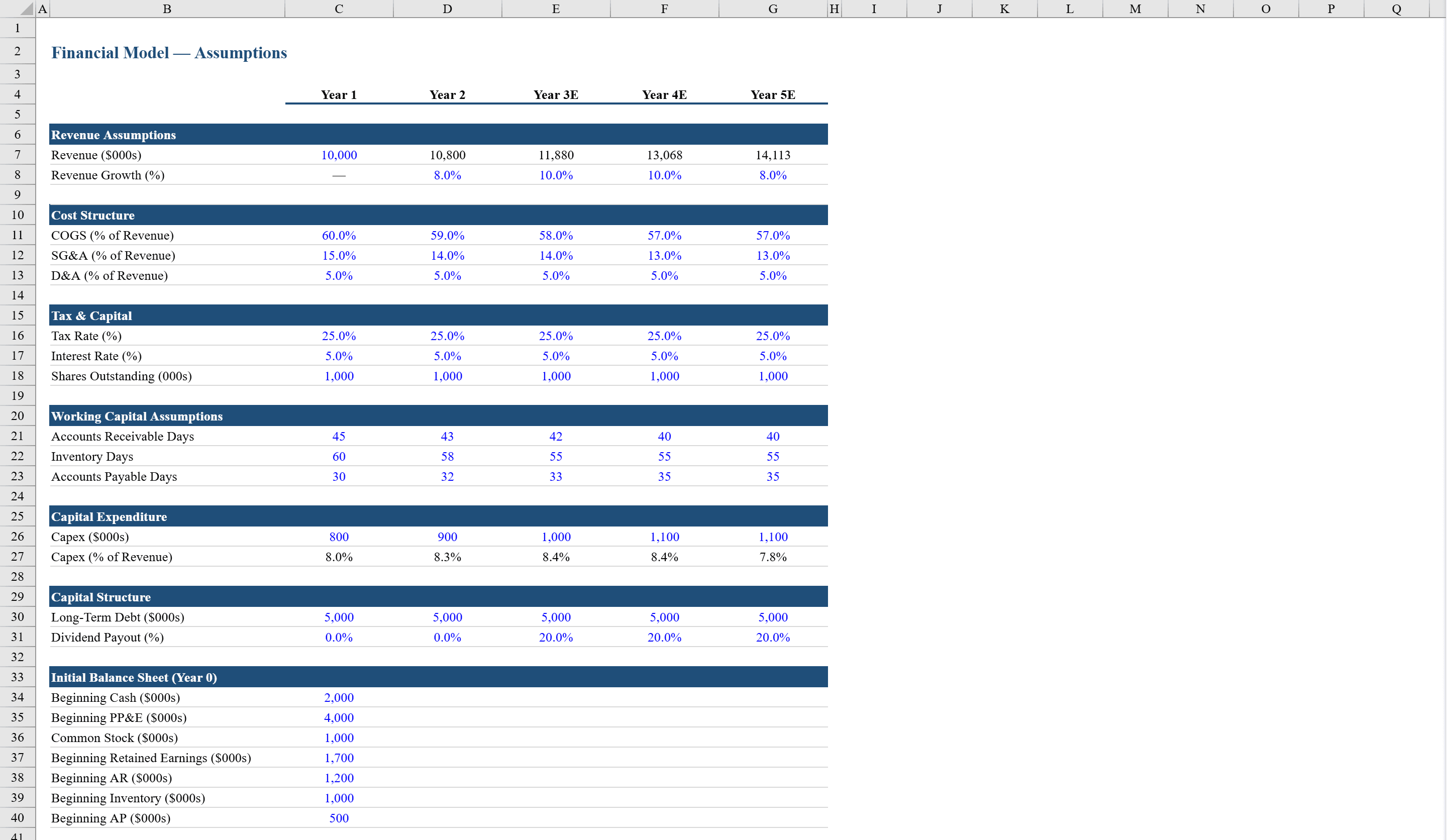
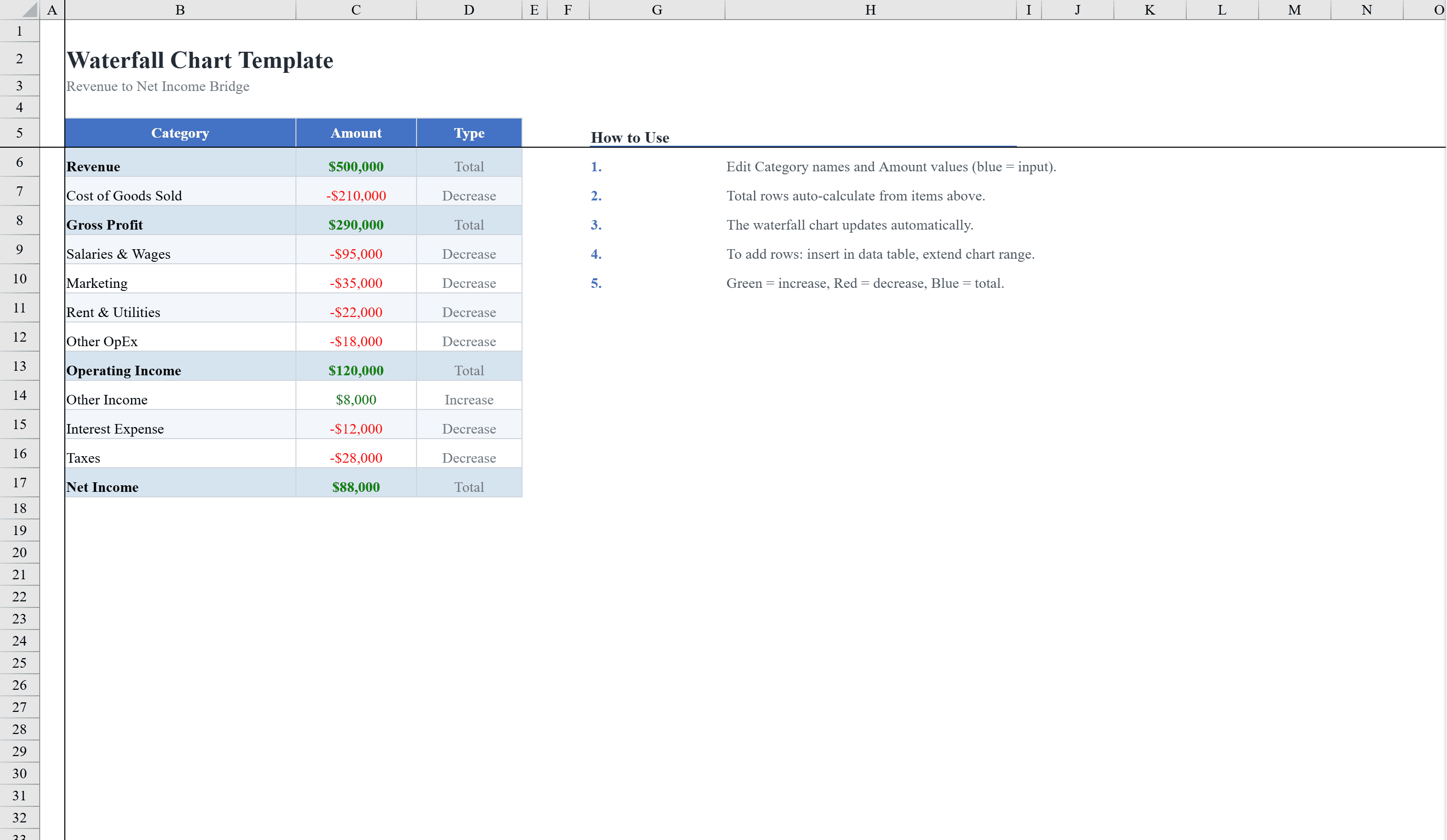
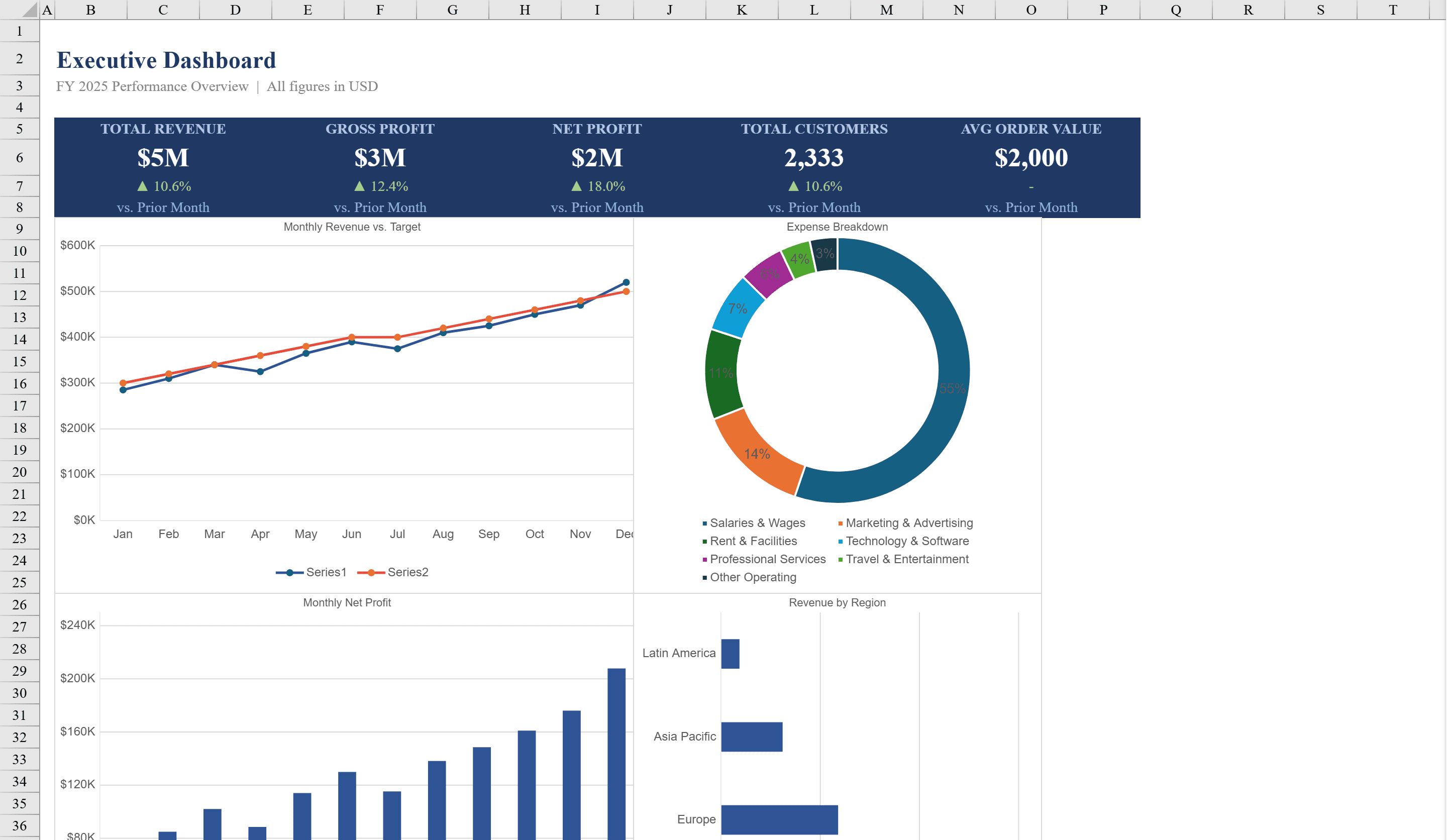
This Excel dashboard template delivers a complete executive reporting solution with a KPI summary panel and four interactive charts. The dashboard sheet displays five key metrics including total revenue, gross profit, net profit, total customers, and average order value, each with auto-calculated month-over-month trend indicators and conditional formatting that shows green arrows for gains and red for declines. Backed by a detailed data sheet with monthly financials, expense breakdowns, and regional revenue figures, it generates line charts for revenue vs. target, a doughnut chart for expense categories, bar charts for monthly net profit and revenue by region. Feed it from a Financial Model for forecast-backed reporting, or add a Waterfall Chart to explain revenue-to-profit bridges.
Excel Dashboard Template Features
- Five key metrics: revenue, gross profit, net profit, customers, and avg order value
- Month-over-month trend indicators with green/red arrows
- Line chart for revenue vs. target comparison
- Doughnut chart for expense category breakdown
- Bar charts for monthly net profit and revenue by region
How to Use This Excel Dashboard Template in Excel
- 1
Enter financial data
Populate the data sheet with monthly financials, expense breakdowns, and regional revenue figures.
- 2
Review KPI panel
Check the five key metrics with auto-calculated trend indicators on the dashboard sheet.
- 3
Analyze charts
Explore revenue vs. target, expense breakdown, net profit, and regional performance charts.
- 4
Share with stakeholders
Print or present the polished dashboard for executive reporting and performance reviews.
Excel Dashboard Template FAQ
- What KPIs are tracked on the dashboard?
- The dashboard displays total revenue, gross profit, net profit, total customers, and average order value, each with month-over-month trend indicators.
- How many charts are included?
- Four charts: a revenue vs. target line chart, expense category doughnut chart, monthly net profit bar chart, and revenue by region bar chart.
- Can I customize the data source?
- Yes, the detailed data sheet accepts your monthly financials, expense breakdowns, and regional figures, and all dashboard charts update automatically.