Financial Modeling Excel
Build a fully linked three-statement financial model where changing one assumption instantly updates your entire forecast.
About the Financial Modeling Excel
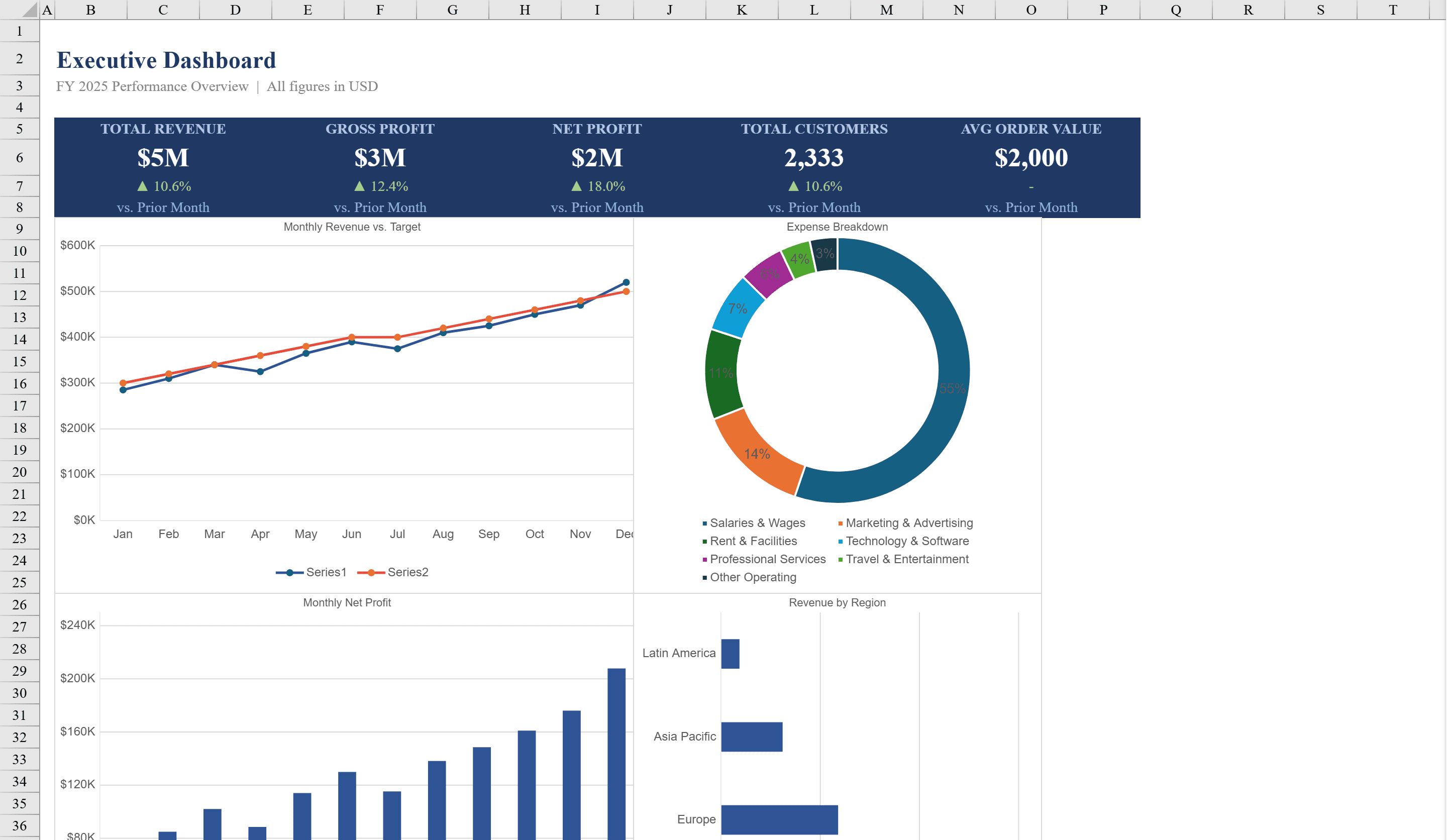
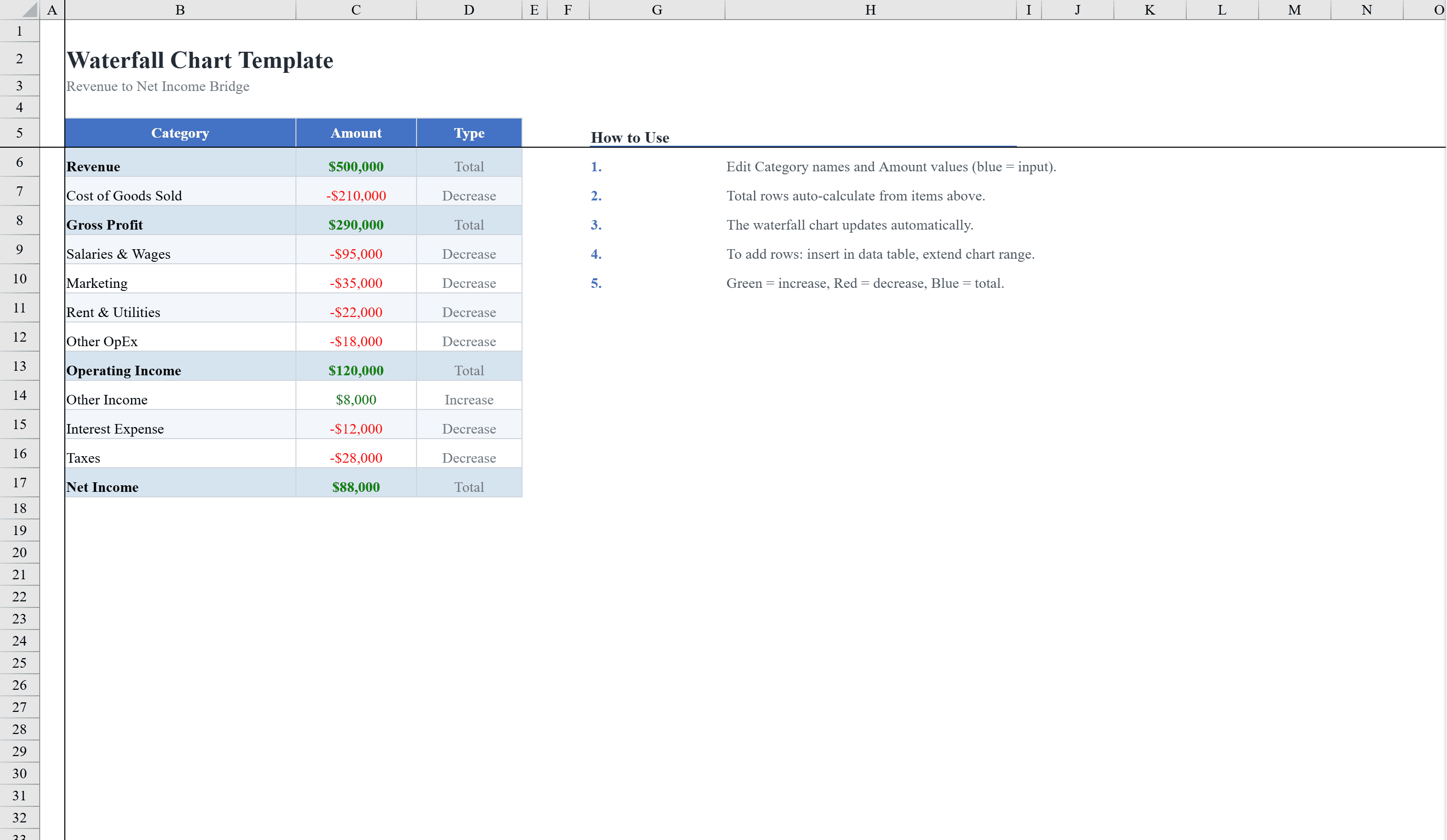
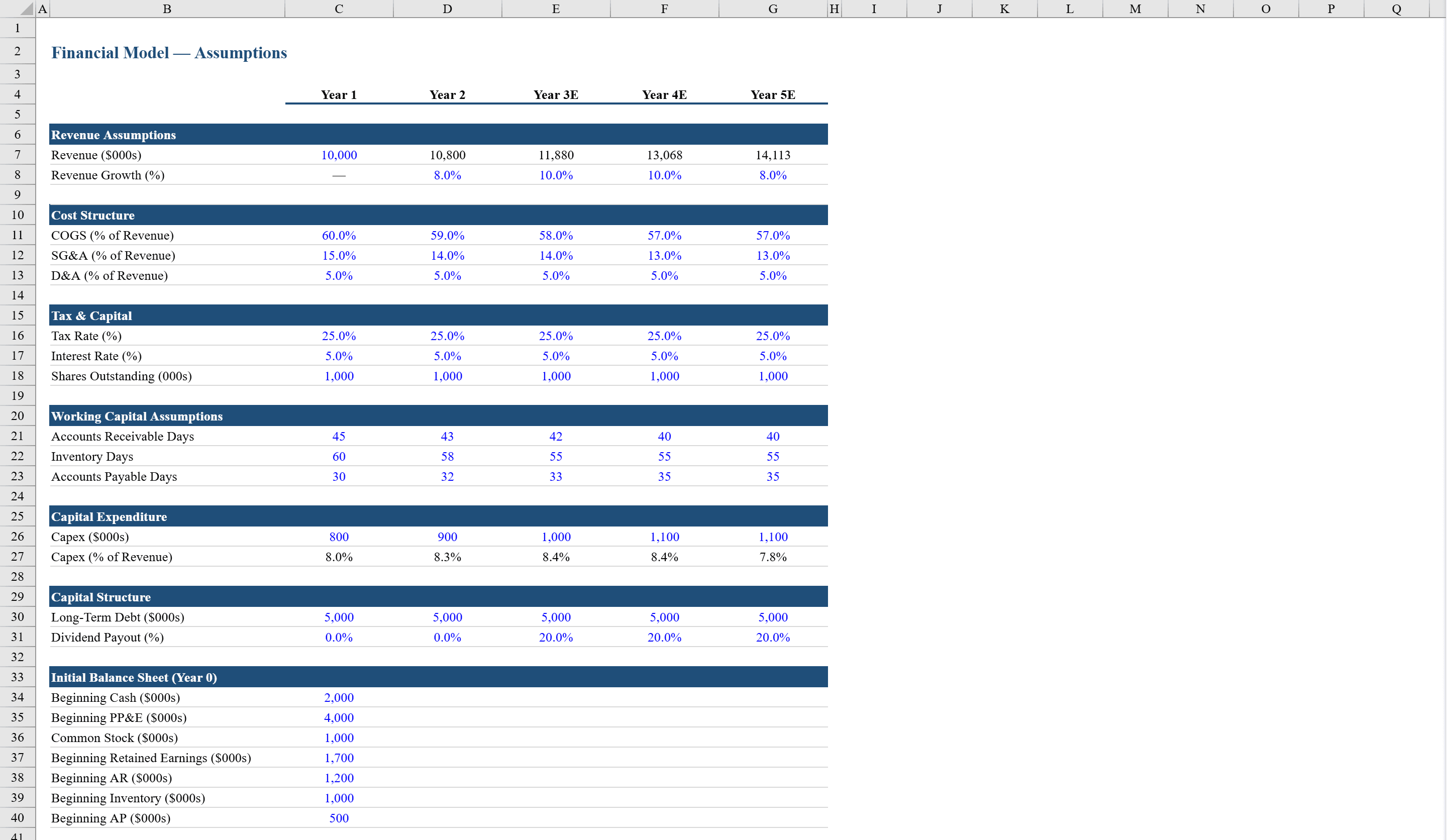
This Excel financial modeling workbook provides a complete three-statement model across four interconnected sheets: Assumptions, Income Statement, Balance Sheet, and Cash Flow. Built for analysts, entrepreneurs, and finance professionals, it features a dedicated assumptions sheet with revenue growth rates, cost margins, tax rates, and capital expenditure inputs that automatically flow through all three financial statements via linked formulas. The income statement tracks revenue through net income with auto-generated trend charts, the balance sheet includes a self-checking balance validation with conditional formatting, and the cash flow statement reconciles operating, investing, and financing activities. Visualize the revenue-to-profit bridge with a Waterfall Chart and present key outputs on an Excel Dashboard. Data validation ensures clean percentage inputs throughout.
Financial Modeling Excel Features
- Four interconnected sheets: Assumptions, Income Statement, Balance Sheet, Cash Flow
- Assumptions sheet driving all three financial statements via linked formulas
- Income statement with revenue through net income and trend charts
- Self-checking balance validation with conditional formatting
- Cash flow reconciling operating, investing, and financing activities
How to Use This Financial Modeling Excel in Excel
- 1
Set assumptions
Enter revenue growth rates, cost margins, tax rates, and capital expenditure inputs on the Assumptions sheet.
- 2
Review income statement
Check the auto-populated income statement tracking revenue through net income with trend charts.
- 3
Validate balance sheet
Confirm the balance sheet balances using the self-checking validation with conditional formatting.
- 4
Analyze cash flow
Review the cash flow statement reconciling operating, investing, and financing activities.
Financial Modeling Excel FAQ
- Are the three financial statements linked?
- Yes, all three statements are interconnected via linked formulas that flow from the dedicated Assumptions sheet, ensuring consistency across the entire model.
- Does the balance sheet self-check?
- Yes, the balance sheet includes a built-in balance validation with conditional formatting that flags any discrepancies between assets and liabilities plus equity.
- What inputs does the Assumptions sheet include?
- Revenue growth rates, cost margins, tax rates, and capital expenditure inputs, all with data validation ensuring clean percentage entries.