Consulting Invoice Template
Bill clients by the hour with automatic totals, expenses, and overdue alerts.
About the Consulting Invoice Template
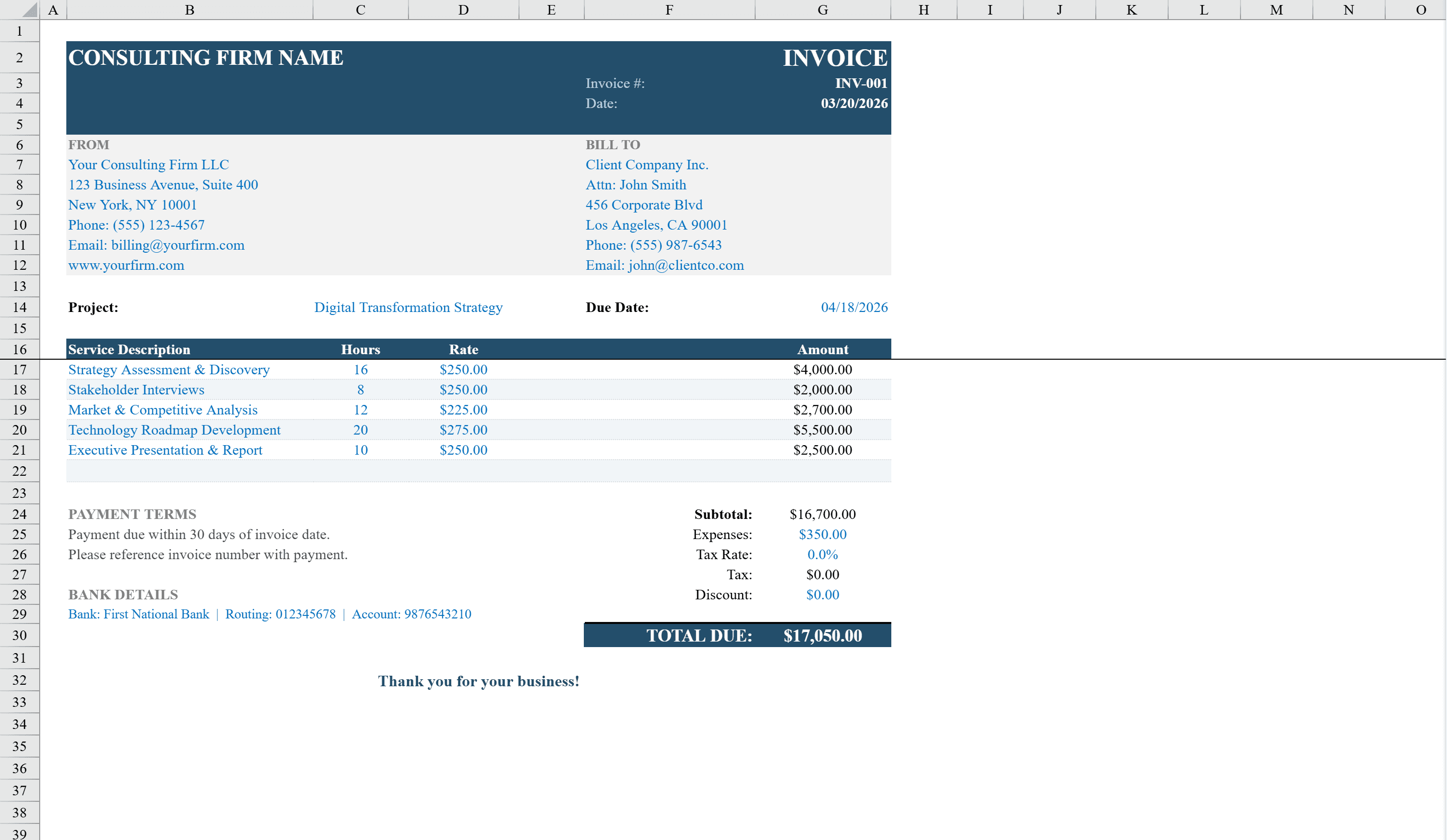
This Consulting Invoice Template for Excel provides a polished, print-ready invoice designed for independent consultants, freelancers, and professional service firms. It features an itemized services table with automatic line-total calculations based on hours and hourly rates, plus fields for expenses, adjustable tax rate, and discount. The template auto-computes subtotals, tax amounts, and the total due with formula-driven precision. It includes clearly organized sections for firm details, client billing information, project name, due date tracking with overdue alerts, payment terms, and bank details -- all professionally styled and ready to send. Start with a quote template for initial proposals, then convert approved work into this invoice.
Consulting Invoice Template Features
- Itemized services table with hours and hourly rate calculations
- Separate fields for expenses, adjustable tax rate, and discount
- Auto-computed subtotals, tax amounts, and total due
- Overdue alert system with due date tracking
- Sections for firm details, client info, project name, and bank details
How to Use This Consulting Invoice Template in Excel
- 1
Enter firm and client details
Fill in your consulting firm information, client billing details, and the project name.
- 2
Add billable services
Enter each service with hours worked and hourly rate. Line totals and the subtotal calculate automatically.
- 3
Add expenses and adjustments
Include any reimbursable expenses, set the tax rate, and apply a discount if applicable.
- 4
Set payment terms
Specify the due date, payment terms, and bank details. Overdue alerts activate automatically past the due date.
Consulting Invoice Template FAQ
- Can I bill by the hour with this template?
- Yes, the itemized services table calculates line totals based on hours worked multiplied by your hourly rate, making it ideal for time-based consulting billing.
- Does it support expense reimbursement?
- Yes, the template includes separate fields for reimbursable expenses that are added to the service subtotal before tax and discount calculations.
- How do the overdue alerts work?
- The template tracks the due date and automatically triggers overdue formatting alerts when the payment date passes, helping you follow up on unpaid invoices.