Hoshin Kanri Template
Align every team to your strategic vision by linking breakthrough objectives to measurable KPIs in one X-Matrix view.
About the Hoshin Kanri Template
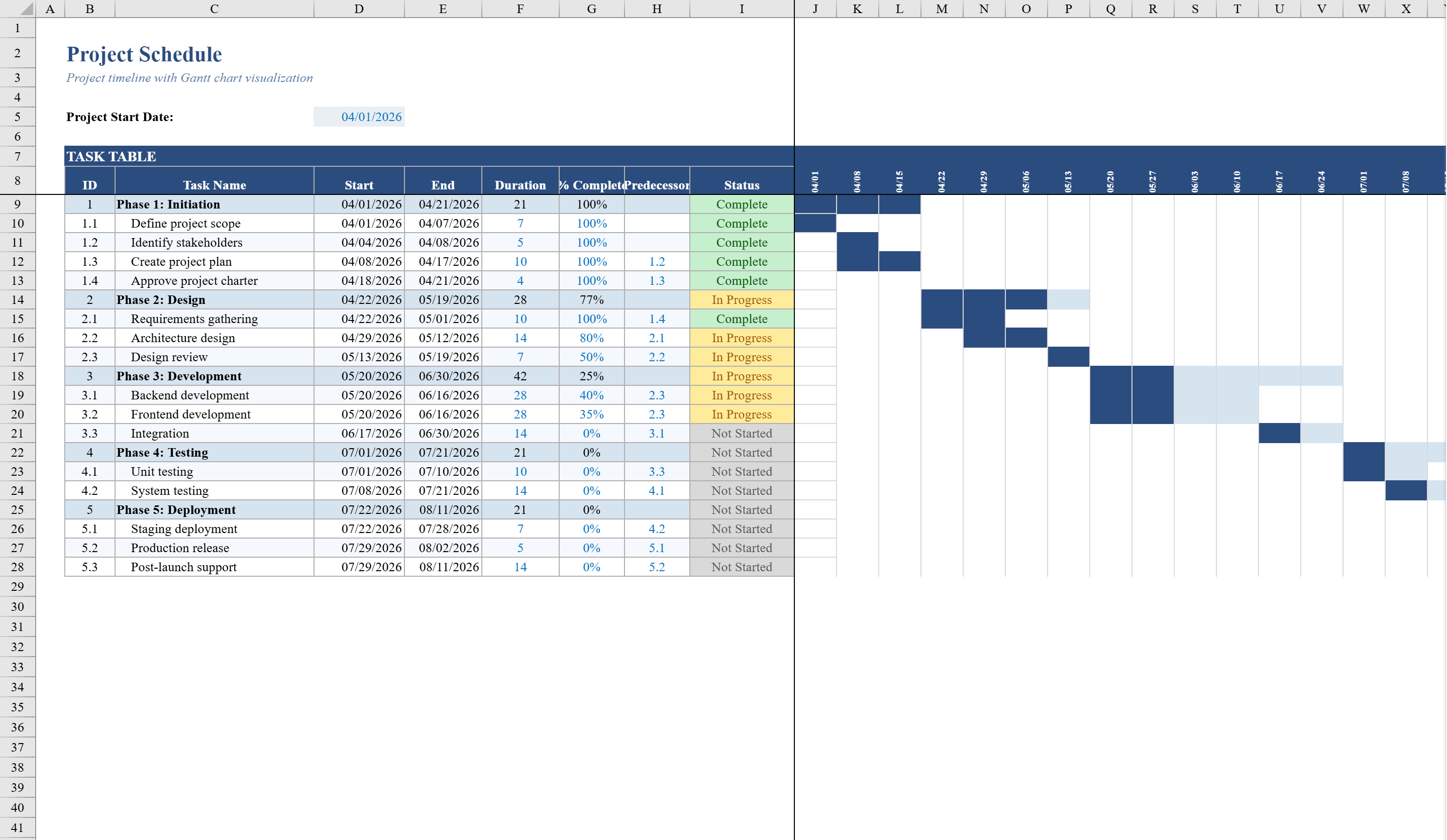
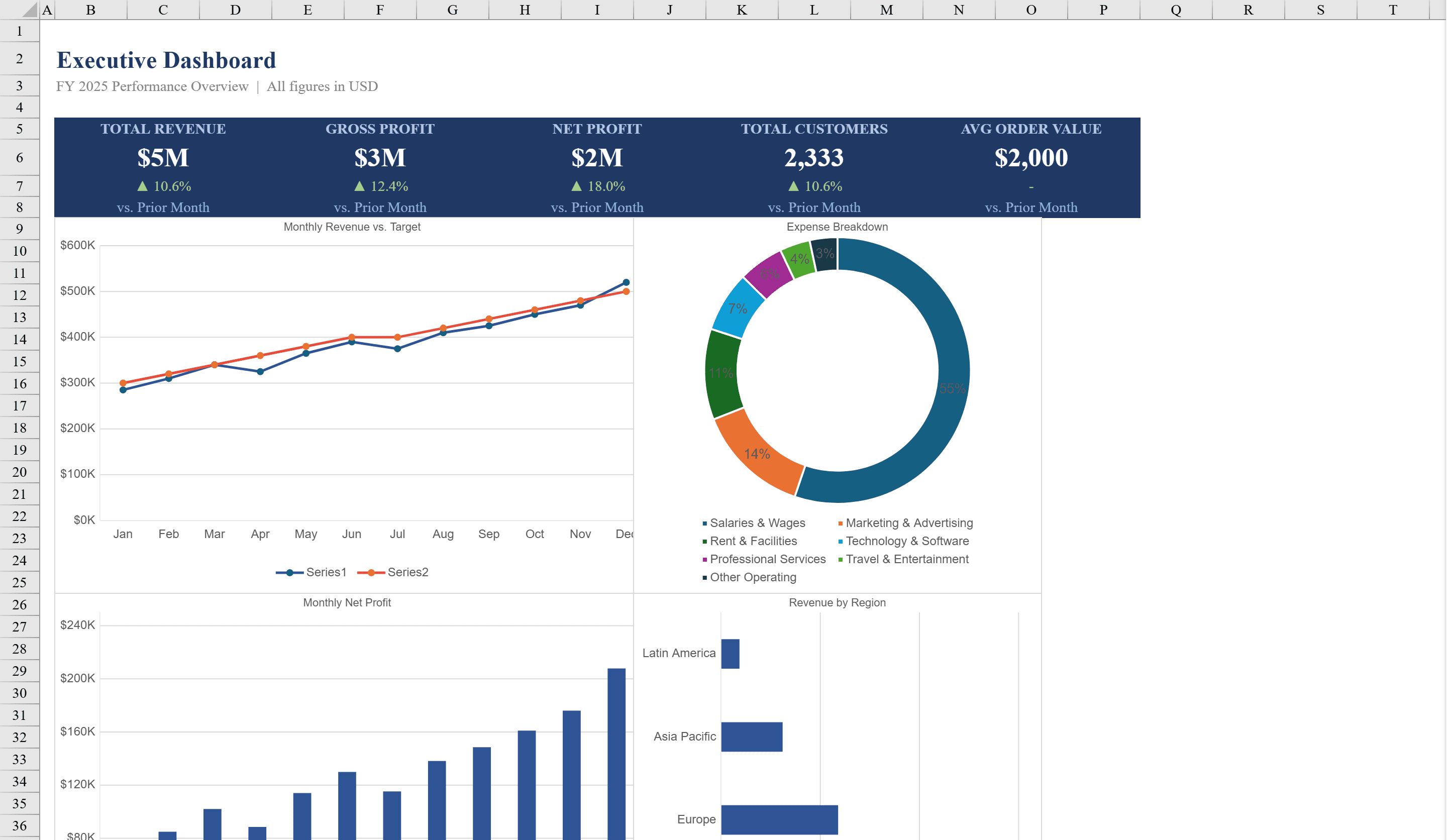
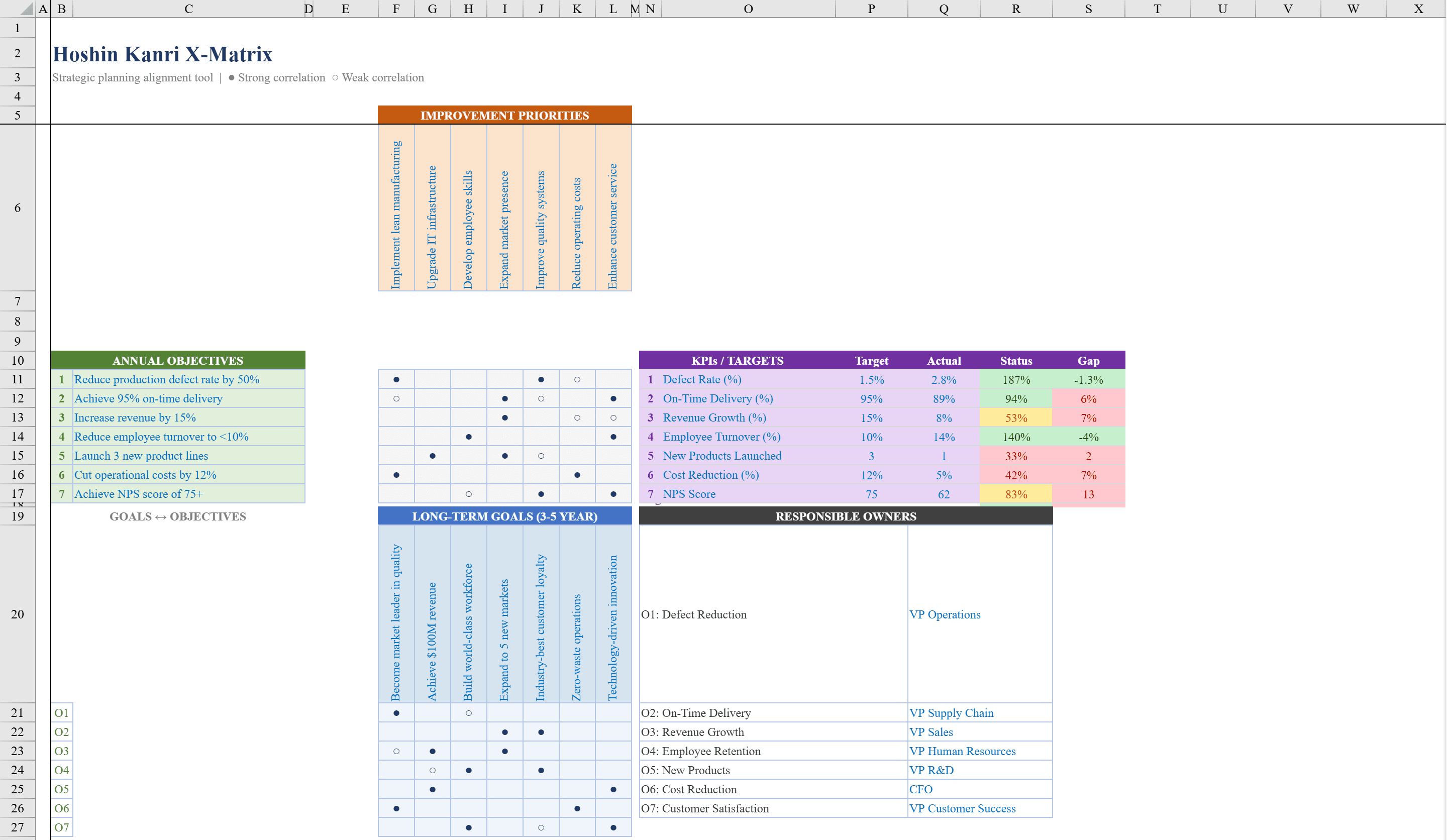
This Excel Hoshin Kanri X-Matrix template brings the power of Japanese strategic planning methodology to your organization. Designed for executives and strategy teams, it provides a structured framework linking long-term breakthrough objectives to annual goals, improvement priorities, and key performance indicators through visual correlation matrices. Use circle symbols to map strong and supporting relationships between strategic elements, while built-in KPI tracking columns auto-calculate target vs. actual performance and variance. Conditional formatting highlights goals on track in green, at risk in amber, and off target in red. Cascade strategic goals into actionable timelines with the Project Schedule Template and present results on an Excel Dashboard.
Hoshin Kanri Template Features
- X-Matrix layout linking objectives, goals, priorities, and KPIs
- Circle symbols for strong and supporting relationship mapping
- KPI tracking with target vs. actual and auto-calculated variance
- Color-coded status: green for on track, amber for at risk, red for off target
- Owner assignment and legend for strategy deployment
How to Use This Hoshin Kanri Template in Excel
- 1
Define breakthrough objectives
Enter your long-term strategic objectives in the X-Matrix framework.
- 2
Link goals and priorities
Map annual goals and improvement priorities to objectives using circle symbols for relationship strength.
- 3
Set KPI targets
Define key performance indicators with targets, and the template auto-calculates actual vs. target variance.
- 4
Monitor strategy execution
Use color-coded status indicators to track goals on track, at risk, or off target across the organization.
Hoshin Kanri Template FAQ
- What is a Hoshin Kanri X-Matrix?
- It is a strategic planning tool from Japanese lean methodology that visually links long-term objectives to annual goals, improvement priorities, and KPIs in a single matrix view.
- How do I map relationships between elements?
- Use circle symbols to indicate strong or supporting relationships between objectives, goals, priorities, and KPIs in the correlation matrices.
- Does it track KPI performance?
- Yes, built-in columns auto-calculate target vs. actual performance and variance, with conditional formatting highlighting on track, at risk, and off target statuses.