Work Order
Create professional maintenance and service requests with built-in cost tracking so every job is documented from start to finish.
About the Work Order
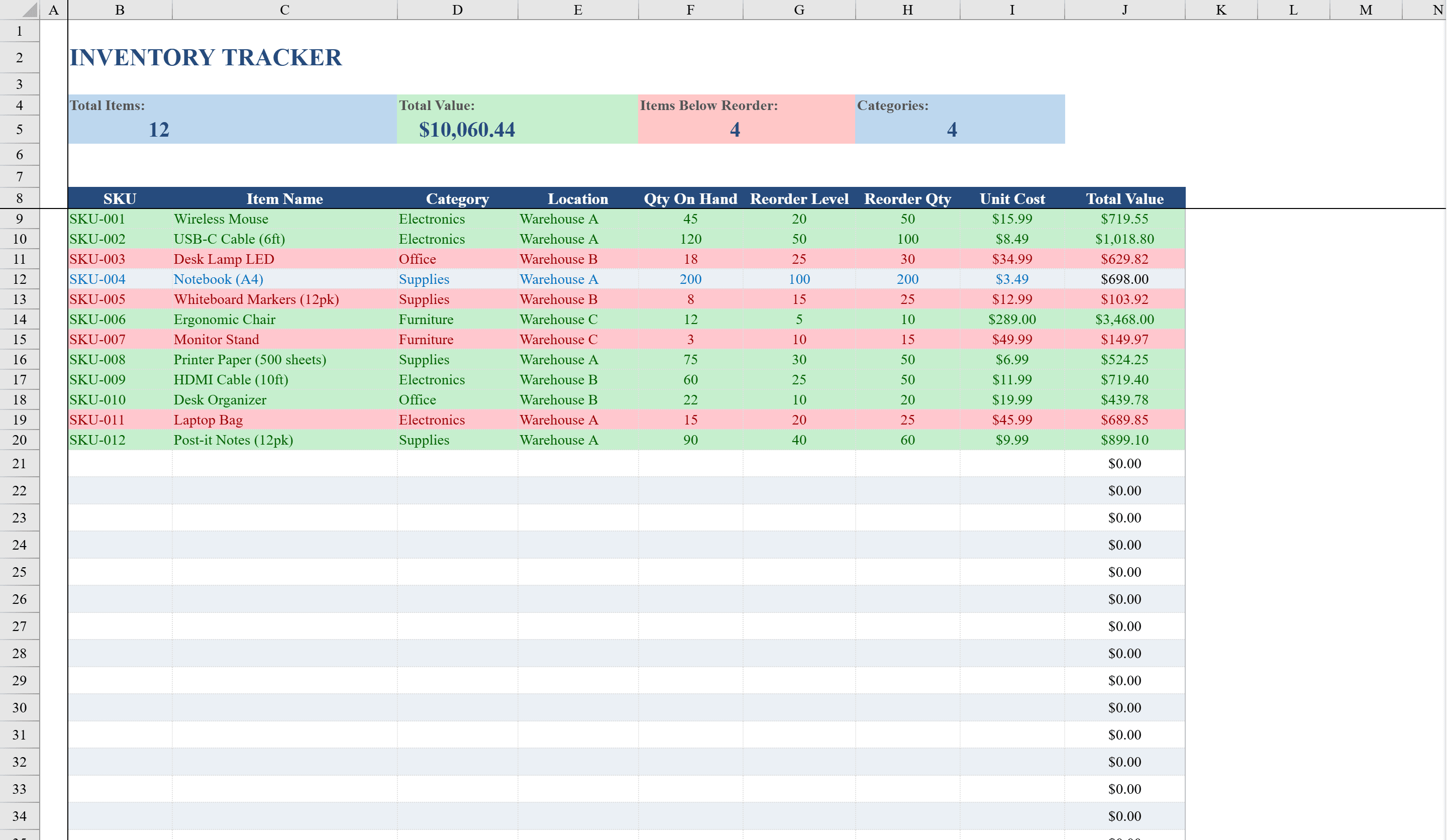
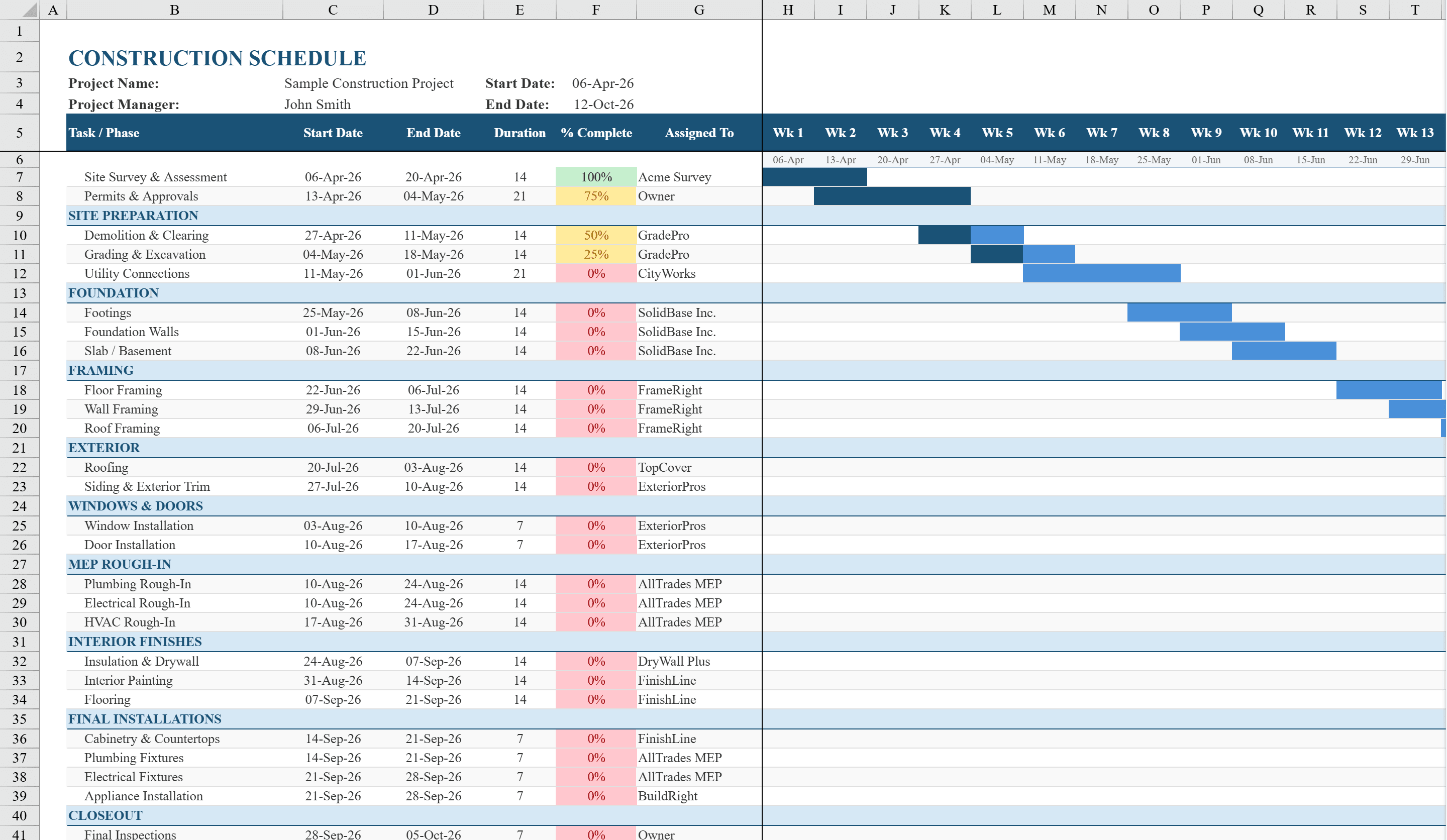
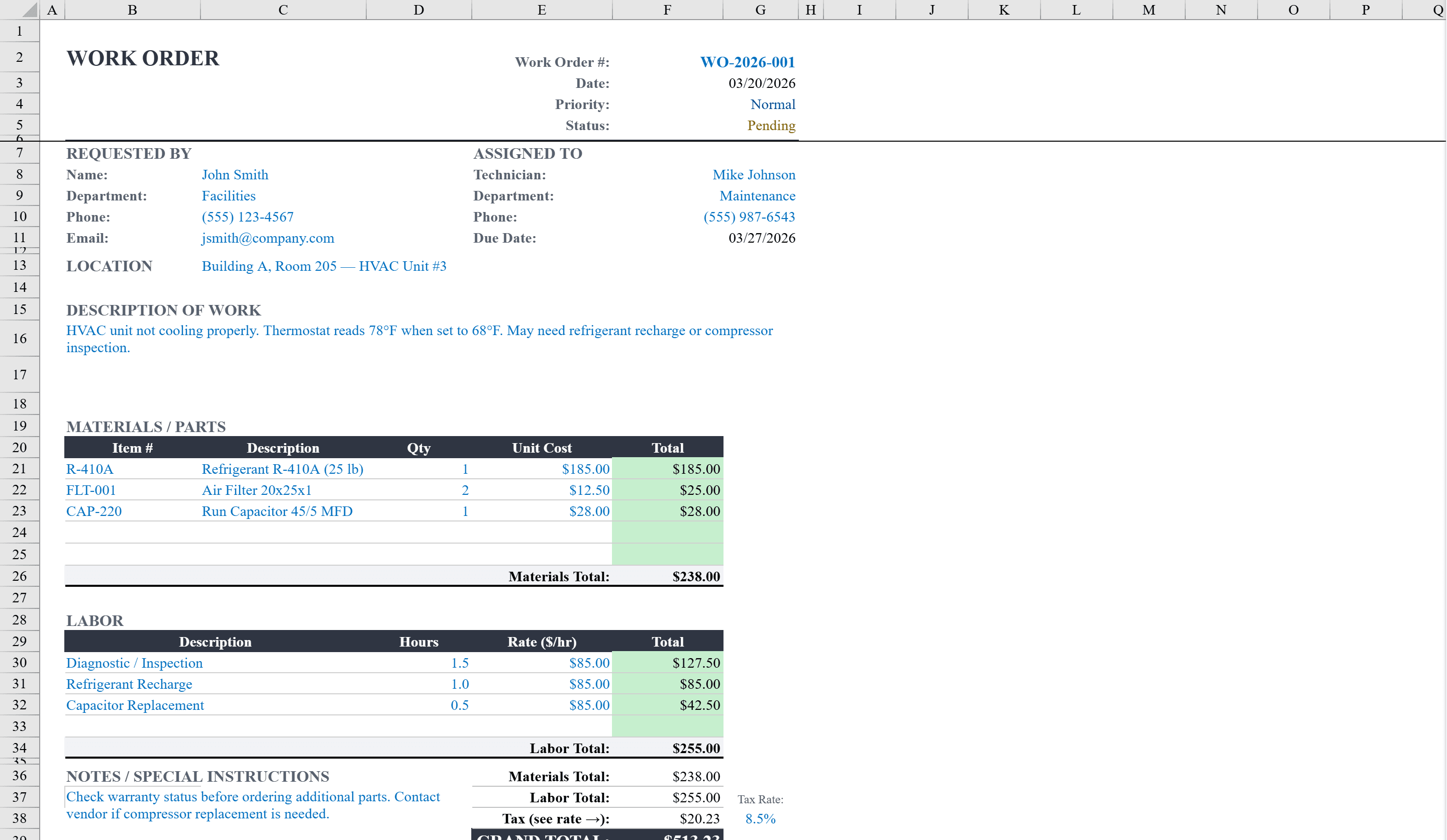
This Excel work order template provides a clean, professional format for creating and tracking maintenance, repair, or service requests. It captures essential details including work order number, requester, date, location, priority level, and current status, with dropdown menus for priority (Low to Urgent) and status (Pending to Completed) that change color based on selection. The template includes sections for both materials and labor with automatic line-total calculations, a description area for detailed instructions, and a notes section for additional information. Conditional formatting applies green highlighting when line totals are populated, giving a quick visual confirmation of completed entries. Track the materials consumed with an inventory spreadsheet or schedule multi-step jobs using a construction schedule.
Work Order Features
- Work order number, requester, date, location, and priority fields
- Dropdown menus for priority (Low to Urgent) and status (Pending to Completed)
- Color-coded priority and status indicators via conditional formatting
- Materials and labor sections with automatic line-total calculations
- Description area and notes section for detailed instructions
How to Use This Work Order in Excel
- 1
Fill in work order details
Enter the work order number, requester name, date, location, and a detailed description of the work needed.
- 2
Set priority and status
Use the dropdown menus to assign a priority level (Low, Medium, High, Urgent) and track status from Pending through Completed.
- 3
Add materials and labor
List required materials and labor entries with quantities, rates, and descriptions. Line totals calculate automatically.
- 4
Review and distribute
Check the completed work order for accuracy, then print or share it with the assigned technician or contractor.
Work Order FAQ
- Can I customize the priority levels?
- Yes. Edit the dropdown validation list to add or modify priority levels. The conditional formatting rules can also be adjusted to match your custom priority colors.
- Does this template track multiple work orders?
- Each sheet represents one work order. Duplicate the sheet for new requests, or maintain a separate tracking log that references work order numbers.
- Can I add more line items for materials or labor?
- Yes. Insert additional rows in the materials or labor sections. The line-total formulas will apply to new rows automatically.