Payroll Template
Calculate wages, deductions, and net pay for your entire team in one spreadsheet.
About the Payroll Template
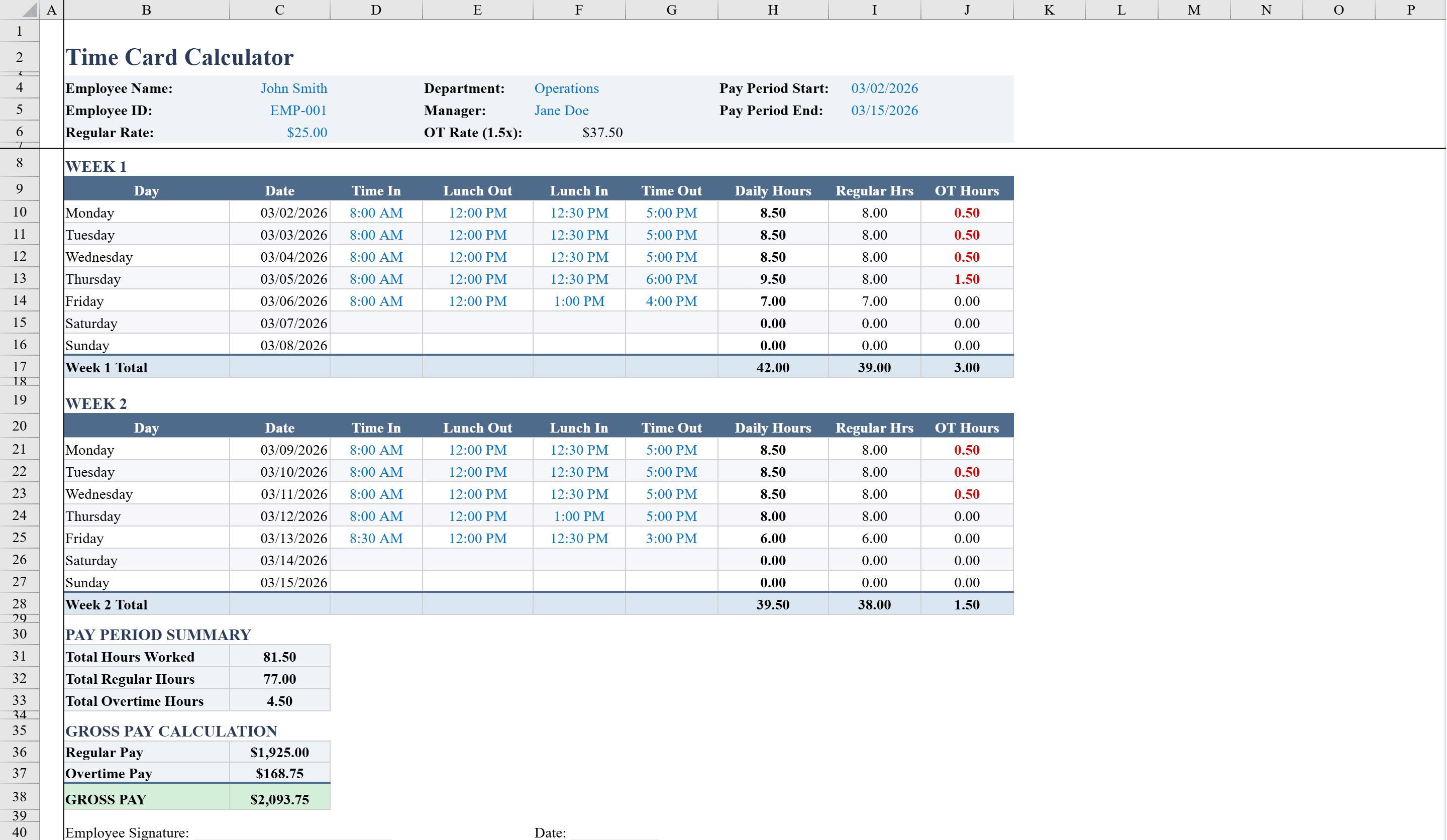
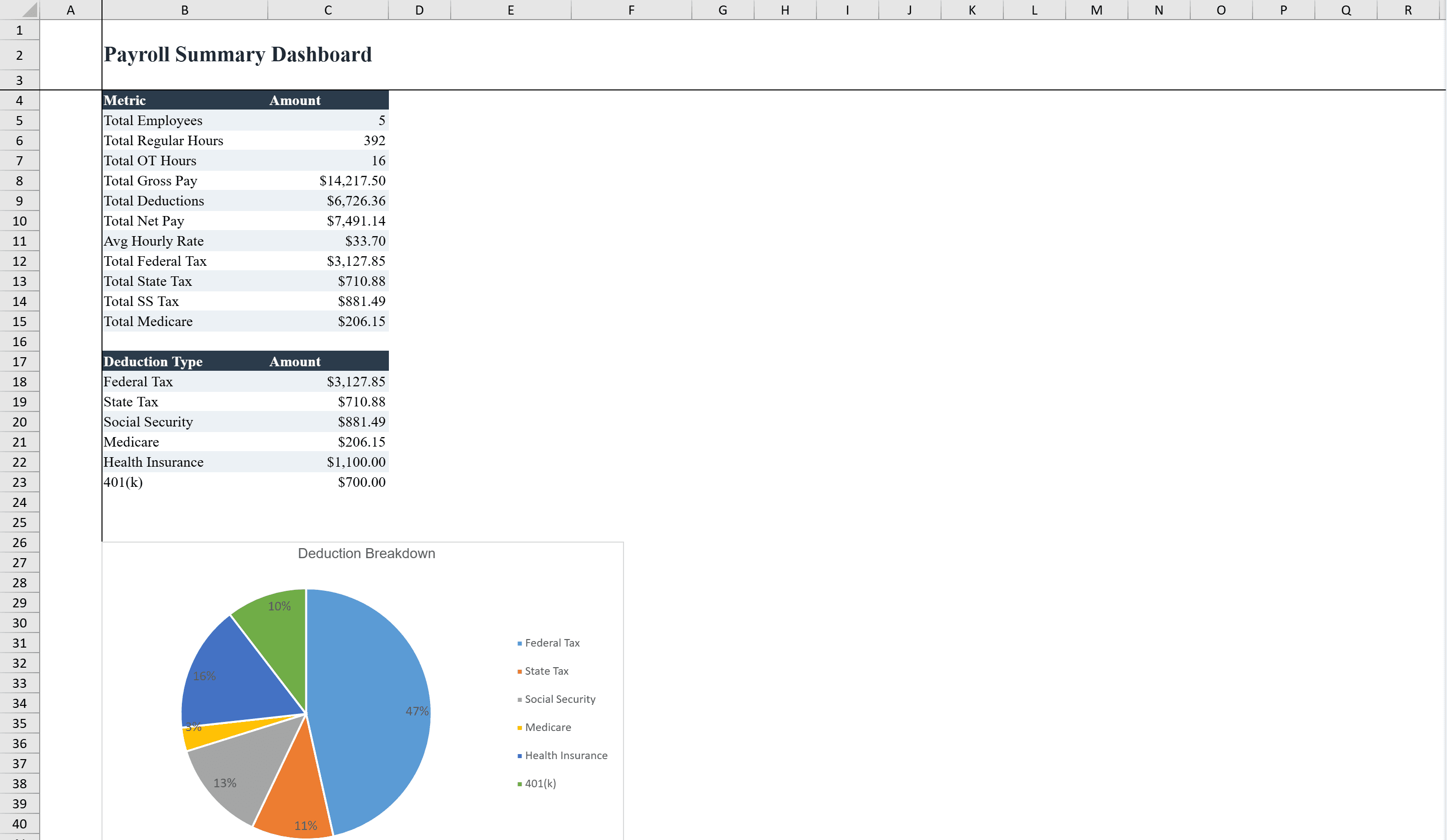
This payroll template helps small business owners and HR departments calculate employee wages, deductions, and net pay for up to 10 employees per pay period. Enter hourly rates, regular hours, and overtime hours, and the spreadsheet automatically computes gross pay, federal and state tax withholdings, Social Security, Medicare, and additional deductions to arrive at net pay. A Summary Dashboard sheet provides totals and a pie chart of the deduction breakdown. Configurable tax rate inputs, pay frequency selection, and data validation on hours and rates keep calculations accurate. Conditional formatting highlights overtime hours and flags cases where deductions exceed half of gross pay. Collect hours first with the time card calculator, then feed them into this payroll sheet for seamless processing.
Payroll Template Features
- Supports up to 10 employees with hourly rates, regular and overtime hours
- Automatic gross pay, federal/state tax, Social Security, and Medicare calculations
- Summary Dashboard with totals and pie chart of deduction breakdown
- Configurable tax rate inputs and pay frequency selection
- Conditional formatting highlights overtime and flags excessive deductions
How to Use This Payroll Template in Excel
- 1
Enter employee information
Add up to 10 employees with their hourly rates, regular hours worked, and any overtime hours.
- 2
Configure tax rates
Set federal and state tax withholding rates, and select the pay frequency for your business.
- 3
Review calculated pay
The template automatically computes gross pay, all deductions, and net pay for each employee.
- 4
Check the dashboard
Review the Summary Dashboard for payroll totals and a pie chart breaking down the deduction categories.
Payroll Template FAQ
- What deductions does the payroll template calculate?
- The template calculates federal tax, state tax, Social Security, Medicare, and additional deductions, then subtracts them from gross pay to arrive at net pay.
- How does the overtime flagging work?
- Conditional formatting automatically highlights overtime hours and flags any cases where total deductions exceed half of an employee's gross pay.
- Can I change the pay frequency?
- Yes, the template includes a pay frequency selector so you can configure it for weekly, biweekly, semi-monthly, or monthly pay periods.