Mortgage Calculator
See exactly how much home you can afford and how extra payments save you thousands in interest.
About the Mortgage Calculator
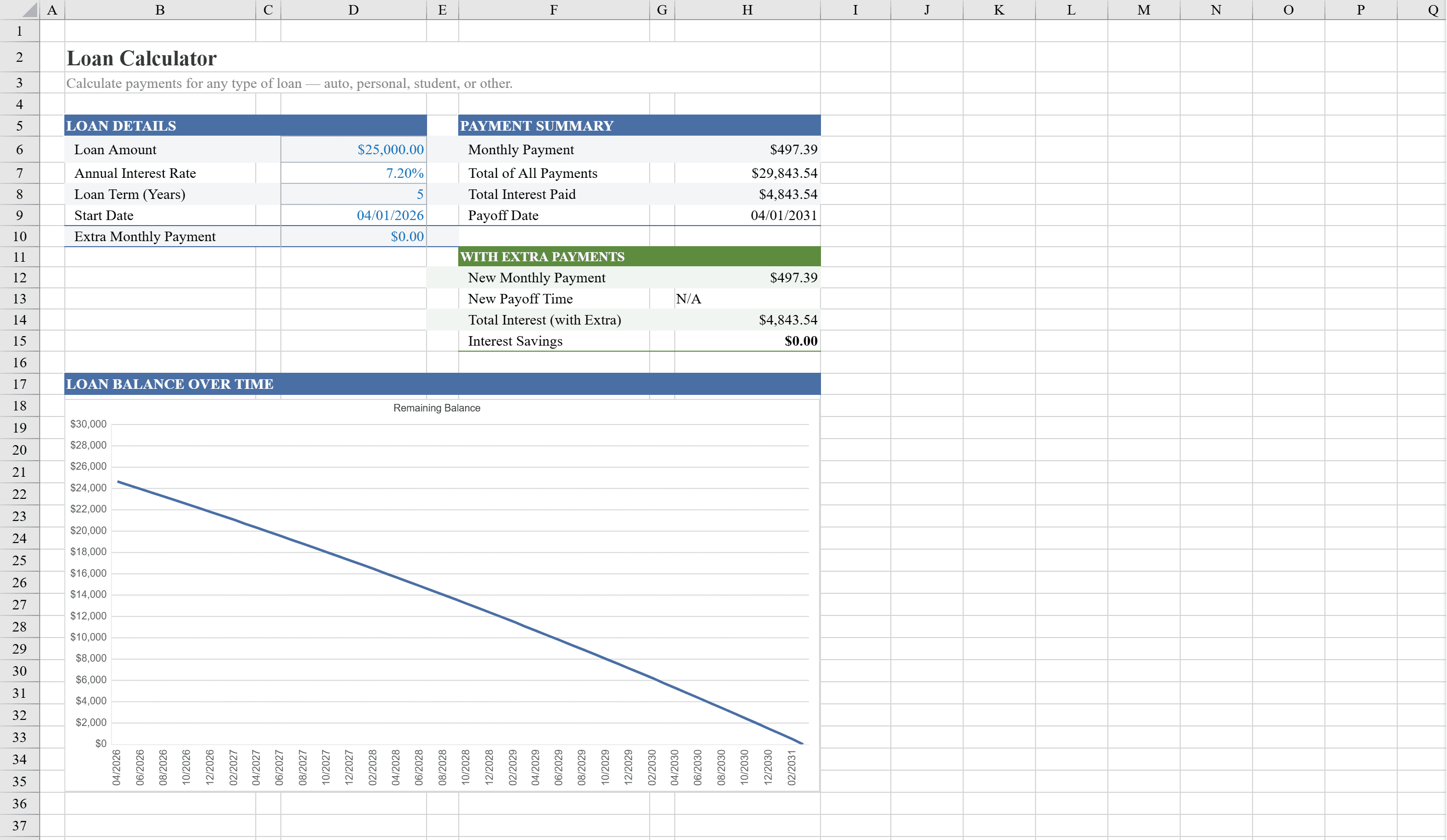
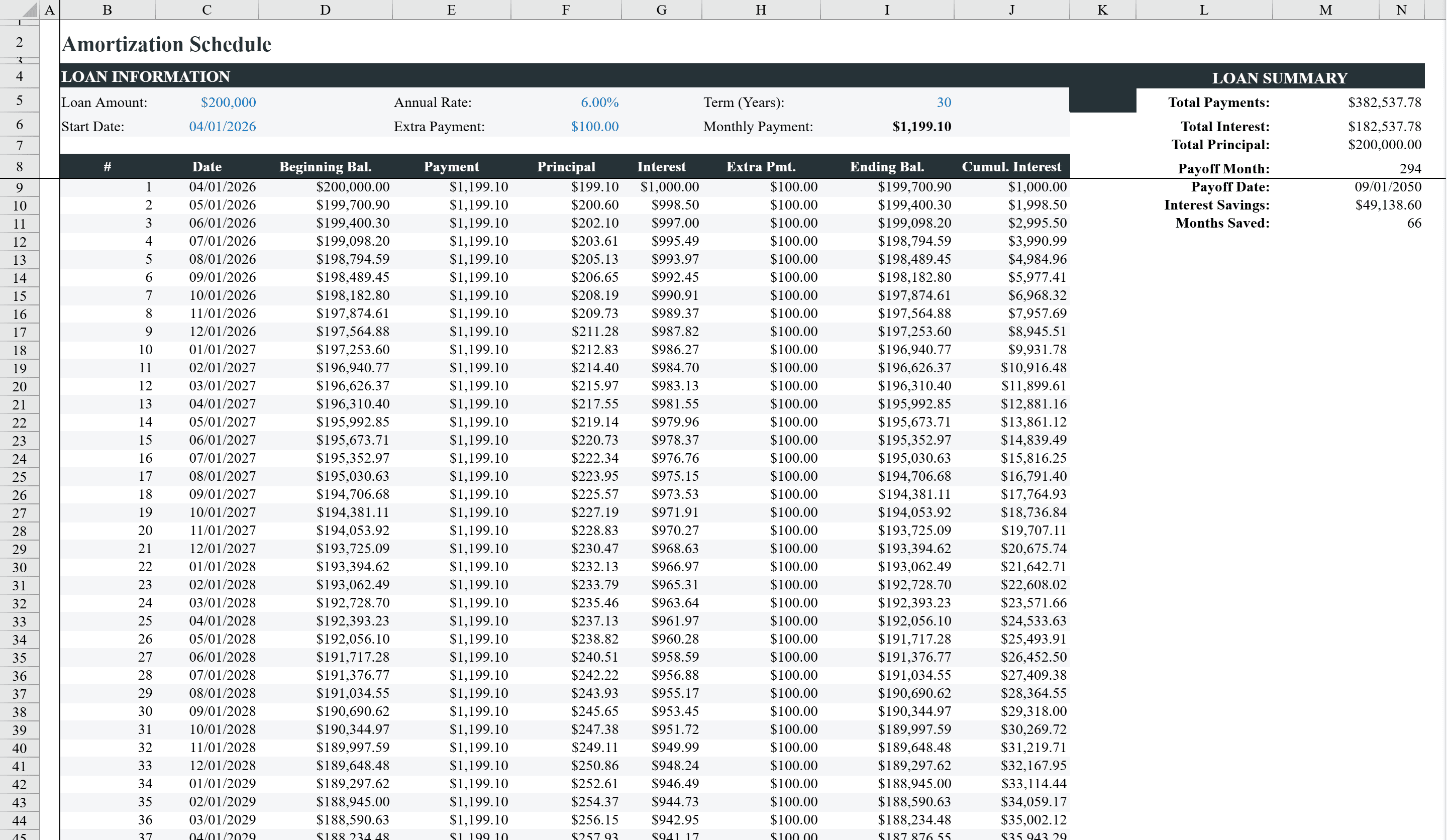
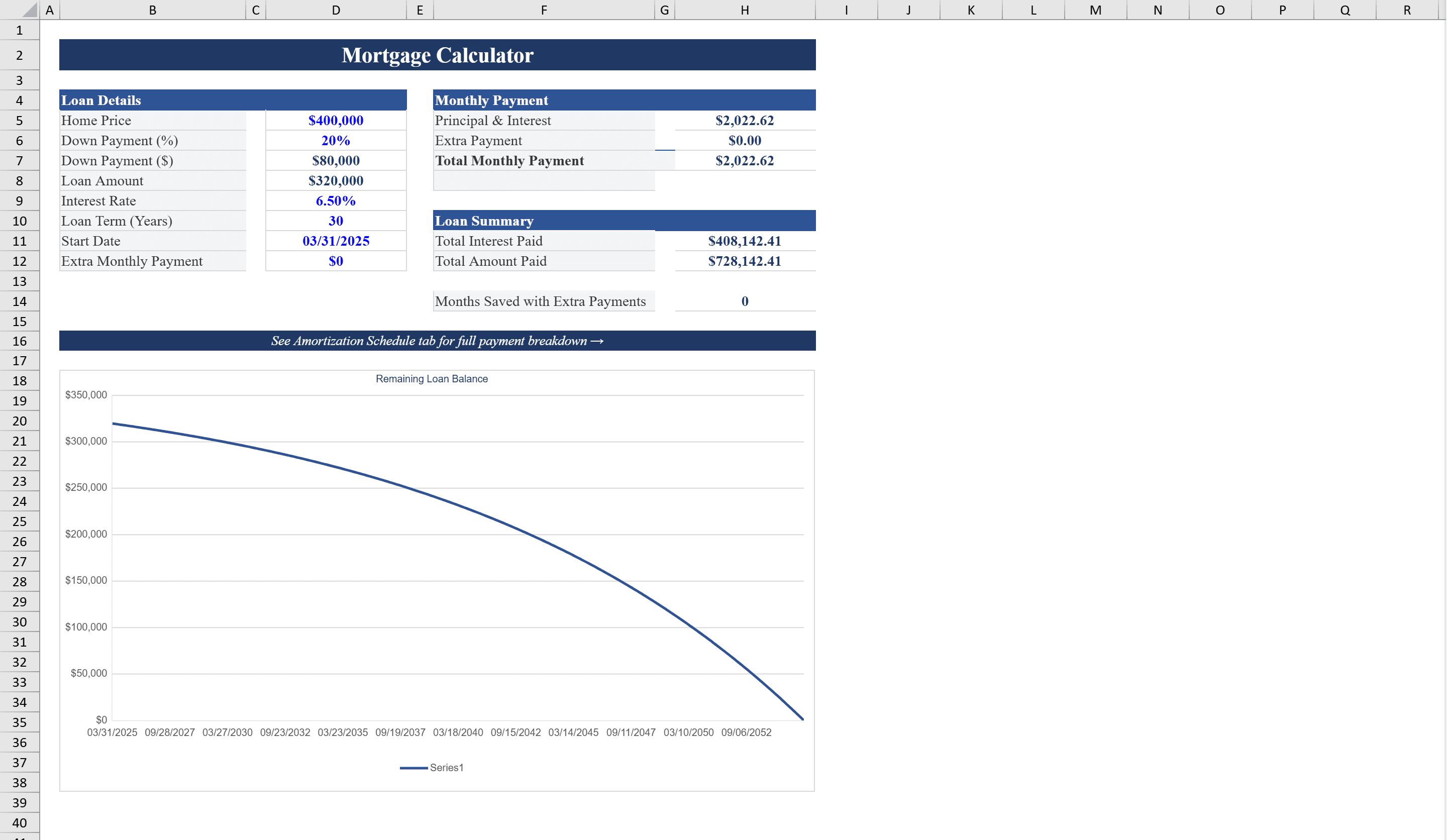
This Excel mortgage calculator helps homebuyers and homeowners analyze their mortgage with precision. Enter your home price, down payment percentage, interest rate, loan term, and optional extra payments to instantly compute your monthly payment, total interest, and potential interest savings. The workbook features a dedicated Calculator sheet with built-in input validation and a full Amortization Schedule spanning up to 360 months, showing each payment's principal, interest, extra payment, and remaining balance. A line chart visualizes the declining loan balance over time, and conditional formatting highlights when your loan is paid off early. For other loan types, try our Loan Calculator for a general-purpose alternative.
Mortgage Calculator Features
- Monthly payment calculation with principal, interest, and extra payments
- Full amortization schedule spanning up to 360 months
- Line chart visualizing declining loan balance over time
- Built-in input validation for home price, down payment, and interest rate
- Early payoff analysis showing total interest savings
How to Use This Mortgage Calculator in Excel
- 1
Enter loan details
Input your home price, down payment percentage, annual interest rate, and loan term in years on the Calculator sheet.
- 2
Add extra payments
Optionally enter a monthly extra payment amount to see how accelerated payments reduce your total interest and payoff time.
- 3
Review payment summary
View your calculated monthly payment, total interest cost, and potential interest savings at a glance.
- 4
Explore amortization schedule
Switch to the Amortization Schedule sheet to see a month-by-month breakdown of principal, interest, and remaining balance.
Mortgage Calculator FAQ
- How does the extra payment feature work in this mortgage calculator?
- Enter any additional monthly amount you plan to pay beyond the required payment. The calculator automatically recalculates your total interest cost and shows how many months earlier you'll pay off the loan, with the amortization schedule reflecting the accelerated payoff.
- Can I use this mortgage calculator for different loan terms?
- Yes, the calculator supports any loan term up to 30 years. Simply change the loan term input and the entire amortization schedule, monthly payment, and interest totals update automatically.
- Does this template work with Google Sheets?
- This template is built for Excel but you can open and edit it directly in Shortcut, which works in any browser with full formula and chart support.