Depreciation Schedule Template
Automate fixed asset depreciation across methods with at-a-glance dashboard charts.
About the Depreciation Schedule Template
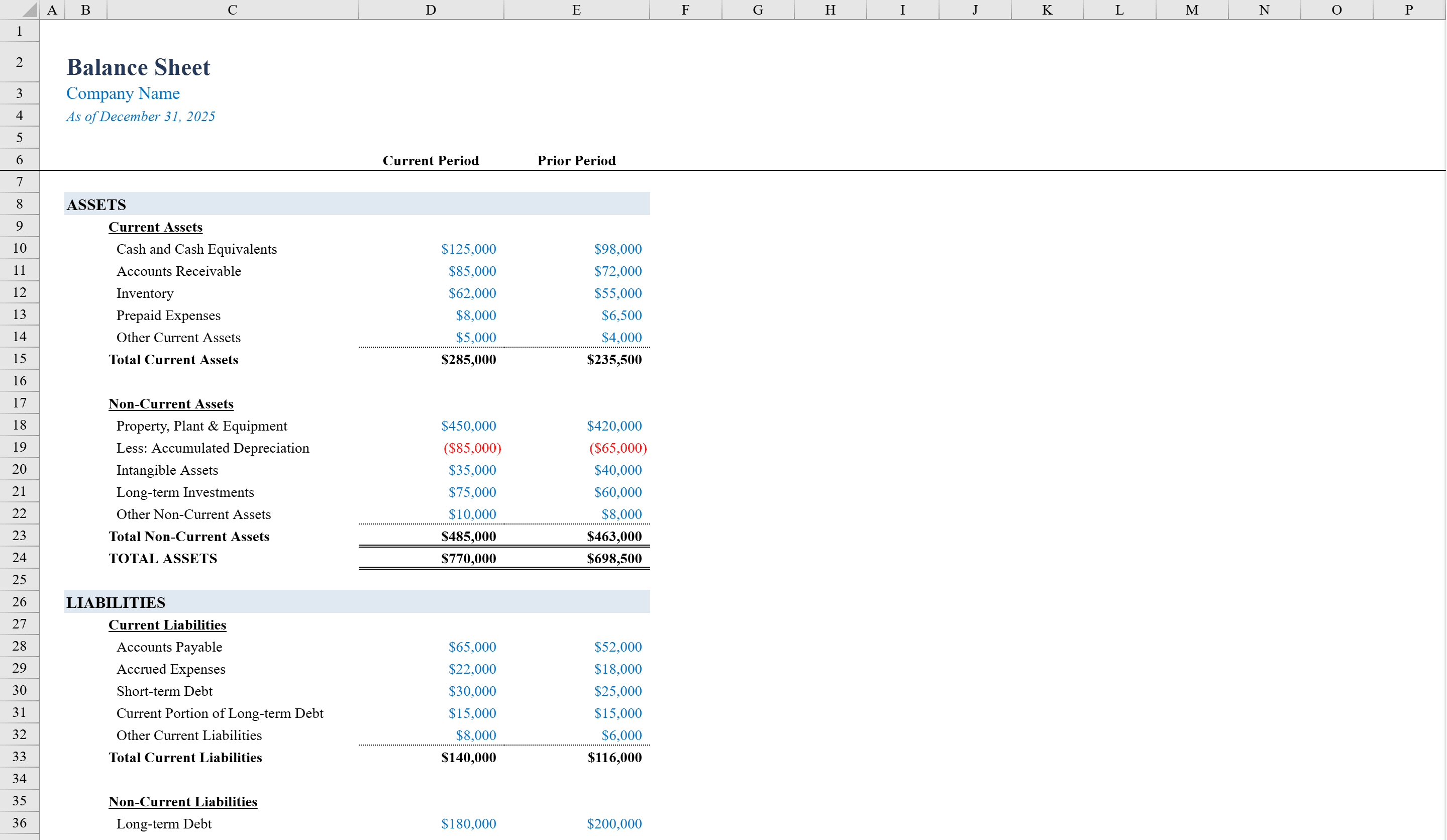
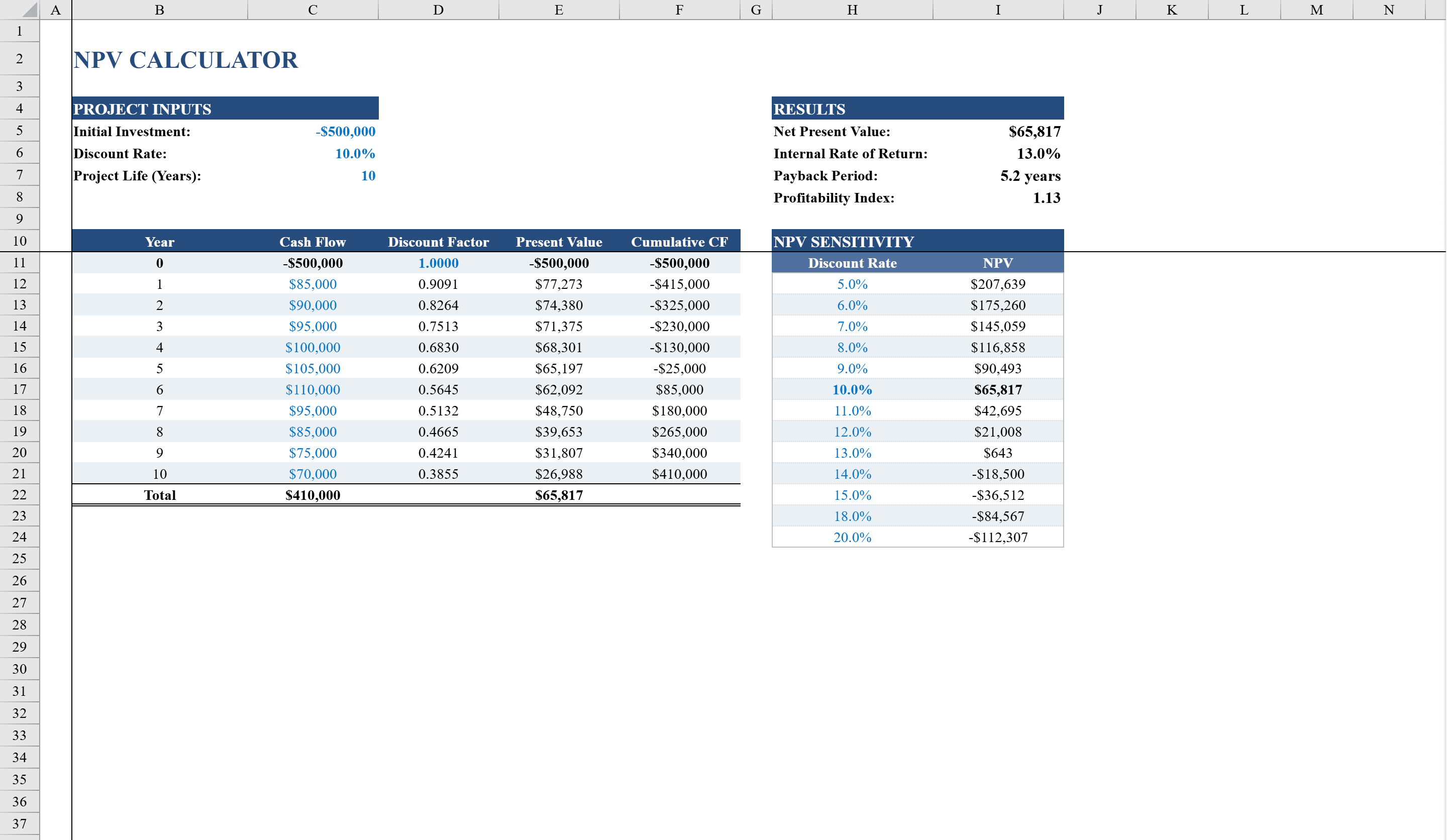
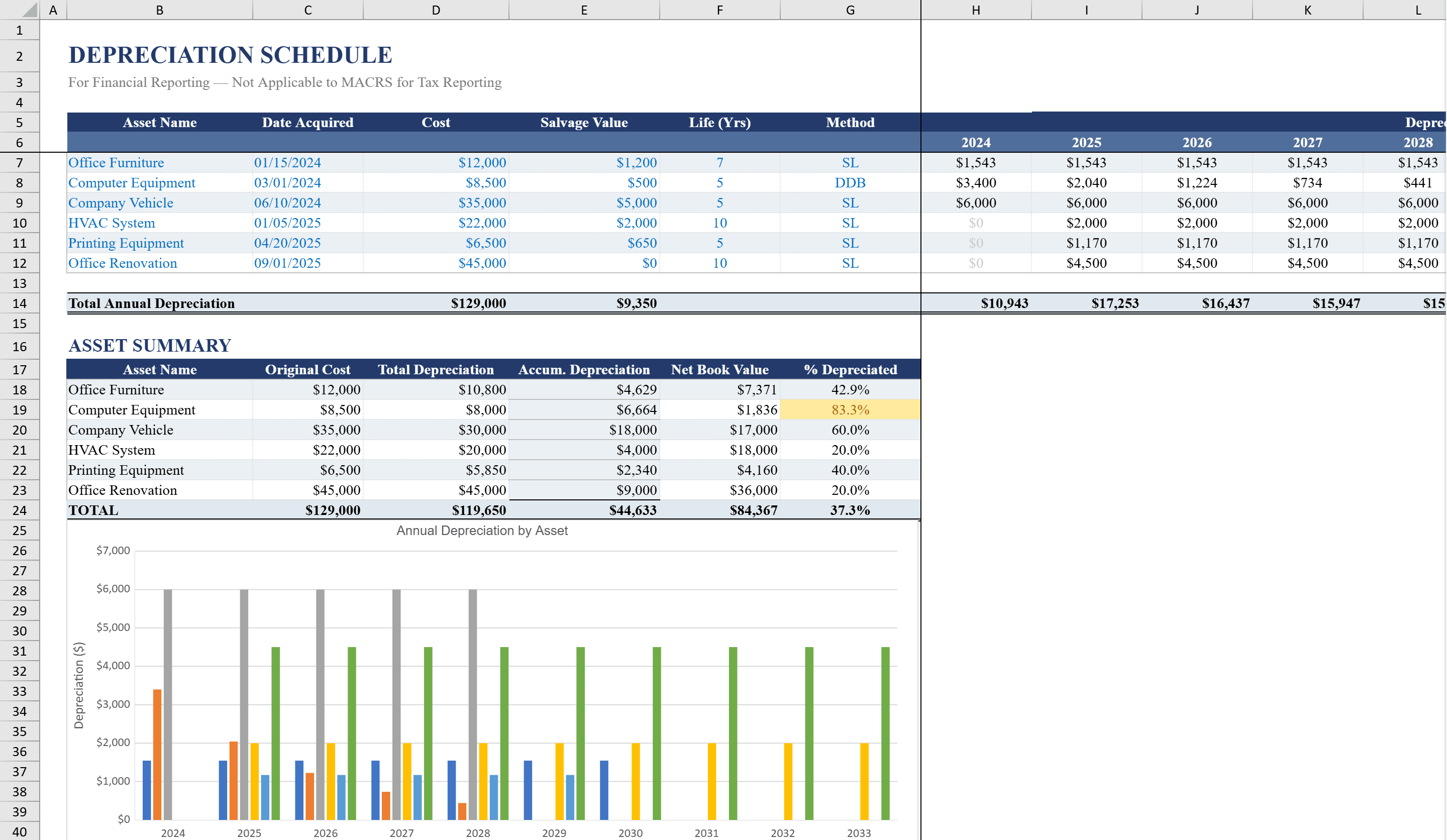
This Depreciation Schedule Template for Excel automates fixed asset depreciation tracking with support for both Straight-Line and Double Declining Balance methods. Built for accountants, finance teams, and small business owners, it features a detailed depreciation grid spanning up to 10 years for six assets, with formulas that automatically calculate annual depreciation based on cost, salvage value, and useful life. A companion Dashboard sheet displays original cost versus net book value at a glance, with bar charts and percentage-complete indicators. Color-coded conditional formatting highlights fully depreciated assets and flags near-completion milestones. Record the assets on your balance sheet template and evaluate replacement investments with the NPV calculator.
Depreciation Schedule Template Features
- Supports both Straight-Line and Double Declining Balance depreciation methods
- Detailed depreciation grid spanning up to 10 years for six assets
- Automatic calculations based on cost, salvage value, and useful life
- Dashboard with bar charts and percentage-complete indicators
- Color-coded conditional formatting for fully depreciated and near-completion assets
How to Use This Depreciation Schedule Template in Excel
- 1
Enter asset details
For each of your six assets, enter the cost, salvage value, useful life, and select the depreciation method.
- 2
Review the depreciation grid
Examine the 10-year depreciation schedule showing annual depreciation, accumulated depreciation, and net book value.
- 3
Check the dashboard
View the Dashboard sheet for bar charts comparing original cost to net book value and percentage-complete indicators.
- 4
Monitor fully depreciated assets
Color-coded formatting automatically highlights assets that are fully depreciated or approaching the end of their useful life.
Depreciation Schedule Template FAQ
- What depreciation methods are supported?
- The template supports both Straight-Line and Double Declining Balance depreciation methods, with formulas that automatically calculate annual depreciation for each.
- How many assets can I track?
- The depreciation grid supports up to six assets, each with a 10-year schedule based on cost, salvage value, and useful life.
- How do I know when an asset is fully depreciated?
- Color-coded conditional formatting highlights fully depreciated assets and flags assets nearing the end of their useful life on both the schedule and dashboard.