NPV Calculator
Evaluate any capital investment with NPV, IRR, payback period, and sensitivity analysis.
About the NPV Calculator
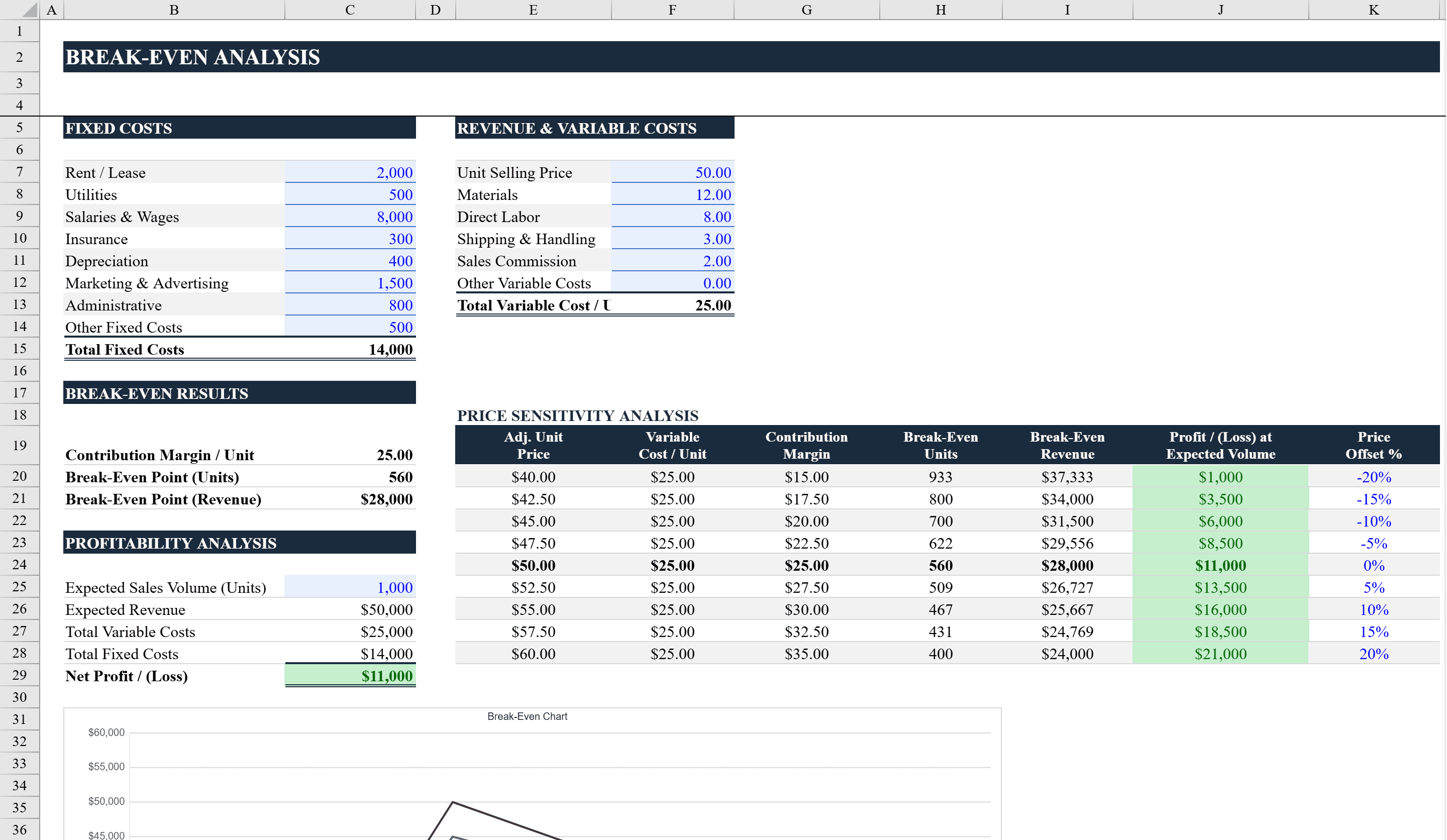
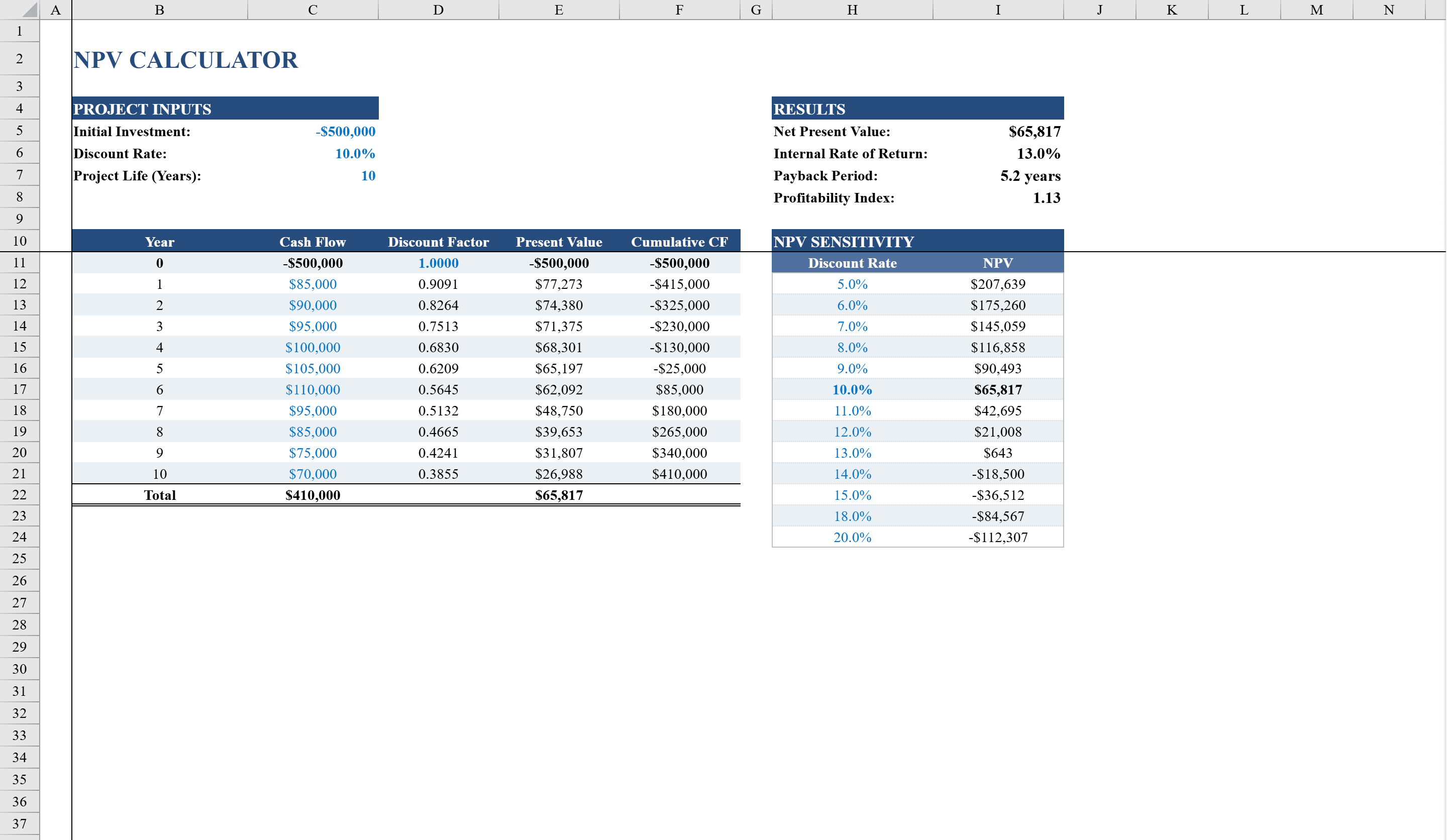
This NPV Calculator for Excel is a comprehensive investment analysis tool designed for financial analysts, business owners, and students evaluating capital projects. Enter an initial investment, discount rate, and up to 10 years of projected cash flows, and the calculator automatically computes Net Present Value, Internal Rate of Return, Payback Period, and Profitability Index. A detailed year-by-year breakdown shows discount factors, present values, and cumulative cash flows. The built-in sensitivity analysis table displays how NPV changes across 13 different discount rates from 5% to 20%, making it easy to stress-test investment assumptions. Use it with the break-even analysis template to understand both your payback timeline and profitability threshold.
NPV Calculator Features
- Automatic NPV, IRR, Payback Period, and Profitability Index calculations
- Up to 10 years of projected cash flow inputs
- Year-by-year breakdown with discount factors, present values, and cumulative cash flows
- Sensitivity analysis table across 13 discount rates from 5% to 20%
- Ideal for financial analysts, business owners, and students
How to Use This NPV Calculator in Excel
- 1
Enter the initial investment
Input your upfront capital investment amount and set the discount rate for the analysis.
- 2
Project cash flows
Enter projected annual cash flows for up to 10 years into the template.
- 3
Review key metrics
Examine the automatically calculated NPV, IRR, Payback Period, and Profitability Index.
- 4
Run sensitivity analysis
Review the sensitivity table to see how NPV changes across 13 different discount rates from 5% to 20%.
NPV Calculator FAQ
- What investment metrics does the calculator compute?
- The calculator automatically computes four key metrics: Net Present Value (NPV), Internal Rate of Return (IRR), Payback Period, and Profitability Index.
- How does the sensitivity analysis work?
- The built-in sensitivity table shows how NPV changes across 13 different discount rates ranging from 5% to 20%, letting you stress-test your investment assumptions.
- How many years of cash flows can I enter?
- The calculator supports up to 10 years of projected cash flows, with a year-by-year breakdown showing discount factors, present values, and cumulative cash flows.