Control Chart
Catch process drift before it becomes a defect with auto-calculated control limits and instant out-of-control alerts.
About the Control Chart
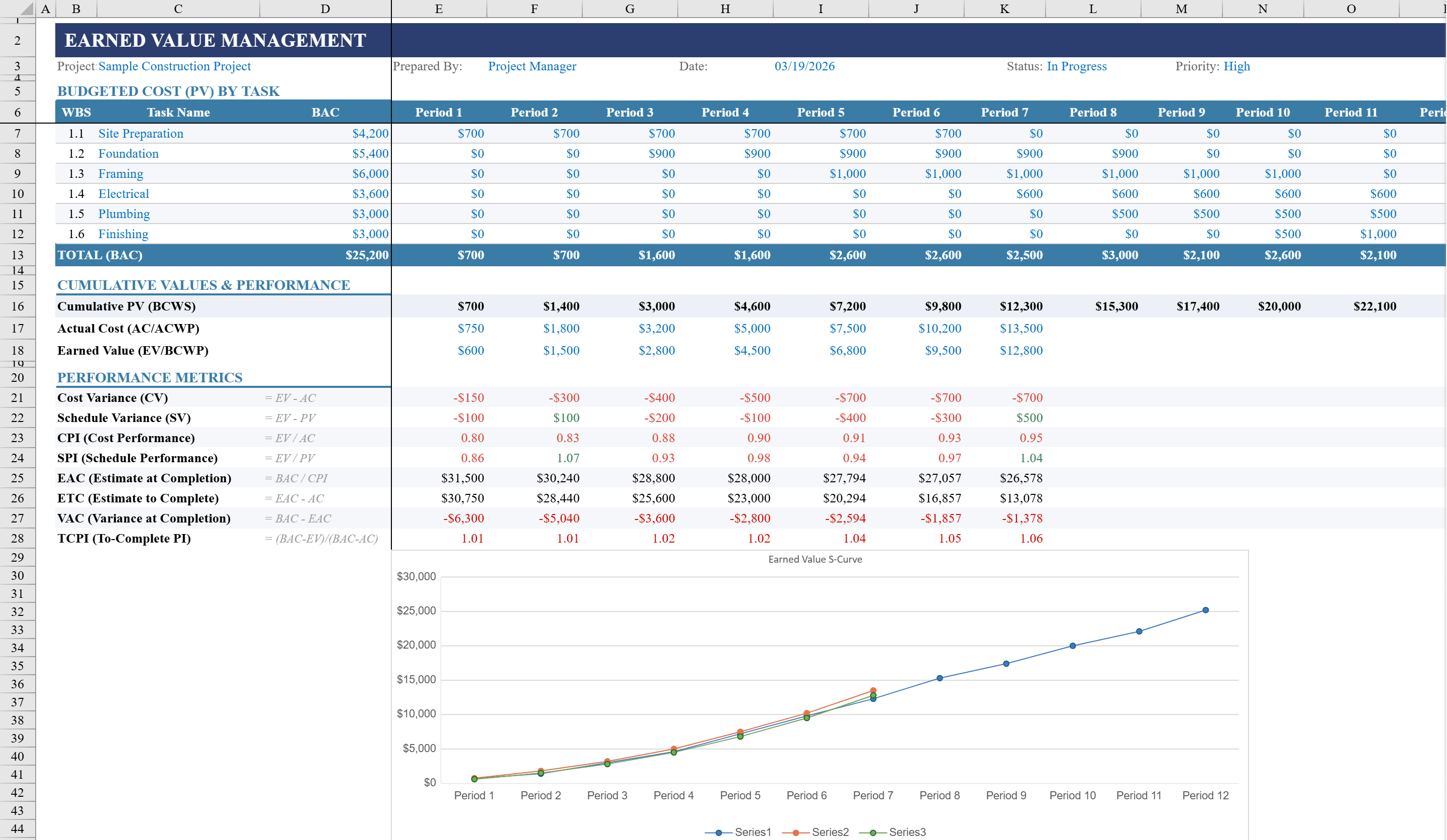
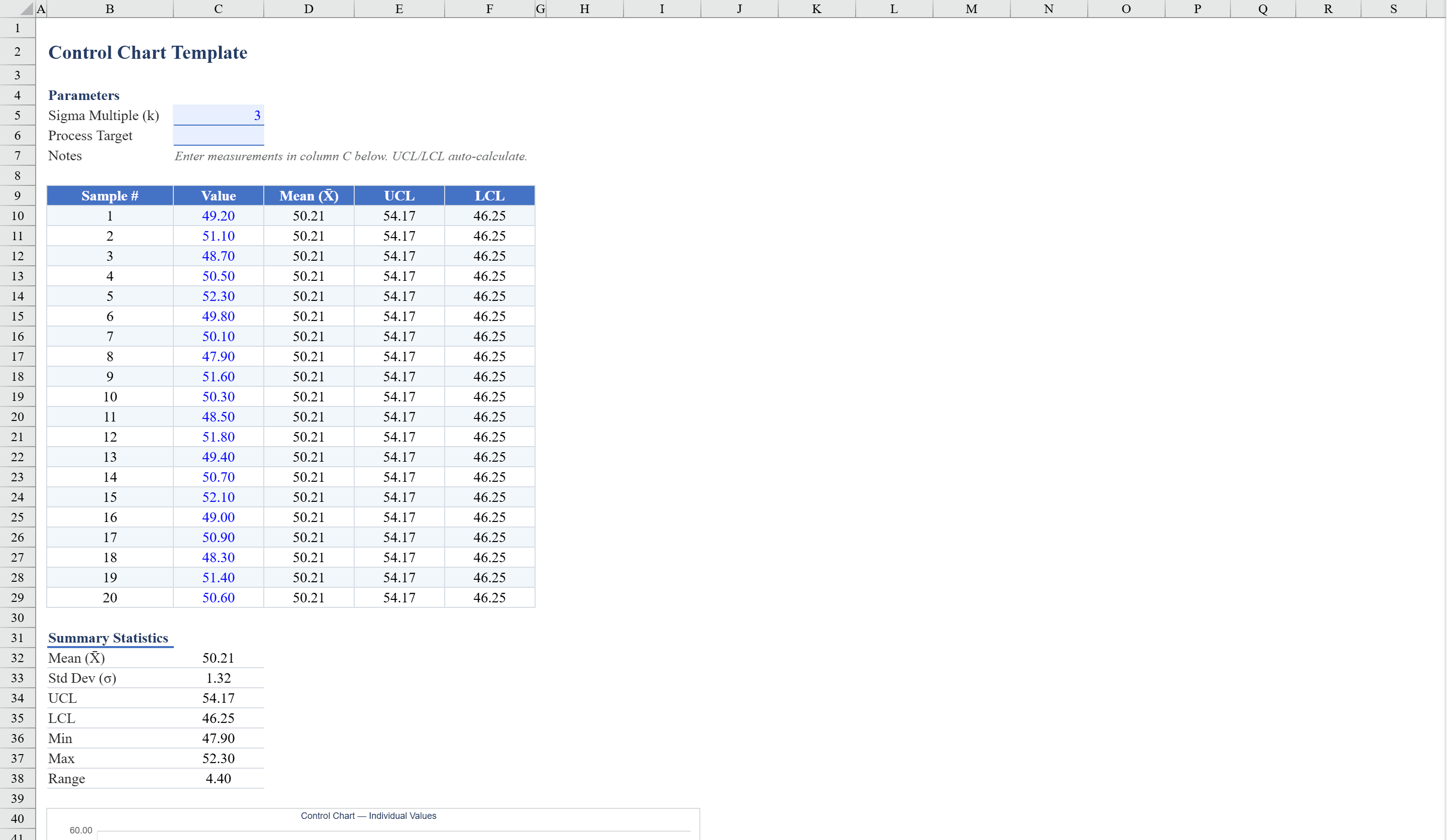
This control chart template is an Excel-based statistical process control tool designed for quality engineers and manufacturing professionals. Enter up to 30 sample measurements and the spreadsheet automatically calculates the mean, upper and lower control limits, and moving range statistics. Built-in formulas flag out-of-control points with color-coded conditional formatting, instantly highlighting values that exceed control limits. The template generates both an Individual Control Chart (I-Chart) and a Moving Range Chart (MR-Chart) to visualize process stability. Data validation keeps entries clean, while a dedicated statistics panel displays key metrics including process capability and range averages. For structured project risk tracking, pair this with an Earned Value Management template.
Control Chart Features
- Supports up to 30 sample measurements
- Auto-calculates mean, upper/lower control limits, and moving range statistics
- Color-coded conditional formatting flags out-of-control points
- Individual Control Chart (I-Chart) and Moving Range Chart (MR-Chart)
- Statistics panel with process capability and range averages
How to Use This Control Chart in Excel
- 1
Enter sample measurements
Input up to 30 data points from your process measurements. The template accepts any numeric values from your quality inspection or monitoring process.
- 2
Review control limits
The mean, upper control limit (UCL), and lower control limit (LCL) are calculated automatically based on your data.
- 3
Identify out-of-control points
Color-coded conditional formatting instantly flags any measurements that fall outside control limits, requiring investigation.
- 4
Analyze both charts
Review the I-Chart for individual measurement trends and the MR-Chart for variation between consecutive measurements to assess process stability.
Control Chart FAQ
- What is a control chart used for?
- Control charts monitor process stability over time by plotting measurements against statistically derived control limits. They help distinguish normal process variation from special-cause variation that requires corrective action.
- What is the difference between the I-Chart and MR-Chart?
- The I-Chart (Individual Chart) plots each measurement against the mean and control limits. The MR-Chart (Moving Range Chart) plots the absolute difference between consecutive measurements to monitor process variation.
- Can I add more than 30 data points?
- Yes. Extend the data entry section by adding more rows. The control limit calculations, charts, and conditional formatting will update to include all data points.