Business Budget Template
Plan a full year of revenue, costs, and expenses with built-in variance analysis.
About the Business Budget Template
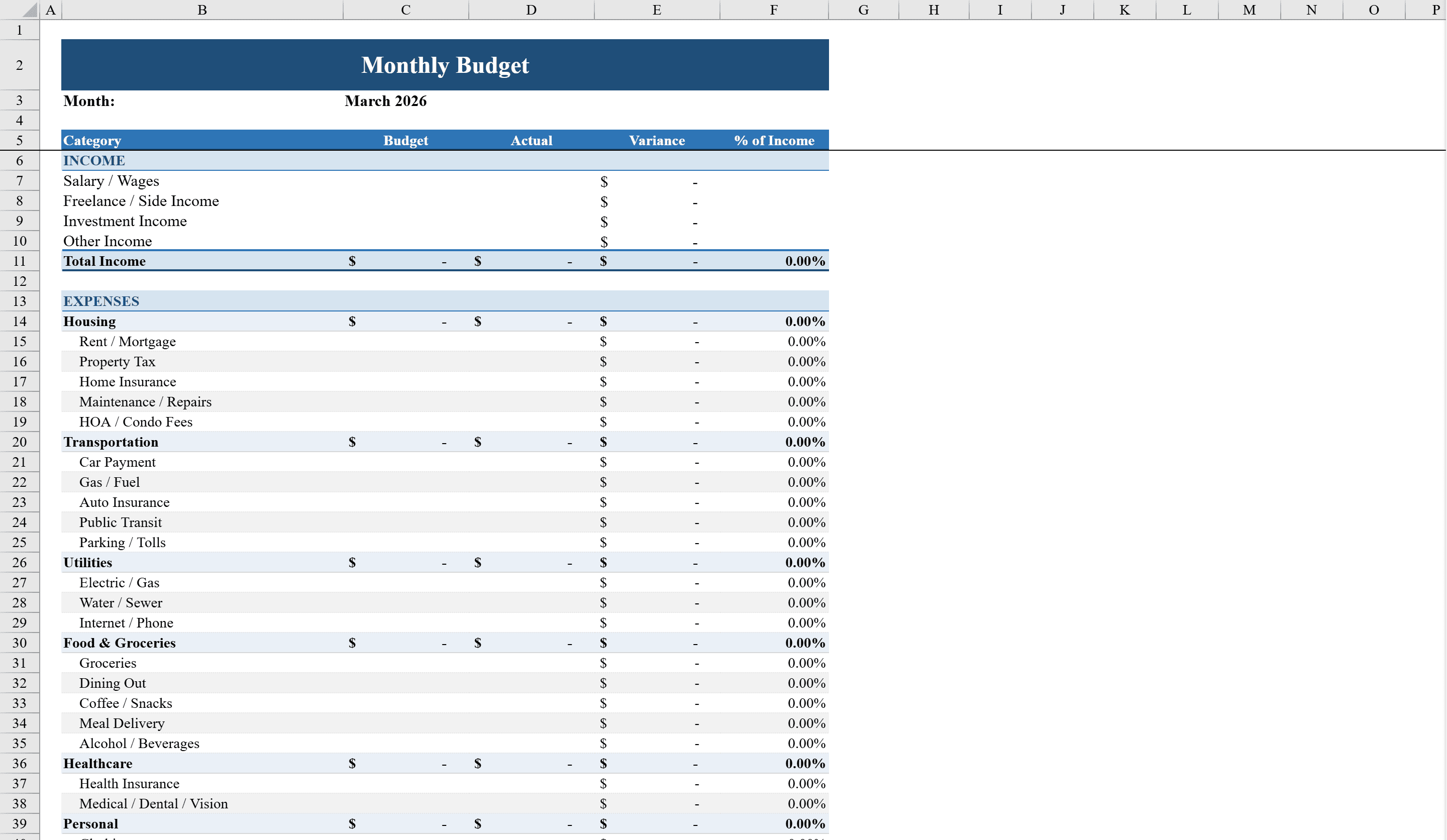
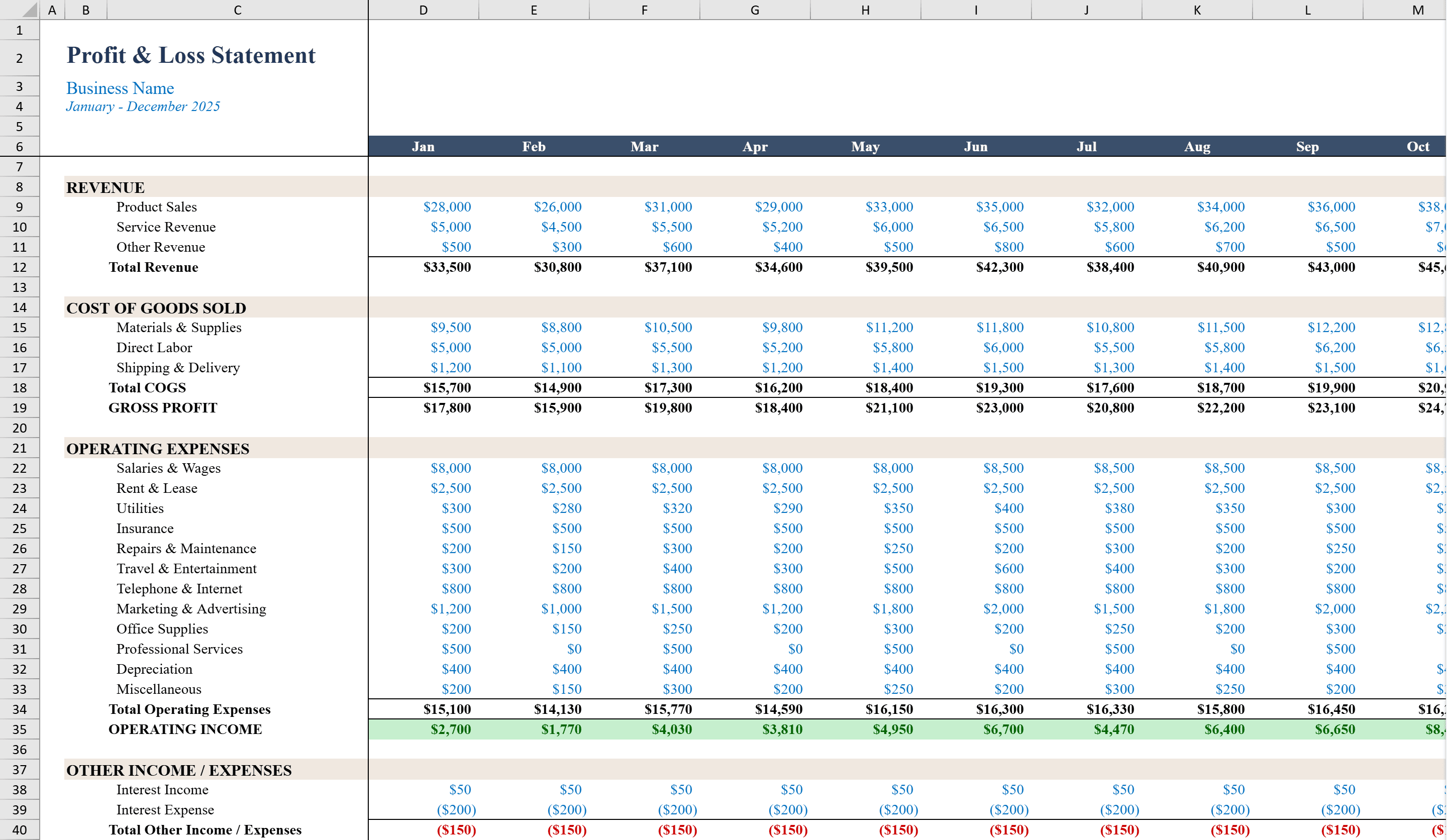
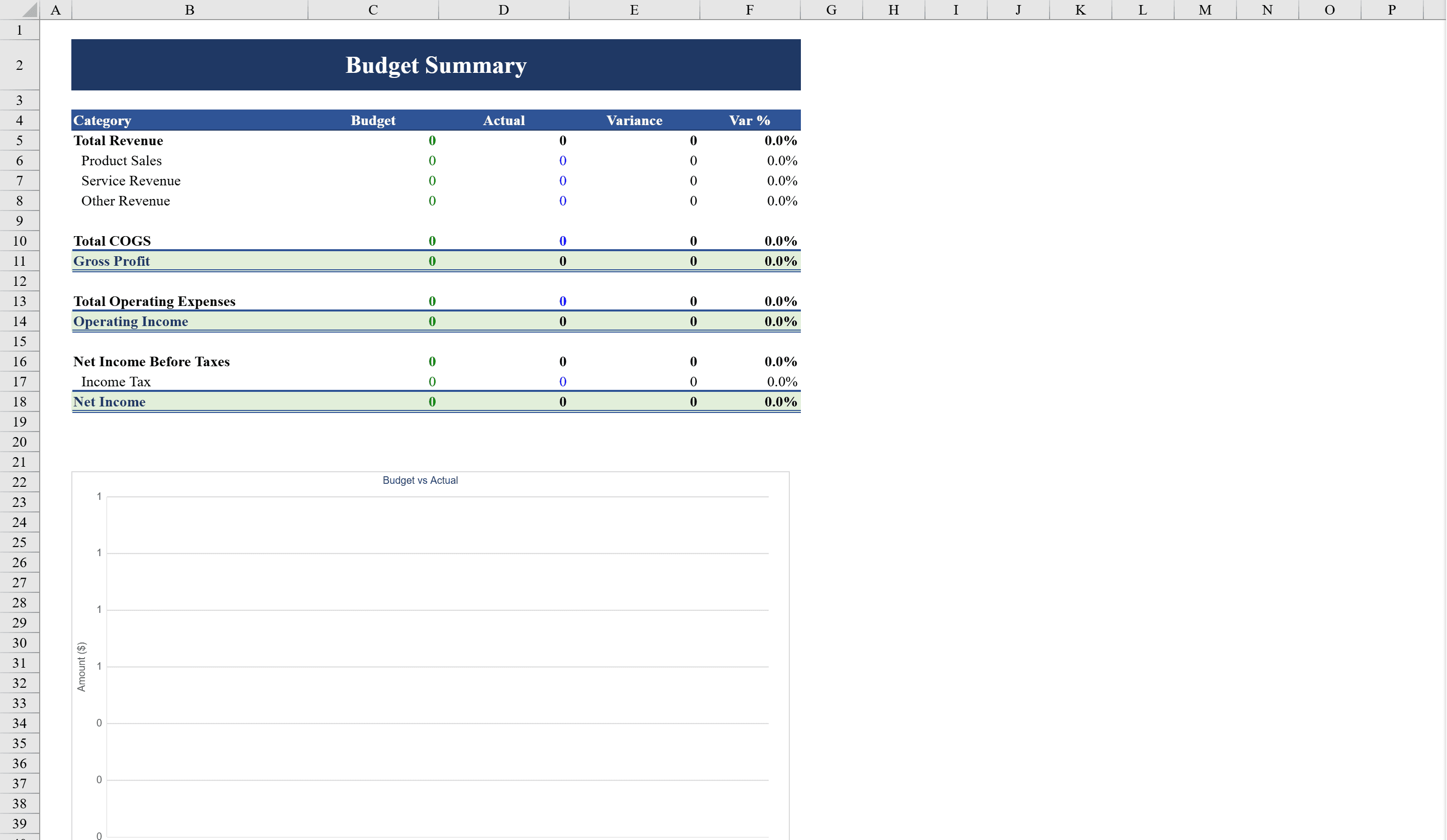
This Business Budget Template for Excel delivers a complete annual financial planning tool with monthly revenue, cost of goods sold, operating expense, and net income tracking across 12 months. Designed for business owners, finance managers, and department heads, it automatically calculates gross profit, operating income, and net income after taxes with built-in formulas. A separate Summary sheet compares budget versus actual figures with variance analysis and percentage calculations. Negative values are highlighted in red, and bar charts visualize monthly performance trends. Data validation ensures clean inputs, while the year selector lets you reuse the template annually. Compare budget results against the profit and loss template for a deeper financial picture.
Business Budget Template Features
- Complete annual financial planning with 12-month tracking
- Revenue, COGS, operating expenses, and net income sections
- Summary sheet with budget vs actual variance analysis
- Bar charts visualizing monthly performance trends
- Year selector for reusing the template annually
How to Use This Business Budget Template in Excel
- 1
Enter monthly revenue
Input your budgeted and actual revenue figures for each of the 12 months.
- 2
Add costs and expenses
Fill in cost of goods sold and operating expenses. Gross profit and operating income calculate automatically.
- 3
Review variance analysis
Check the Summary sheet to compare budget versus actual with variance calculations and percentage differences.
- 4
Analyze trends
Use the bar charts to visualize monthly performance trends and identify periods that need attention.
Business Budget Template FAQ
- What financial metrics does the template calculate?
- The template automatically calculates gross profit, operating income, and net income after taxes for each month, with full-year totals and variance analysis.
- Can I reuse this template each year?
- Yes, the built-in year selector lets you reuse the template annually without recreating the structure. Simply update the year and enter new figures.
- How does the variance analysis work?
- The Summary sheet compares budget versus actual figures for each line item, calculating both dollar variances and percentage differences with negative values highlighted in red.