Track Your Progress with Achievements
Shortcut tracks your progress as you discover features. Unlock badges, build streaks, and see how far you've come.
What Are Achievements?
Achievements are badges you unlock as you discover and use Shortcut's features. They celebrate your milestones and encourage you to explore everything Shortcut can do.
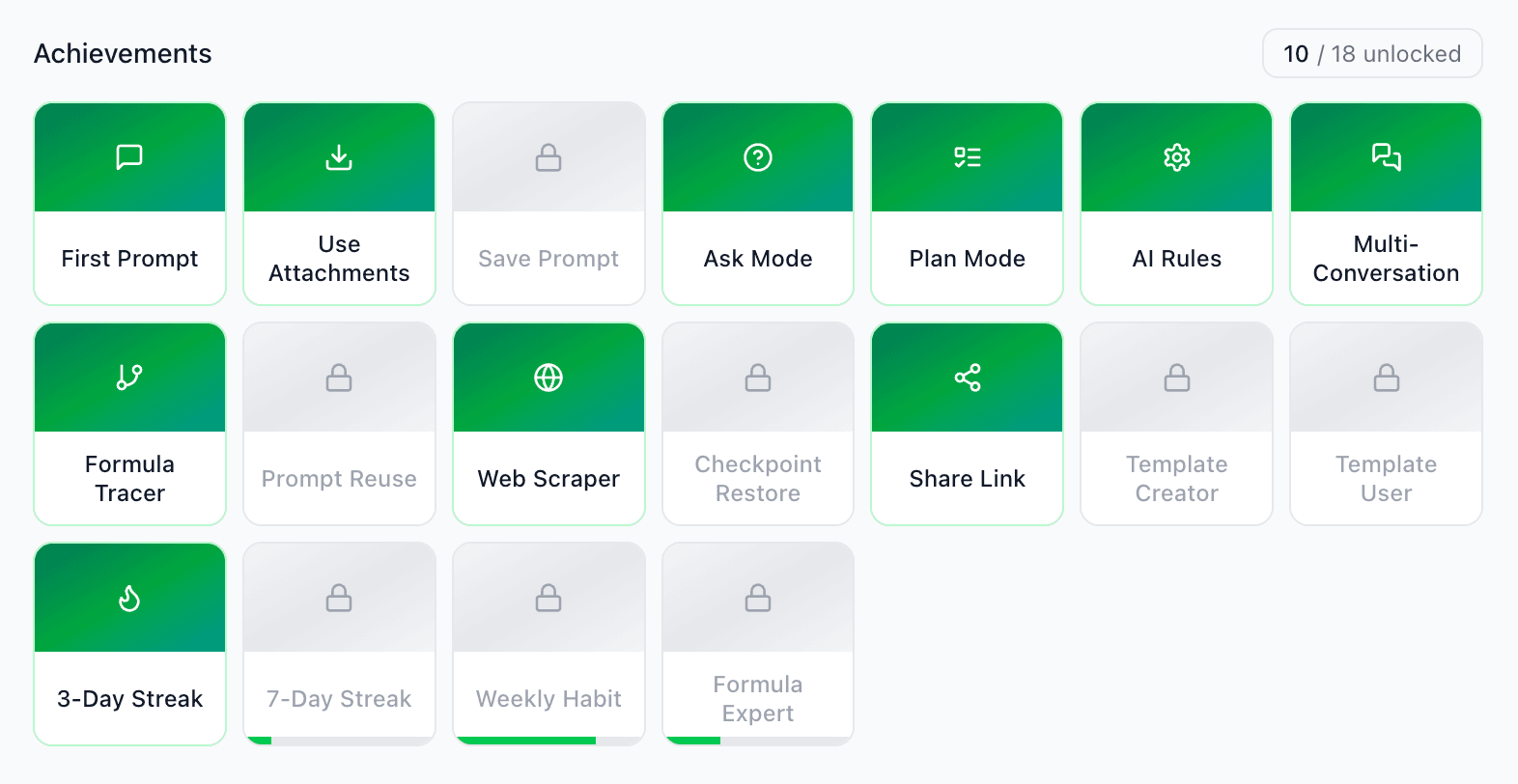
How to View Your Progress
- 1Click Settings in the sidebar
- 2Go to the Achievements tab
- 3See unlocked and locked achievements
Achievement Categories
Getting Started
Your first steps with Shortcut
First Prompt
Submit your first prompt
AI Preferences
Set up your AI rules
Prompt Library
Save your first prompt
Template Creator
Save your first template
Power User
Advanced features and productivity
Formula Expert
Trace 10 formulas
Checkpoint Master
Restore from a checkpoint
Multi-Tasker
Use multiple conversations
Mode Switcher
Use all three modes
Streaks
Build consistency with daily usage
3
Day Streak
Use 3 days in a row
7
Day Streak
Use for a week straight
30
Day Streak
A full month!
Tips for Unlocking Achievements
- •Explore different features - Each feature has related achievements
- •Build streaks - Use Shortcut regularly to unlock streak badges
- •Try all three modes - Action, Ask, and Plan each have achievements
- •Check back regularly - Your progress updates automatically
Ready for a Challenge?
Some users have unlocked all achievements. See how many you can collect!
Pro tip: Use Shortcut 3 days in a row to unlock the Streak achievement.
Key Takeaways
- Achievements - Badges that celebrate your progress
- Categories - Getting Started, Power User, Streaks
- View progress - Settings → Achievements tab
- Build streaks - Use Shortcut daily for streak badges